30 Navigation System
Selecting the Street
By Voice Control:
After you have selected the city, or if
you say “Street” on the Find
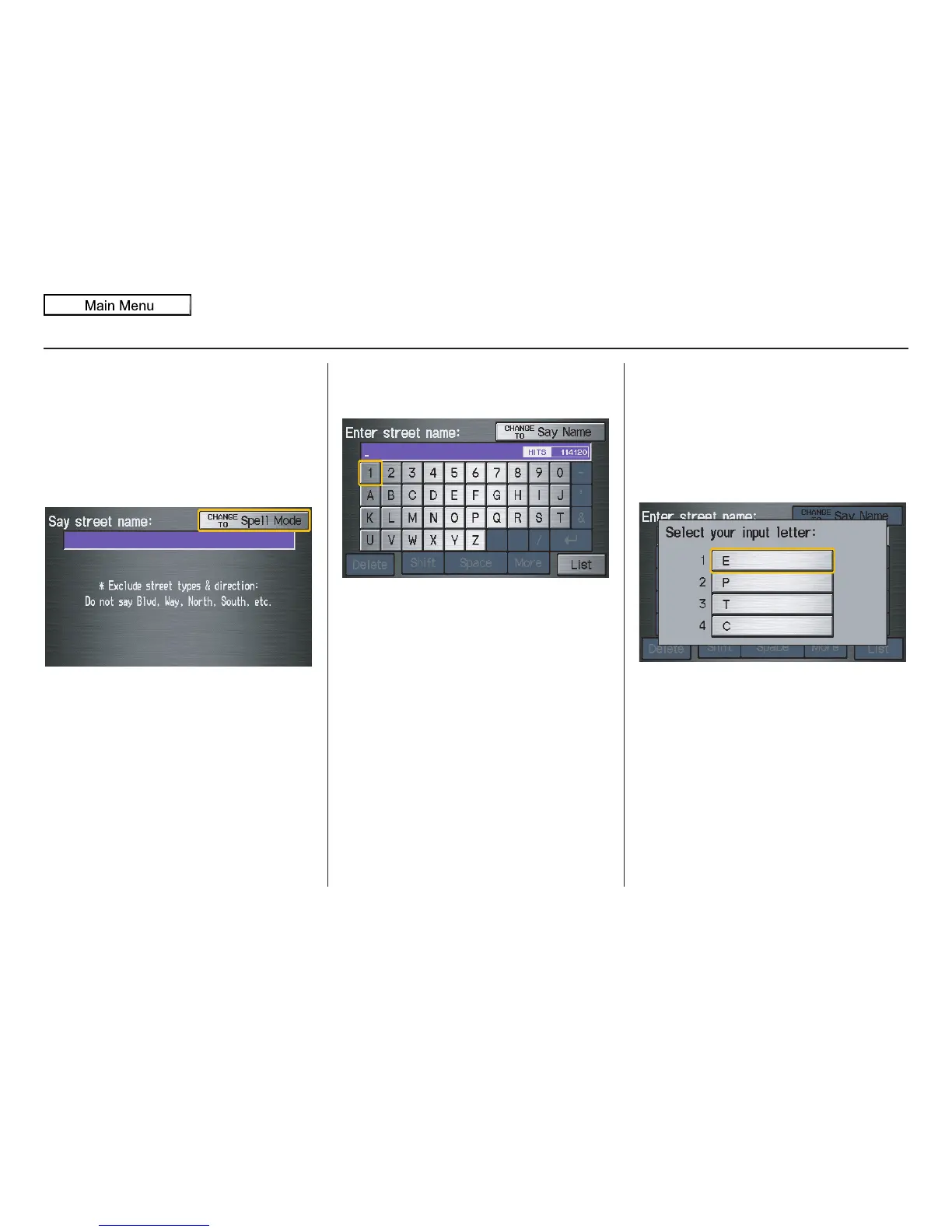
intersection by screen, the display
changes to the Say street name screen.
Say the street name and the searching
will begin.
To enter the street name by voice
spelling, say or select CHANGE TO
Spell Mode on the Say street name
screen, and the display will change to
the Enter street name screen.
Say the street name by saying individual
letters or numbers, or words that
represent the letters, one at a time.
After you have completed the first
name, the display changes to the Say
intersecting street screen. Say the
name of the other intersecting street.
The system has a talk back function. If
your spoken letter is not recognized, the
system will talk back to you. For
example, if you say “E” but the system
does not recognize the command, it will
ask you, “Please select the number of
the input letter from the list,” and the
following pop-up box will appear:
You should select a letter by saying the
number.
Alternatively, to improve voice
recognition, you can say “Echo” or
“Edward” instead of “E.”
See page 15 for a list of available words
for each letter.
Entering a Destination


 To Next Page
 Loading...







