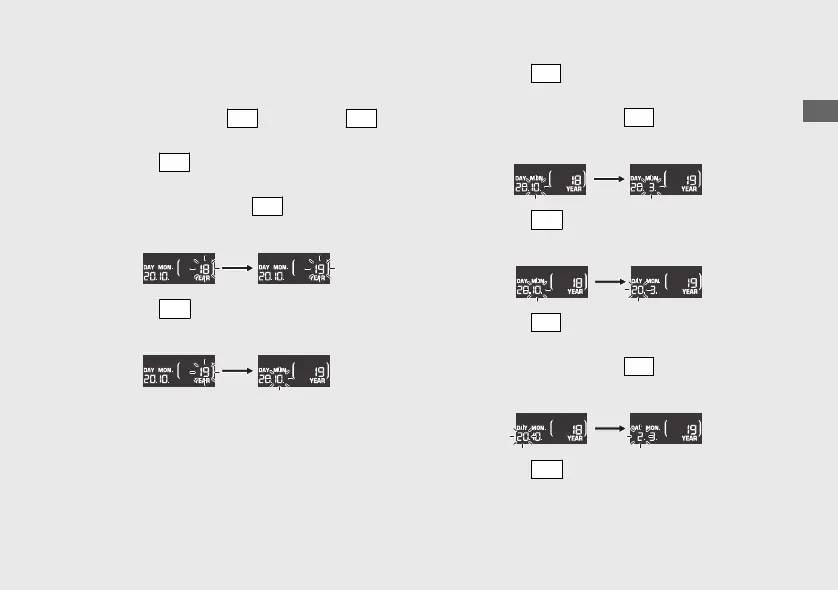
1 Date setting:
a
Turn the ignition switch to the ON position.
b
Press and hold the
SEL
button and
SET
button, the year digits start flashing.
c
Press the
SEL
button until the desired year
is displayed.
u Press and hold the
SEL
button to
advance the year fast.
d
Press the
SET
button. The month digits start
flashing.
e
Press the
SEL
button until the desired
month is displayed.
u Press and hold the
SEL
button to
advance the month fast.
f
Press the
SET
button. The day digits start
flashing.
g
Press the
SEL
button until the desired day is
displayed.
u
Press and hold the
SEL
button to
advance the day fast.
h
Press the
SET
button. The date is set, and
the display moves to the clock setting.
20200227172533_31K0WA000_enu_BOOK Page 28 Thursday, February 27 2020 17:31:25 JST
Operation Guide
25
Continued













 To Next Page