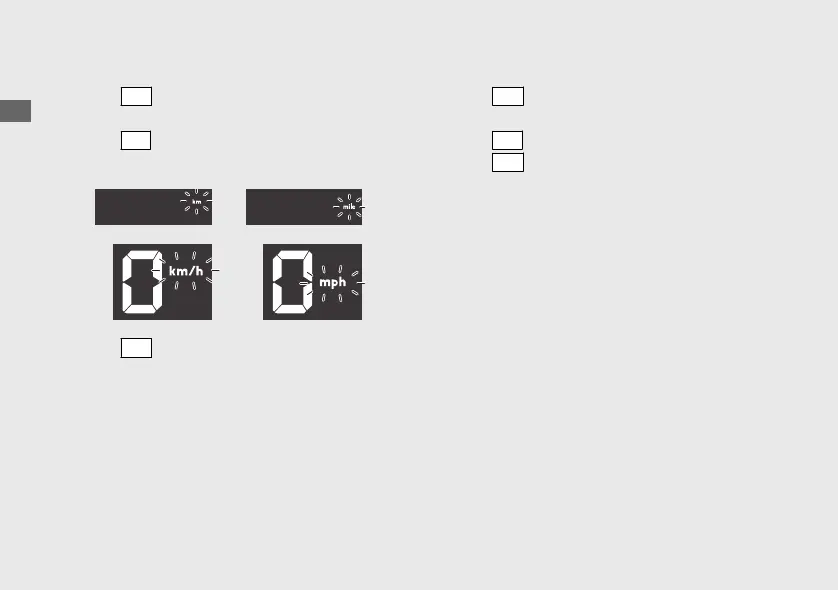
5 Changing of speed and mileage unit:
a
Press
SET
switch, the speed and mileage
unit start flashing fast.
b
Press
SEL
switch to select either “km/h” and
“km” or “mph” and “mile”.
c
Press
SET
switch. The speed and mileage
unit is set, and then the display moves to the
changing of air temperature unit.
6 Changing of air temperature unit:
a
Press
SET
switch, the temperature unit start
flashing fast.
b
Press
SEL
switch to select “°C” and “°F”.
c
Press
SET
switch. The air temperature unit is
set, and then the display moves to the
changing of fuel mileage meter unit. (fuel
mileage meter unit start flashing.)
20200227172533_31K0WA000_enu_BOOK Page 31 Thursday, February 27 2020 17:31:25 JST
Operation Guide
28
Instruments (Continued)









 To Next Page