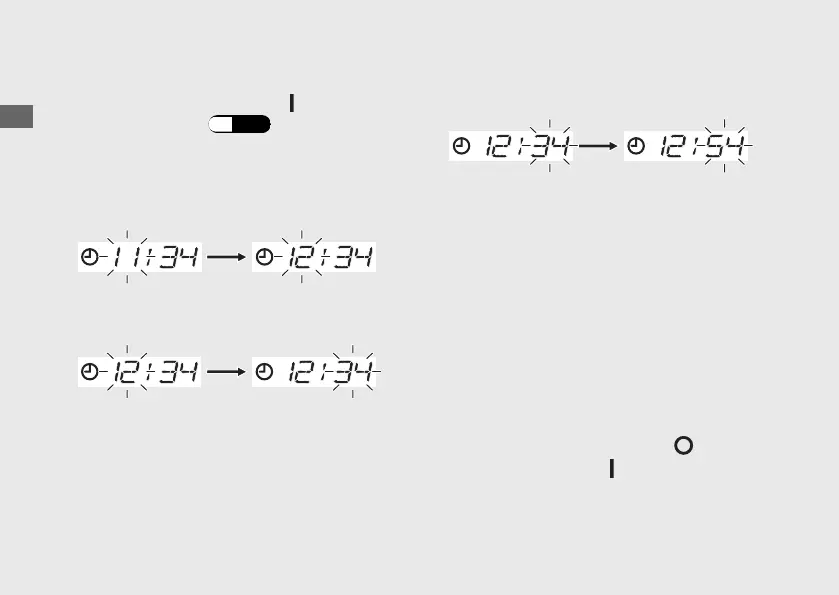
Clock setting:
a
Turn the power switch to the (On) position.
b
Display the clock. (P.27)
c
Press and hold the SEL switch, the hour
digits start flashing.
d
Press the SEL switch until the desired hour is
displayed.
e
Press and hold the SEL switch. The minute
digits start flashing.
f
Press the SEL switch until the desired minute
is displayed.
g
Press and hold the SEL switch to set
minutes. The clock is set, and then the
display moves to the ordinary display.
The display will return to the ordinary display
by the following conditions.
Even in this case, items in the process of
being set will be discarded and only items
where settings have been finalized will be
applied.
● The switch is not pressed for about 30
seconds.
● Turn the power switch to the (Off)
position, then to the (On) position.
Operation Guide
30
Instruments (Continued)













 To Next Page