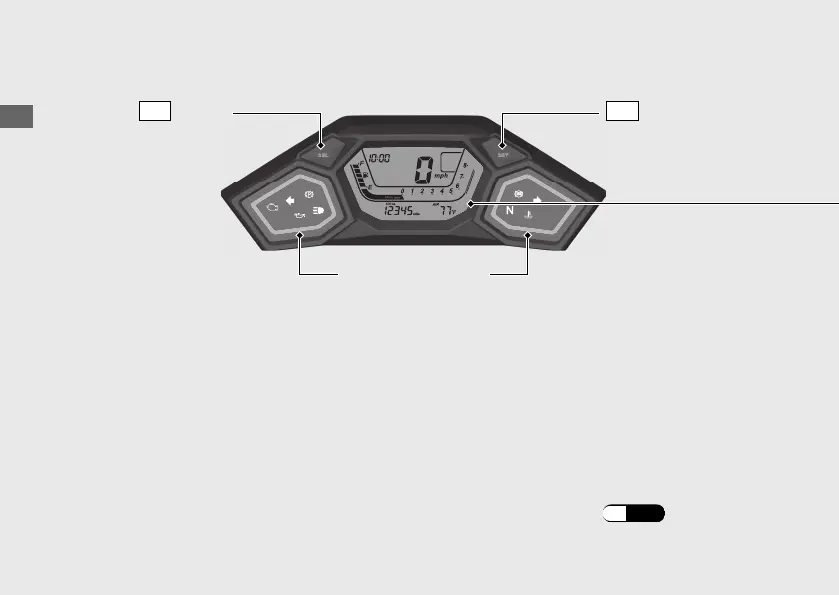
Instruments
Operation Guide
20
SET
button
Ring illumination
Display Check
When the ignition switch is turned to the ON position, all the mode and digital segments will
show. If any part of these displays does not come on when it should, have your dealer check
for problems.
SEL
Button
The display backlight color and the ring illumination color
You can change the setting of the display backlight color and the ring illumination color.
When you set to “COL A” (COLOR AUTO), the backlight color and ring illumination color
changes in accordance with changing between N, D and S or changing between MT mode
and AT mode. Default setting is “COL A.”
Changing of display backlight color and ring illumination color: (P.28)






 To Next Page