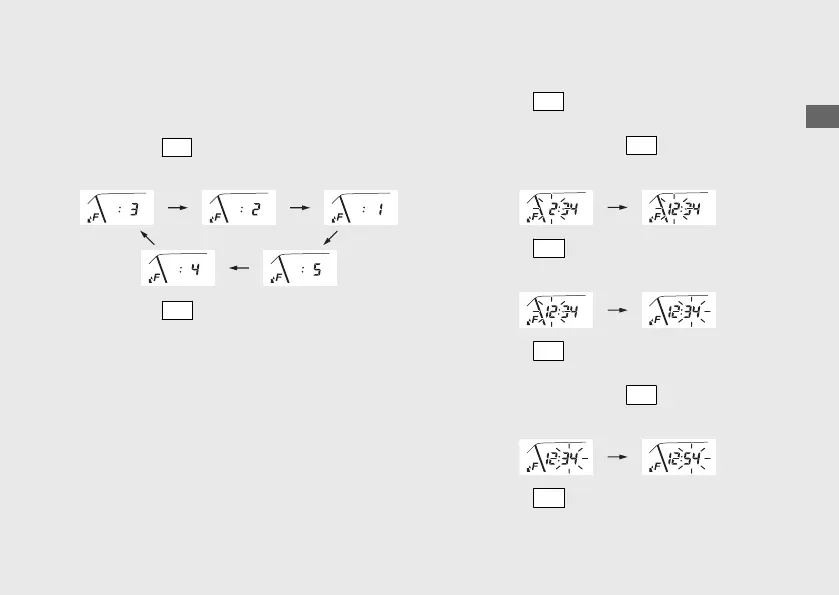
2 Backlight brightness adjustment:
You can adjust the brightness to one of five
levels.
a
Press the
SEL
button. The brightness is
switched.
b
Press the
SET
button. The backlight is set,
and then the display moves to the clock
setting.
3 Clock setting:
a
Press the
SEL
button until the desired hour
is displayed.
u Press and hold the
SEL
button to
advance the hour fast.
b
Press the
SET
button. The minute digits
start flashing.
c
Press the
SEL
button until the desired
minute is displayed.
u Press and hold the
SEL
button to
advance the minute fast.
d
Press the
SET
button. The clock is set, and
then the display moves to the changing of
speed and mileage unit.
Operation Guide
29
Continued








 To Next Page