EasyManua.ls Logo

Honda Pilot 2016 - Page 293

Honda Pilot 2016
661 pages
Print Icon
To Next Page IconTo Next Page
To Previous Page IconTo Previous Page
Loading...
292
uuAudio System Basic OperationuPlaying Aha
TM
Features
Playing Aha
TM
Aha
TM
can be displayed and operated on the audio/information screen when your
smartphone is connected to the audio system by Wi-Fi or through Bluetooth® with
the HondaLink® app downloaded to your smartphone.
2 Wi-Fi Connection P. 303
2 HondaLink® P. 298
1Playing Aha
TM
Aha
TM
by Harman is a cloud-based service that
organizes your favorite web content into live radio
stations. You can access podcasts, internet radio,
location-based services, and audio updates from
social media sites.
Available operating functions vary on software
versions. Some functions may not be available on the
vehicle’s audio system.
The menu items vary depending on the station you
selected.
You must have a previously set up Aha
TM
account
prior to using the service in your vehicle. Visit
www.aharadio.com for more information.
You want to select another source, select AUDIO on
the upper left of the screen. The source select screen
will appear. Select the source you want.

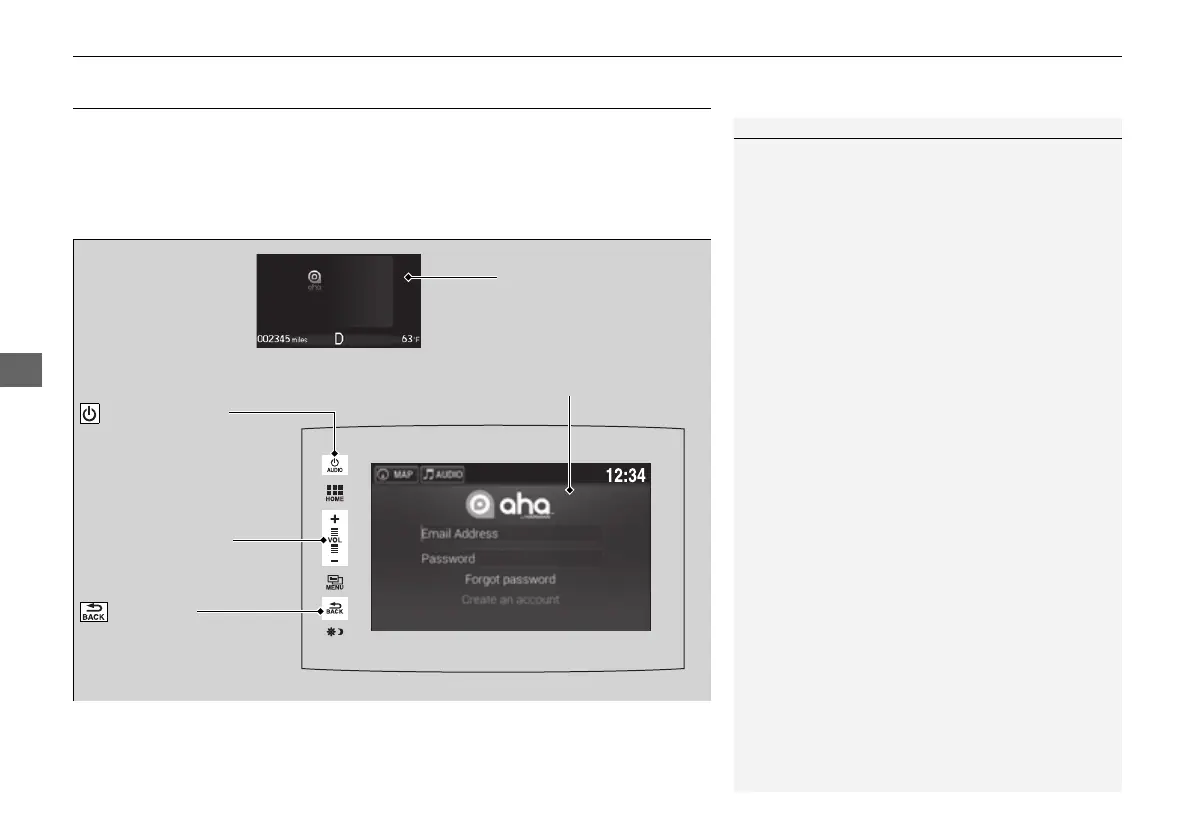
Audio/Information Screen
VOL (Volume) Icons
Select to adjust the
volume.
(Back) Icon
Select to go back to the
previous display.
/AUDIO (Power/
Audio) Icon
Select to turn the audio
system on and off.
Multi-Information Display
16 PILOT-31TG76000.book 292 ペー 2016年10月19日 水曜日 午後5時4

Table of Contents

Other manuals for Honda Pilot 2016

Related product manuals