327
uuBlu-ray/DVD Rear Entertainment System
*
uPlaying a DVD/Blu-ray
TM
*
Continued
You can configure the initial Language, Dynamic Range, and Angle Mark settings
before playing a DVD or Blu-ray
TM*
.
1. Press the MENU button on the remote to
display the Menu screen.
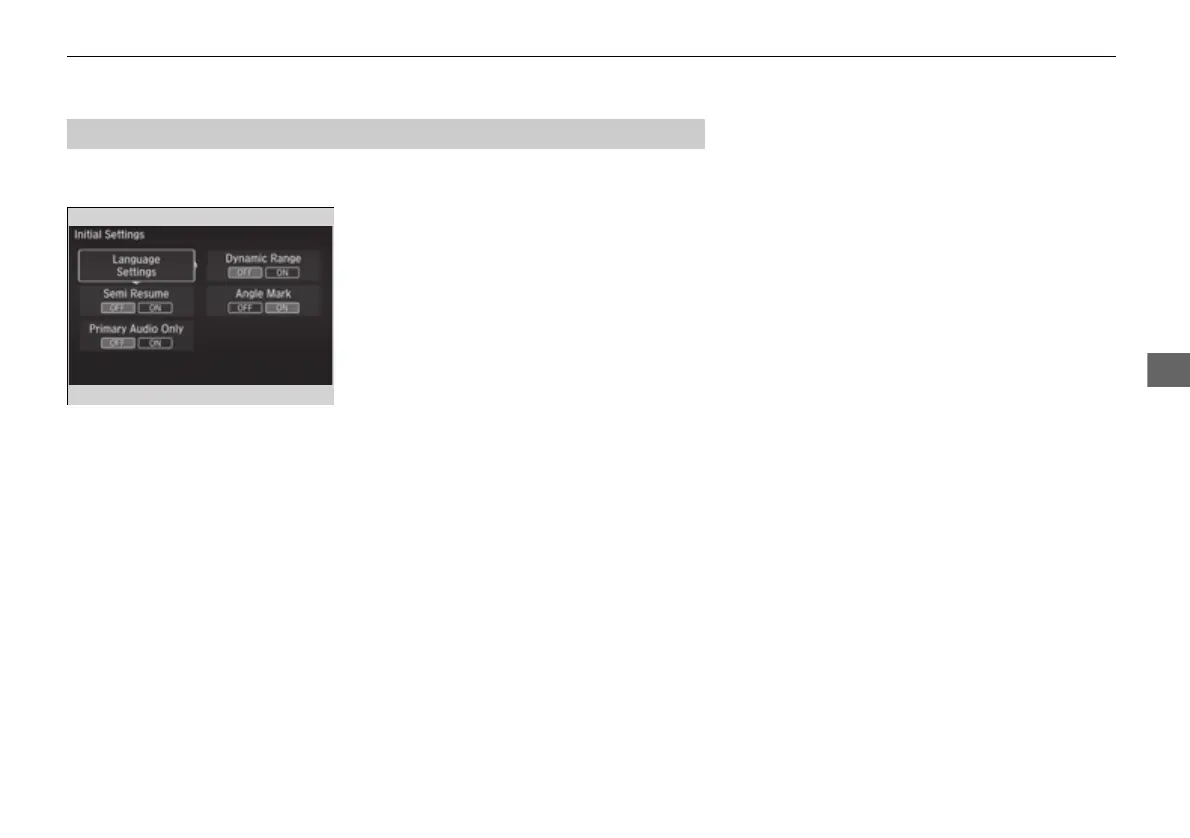
2. Select Initial Settings and then press the
ENTER button on the remote.
The following items are available:
• Language Settings: Selects the language for the DVD's or Blu-ray
TM*
's displayed
menus (Menu Language), the DVD's or Blu-ray
TM*
's audio (Audio Language), and
the DVD's or Blu-ray
TM*
's subtitle (Subtitle Language).
2 Language Settings P. 328
• Dynamic Range: The feature reduces the difference between the loud and quiet
sound levels. Select ON or OFF.
• Angle Mark: You can select whether to display the angle mark appearing in the
upper right corner of the screen when you change the view angle while the DVD
or Blu-ray
TM*
is playing. Select ON or OFF.
■
Initial Settings
* Not available on all models
16 PILOT-31TG76000.book 327 ページ 2016年10月19日 水曜日 午後5時4分















 To Next Page