Continued
417
uuBluetooth® HandsFreeLink®uHFL Menus
■ To change the currently paired phone
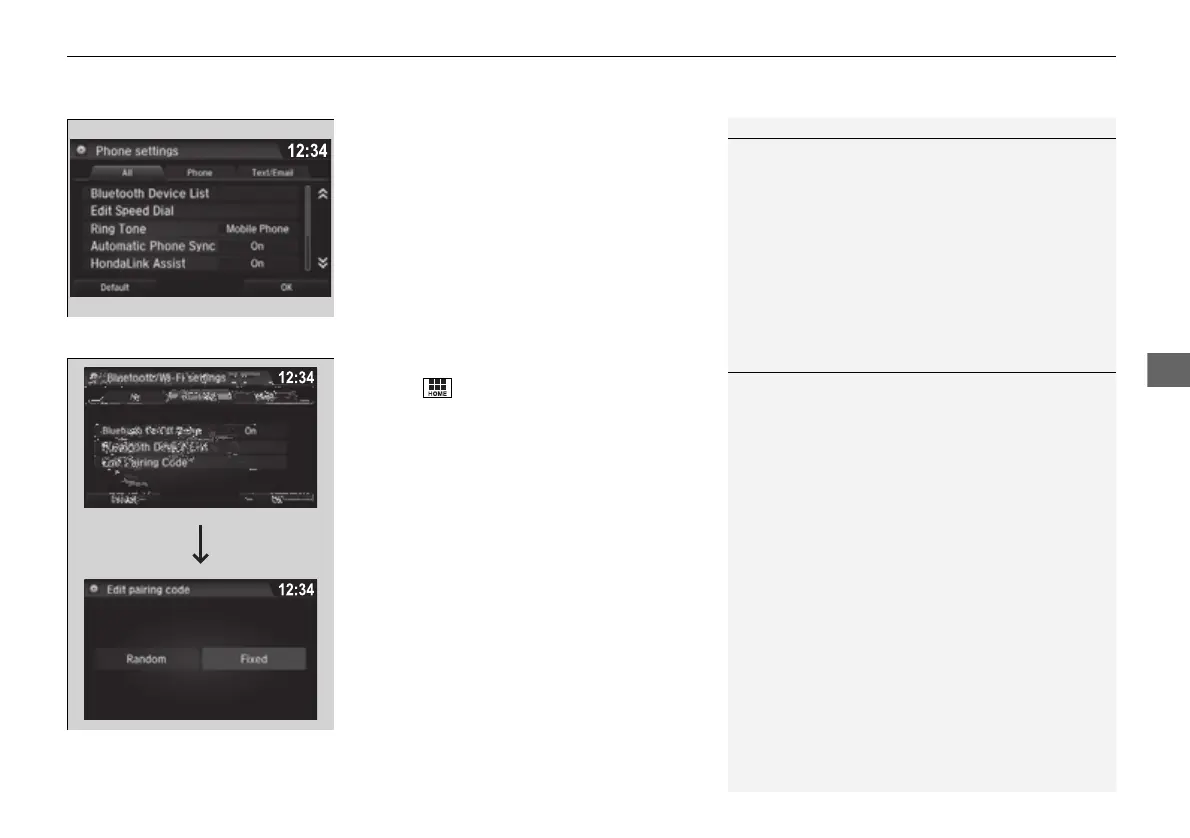
1. Go to the phone settings screen.
2 Phone settings screen P. 411
2. Select Bluetooth Device List.
3. Select a phone to connect.
u HFL disconnects the connected phone
and starts searching for another paired
phone.
4. Select Connect Phone/Audio, Connect
Phone, or Connect Audio.
■ To change the pairing code setting
1. Select .
2. Select Settings.
3. Select Bluetooth/Wi-Fi.
4. Select the Bluetooth tab.
5. Select Edit Pairing Code.
6. Select Random or Fixed.
1To change the currently paired phone
If no other phones are found or paired when trying to
switch to another phone, HFL will inform you that the
original phone is connected again.
To pair other phones, select Add Bluetooth Device
from the Bluetooth device list screen.
1To change the pairing code setting
The default pairing code is 0000 until you change the
setting.
To create your own, select Fixed, and delete the
current code, then enter a new one.
For a randomly generated pairing code each time you
pair a phone, select Random.
16 PILOT-31TG76000.book 417 ページ 2016年10月19日 水曜日 午後5時4分


 To Next Page
 Loading...












