15
Controls (P135)
Clock (P136)
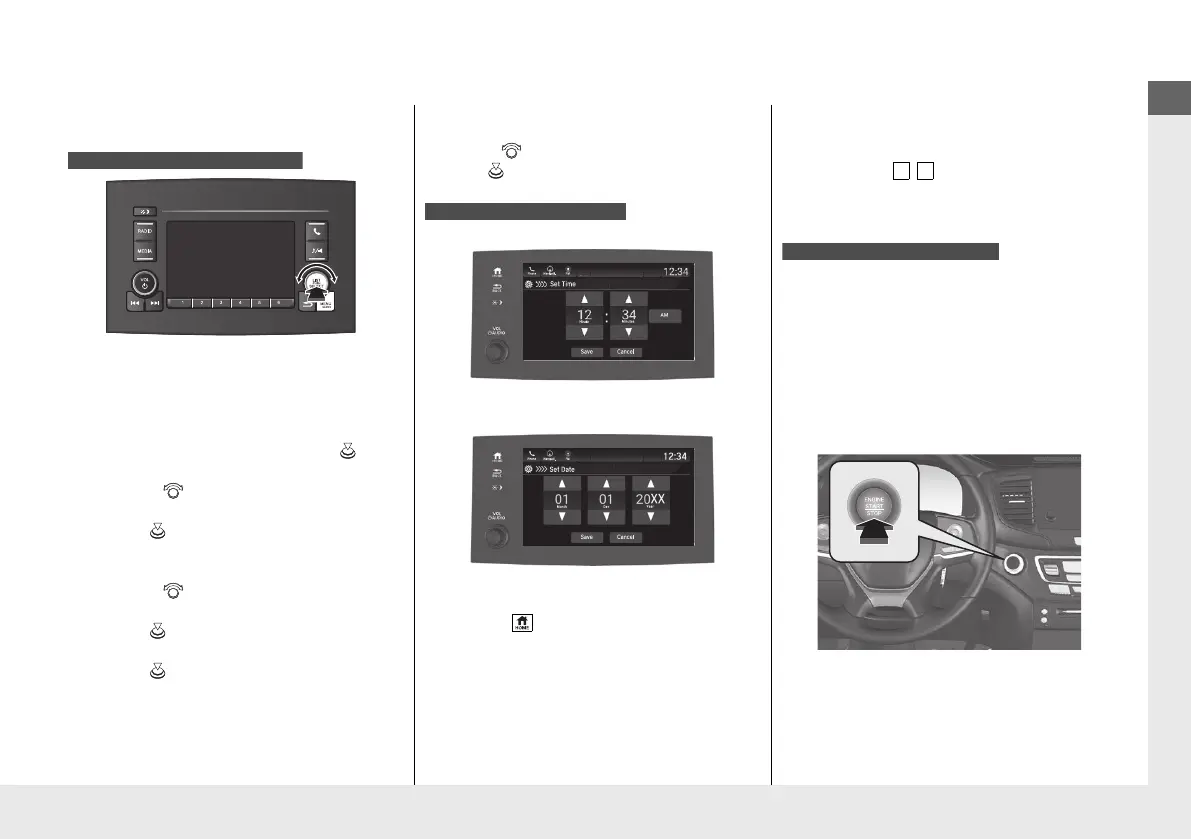
a Press and hold the MENU/CLOCK
button for two seconds.
b Select Adjust Clock, then press .
c Rotate to adjust the hours.
d Press to switch to minute
adjustment.
e Rotate to adjust the minutes.
f Press to switch to Set.
g Press to complete clock adjustment.
Models with color audio system
These indications are used to show how to
operate the selector knob.
●
Rotate to select.
●
Press to enter.
To adjust time
To adjust date
a Select , then select Settings.
b Select System, then Date & Time.
c Select Set Date & Time.
d Select Automatic Date & Time, then
select OFF.
Models with Display Audio
e Select Set Date or Set Time.
f Adjust the dates, hours and minutes by
selecting / .
g Select Save to set the time.
The navigation system receives signals from
GPS satellites, updating the clock
automatically.
ENGINE START/STOP
Button
(P171)
Press the button to change the vehicle’s
power mode.
Models with navigation system
* Not available on all models
21 PILOT-31TG76500.book 15 ページ 2020年3月18日 水曜日 午後4時38分



 To Next Page