423
Continued
Customized Features
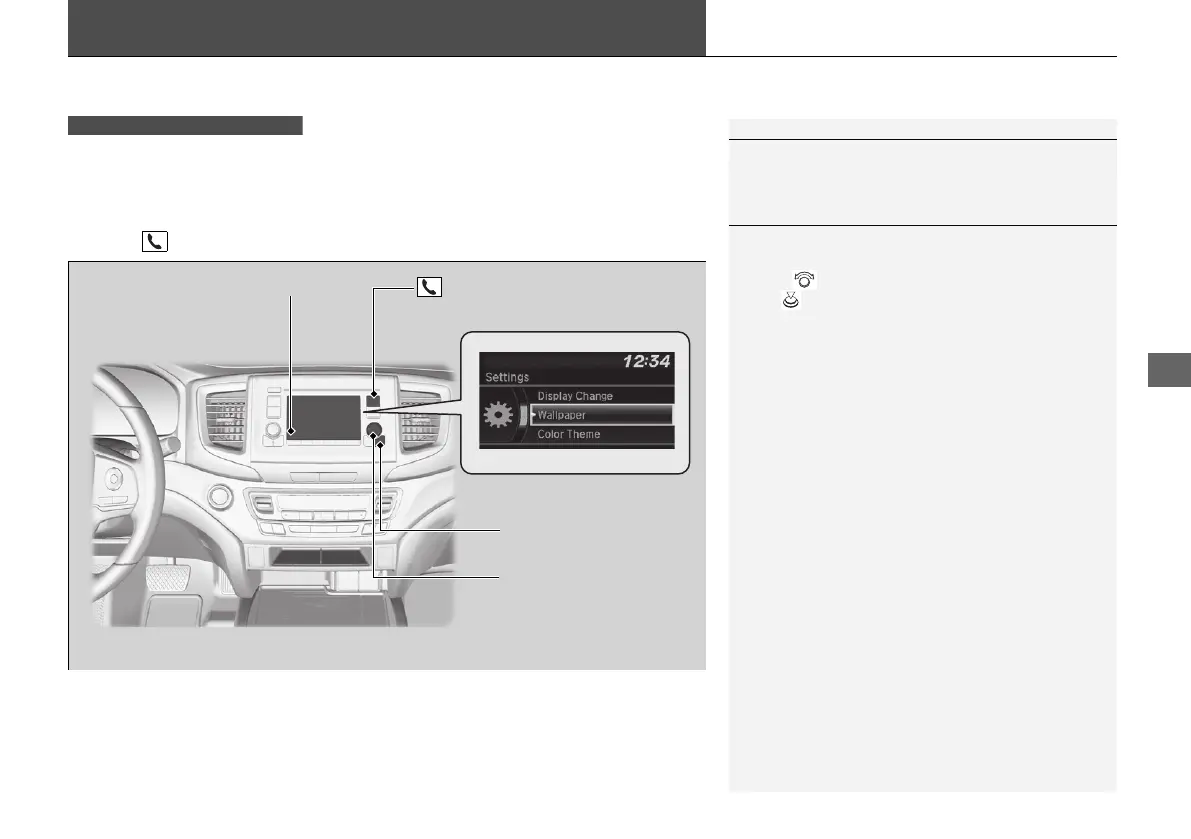
Use the audio/information screen to customize certain features.
■
How to customize
While the vehicle is at a complete stop with the power mode in ON, press the
MENU/CLOCK button, then select Settings. To customize the phone settings,
press the button, then select Phone Setup.
1Customized Features
When you customize settings, make sure that the
vehicle is at a complete stop and shift to
(P.
Models with color audio system
1How to customize
These indications are used to show how to operate
the selector knob.
Rotate to select.
Press to enter.
Audio/Information Screen
MENU/CLOCK Button
Selector Knob
(Phone) Button
21 PILOT-31TG76500.book 423 ページ 2020年3月18日 水曜日 午後4時38分



 To Next Page