uuAudio SystemuAuxiliary Input Jack
242
■
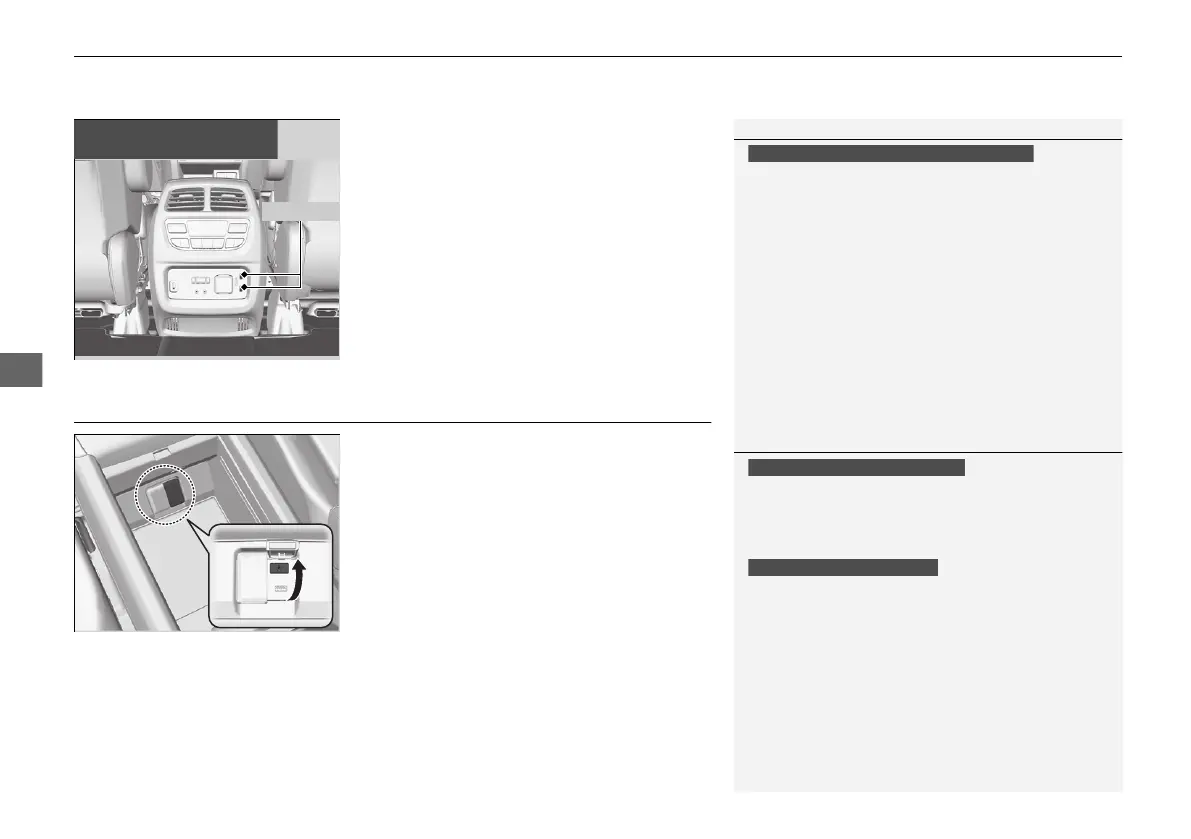
On the back of the console
compartment
*
The USB ports (2.5A) are only for charging
devices.
Auxiliary Input Jack
Use the jack to connect devices.
1. Open the cover.
2. Connect a device to the input jack using a
1/8 inch (3.5 mm) stereo miniplug.
u The audio system automatically switches
to the AUX mode.
1USB Ports
These ports are for battery charge only. You cannot
play music even if you have connected a music player
to them.
Under certain conditions, a device connected to the port
may generate noise in the radio you are listening to.
On the back of the console compartment
On the back of the console
compartment
1Auxiliary Input Jack
To switch to another mode, press the RADIO or
MEDIA button.
To return to the AUX mode, press the MEDIA
button.
To switch to another mode or return to the AUX
mode, select the audio source icon.
You cannot use the auxiliary input jack if you replace
the audio system.
Models with color audio system
Models with Display Audio
* Not available on all models
21 PILOT-31TG76500.book 242 ページ 2020年3月18日 水曜日 午後4時38分



 To Next Page