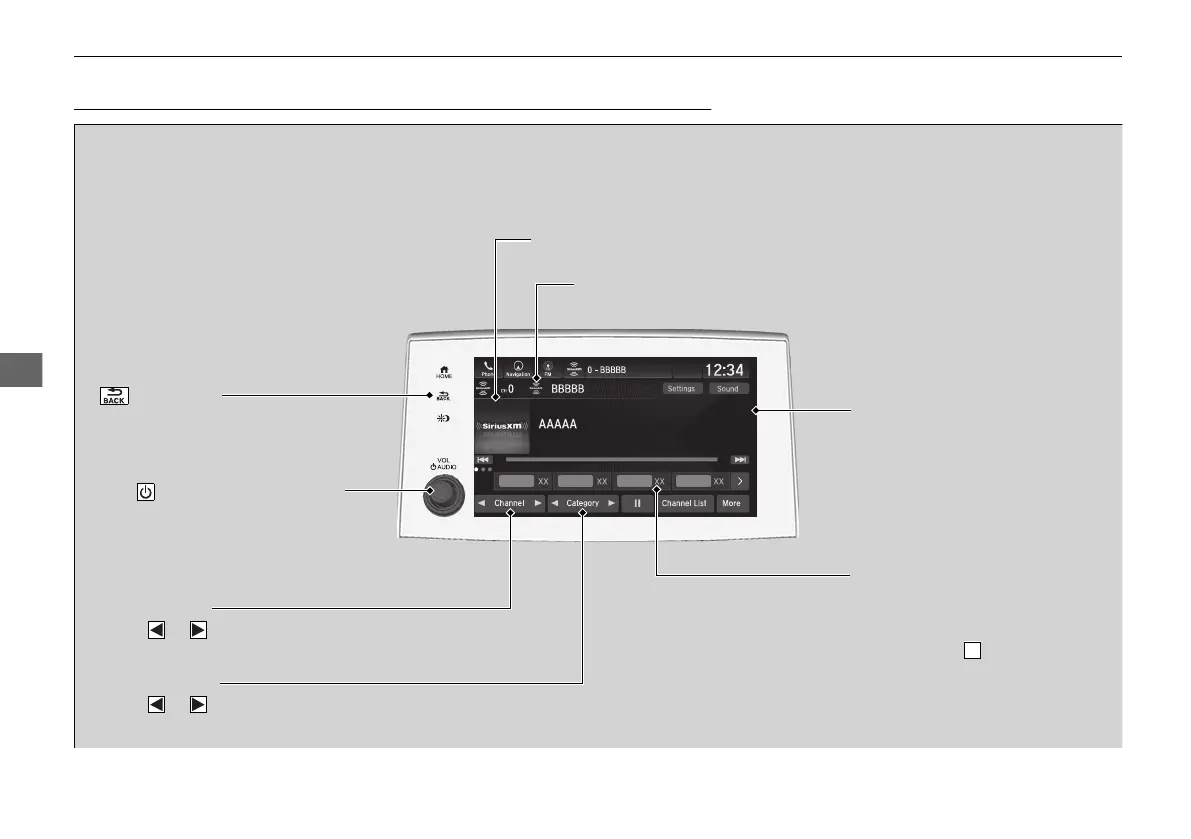
(Back) Icon
Select to go back to the previous
display.
Channel Icons
Select or to the previous or next channel.
Select and hold to rapidly skip 10 channels at a time.
VOL/ AUDIO (Volume/Power)
Knob
Push to turn the audio system on
and off.
Turn to adjust the volume.
Category Icons
Select or to display and select a
SiriusXM® Radio category.
Audio/Information Screen
Preset Icons
Tune the radio fr
equency for
preset memory. Select and hold
the preset icon to store that
station. Select to display
preset 5 onwards.



 To Next Page