315
uuAudio System Basic OperationuPlaying an iPod
Continued
Playing an iPod
Connect the iPod using your USB connector to the USB port, then select the USB
mode.
2 USB Ports P. 241
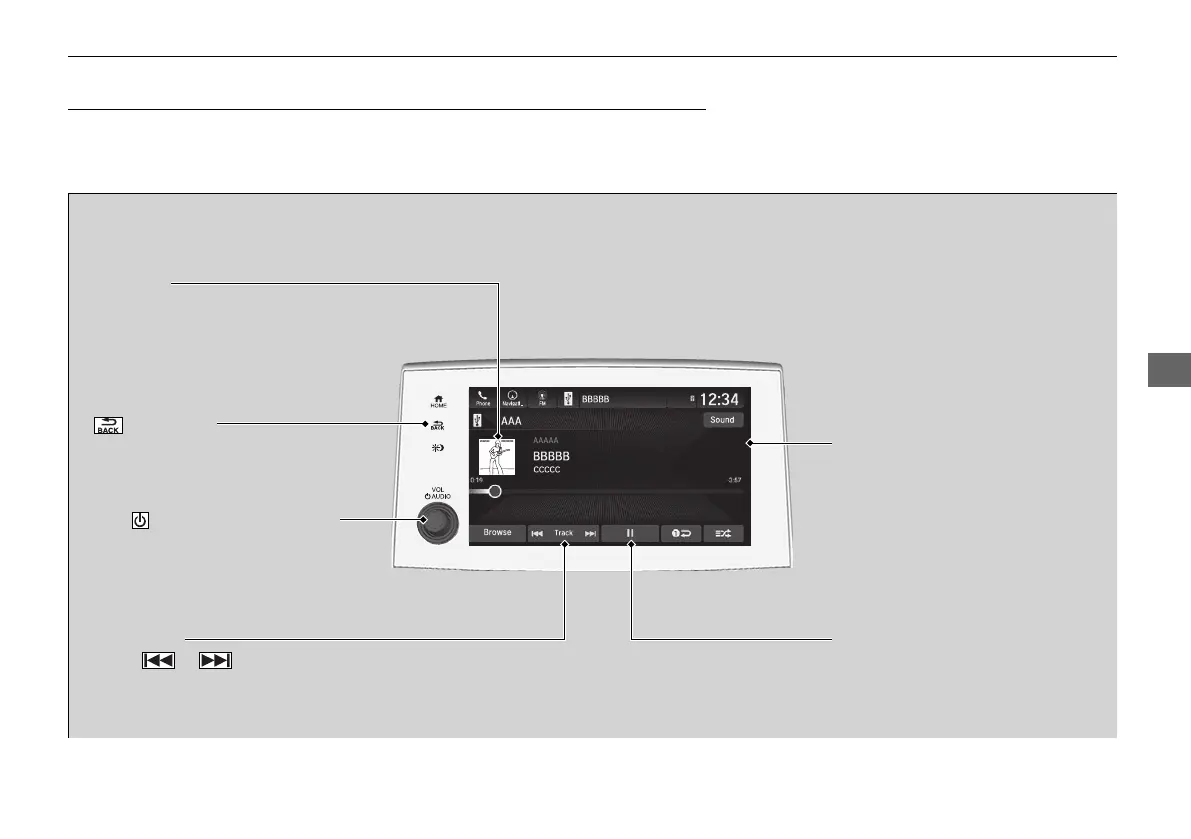
(Back) Icon
Select to go back to the previous
display.
Track Icons
Select or to change songs.
Select and hold to move rapidly
within a song.
VOL/ AUDIO (Volume/Power)
Knob
Push to turn the audio system on
and off.
Turn to adjust the volume.
Cover Art
Audio/Information Screen
Play/Pause Icon
21 PILOT-31TG76500.book 315 ページ 2020年3月18日 水曜日 午後4時38分



 To Next Page