90
uuIndicatorsu
*1:AWD models
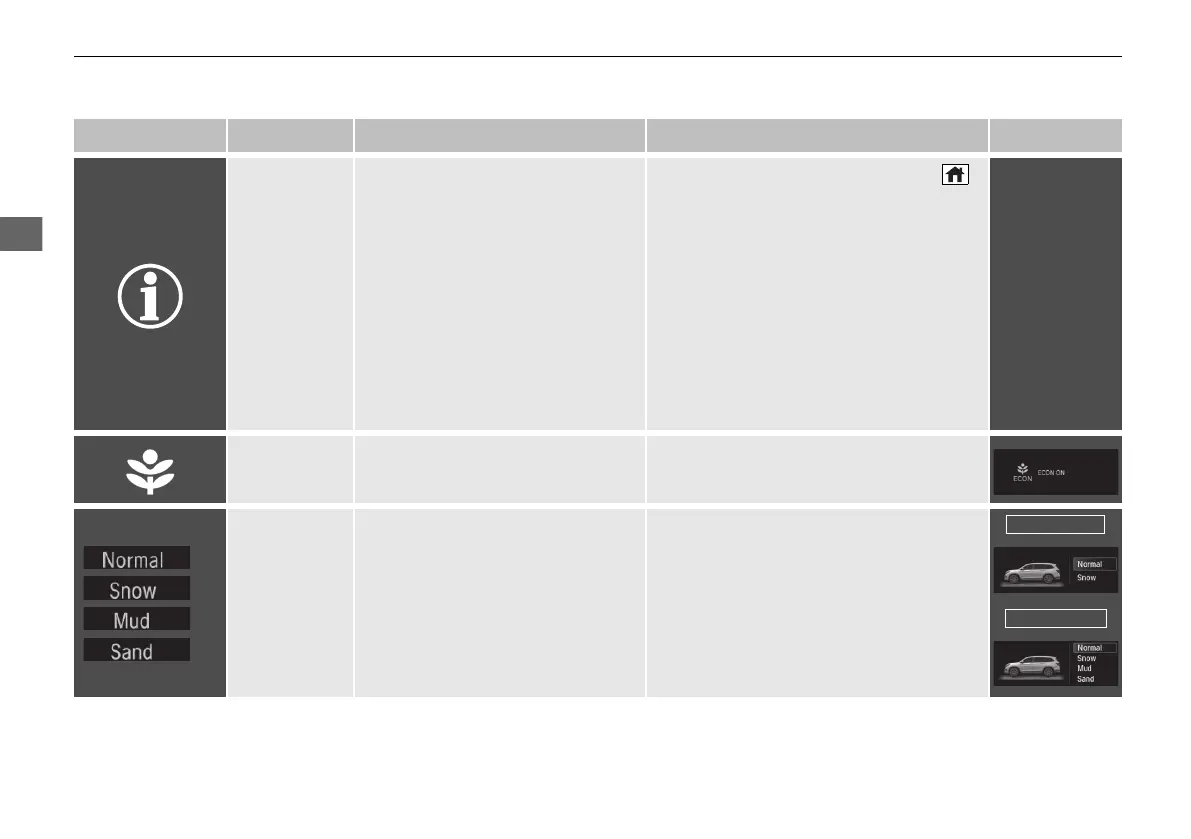
Indicator Name On/Blinking Explanation Message
System
Message
Indicator
• Comes on along with a beep
when a problem is detected. A
system message on the driver
information interface appears at
the same time.
• While the indicator is on, press the
(home) button, select Warnings, then
press the ENTER button to see the
message again.
• Refer to the Indicators information in this
chapter when a system message appears
on the driver information interface. Take
the appropriate action for the message.
• The driver information interface does not
return to the normal screen unless the
warning is canceled, or the ENTER
button is pressed repeatedly.
—
Econ Mode
Indicator
• Comes on when the Econ mode is
on.
2 ECON Mode P. 545
Intelligent
Traction
Management
Indicator
*
• Comes on when pressing the
Intelligent Traction Management
button.
2 Intelligent Traction Management
*
P. 546
* Not available on all models
21 PILOT-31TG76500.book 90 ページ 2020年3月18日 水曜日 午後4時38分



 To Next Page