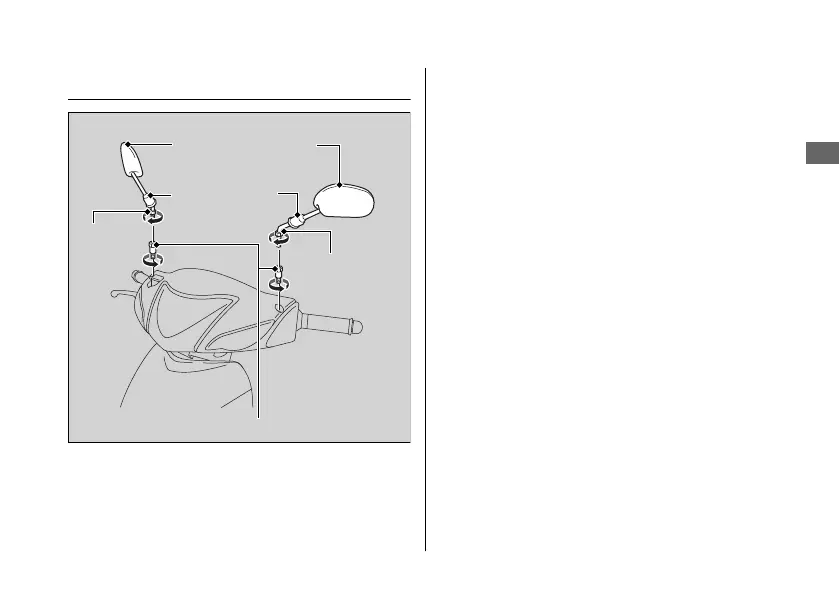
Headlight Case
#
Removal
1.
Pull up the rubber dust covers.
2.
Loosen the lock nuts by turning clockwise.
3.
Loosen the rearview mirrors and remove
them by turning them clockwise.
4.
Loosen the mirror adapters by turning
counterclockwise and remove them.
20181207113539_32KVMC000_eng_BOOK Page 54 Friday, December 07 2018 11:40:26 JST
Removing & Installing Body Components u Headlight Case
Maintenance
51
Continued
Rearview mirrors
Rubber dust
covers
Lock nut
Lock nut
Mirror adapters




 To Next Page