#
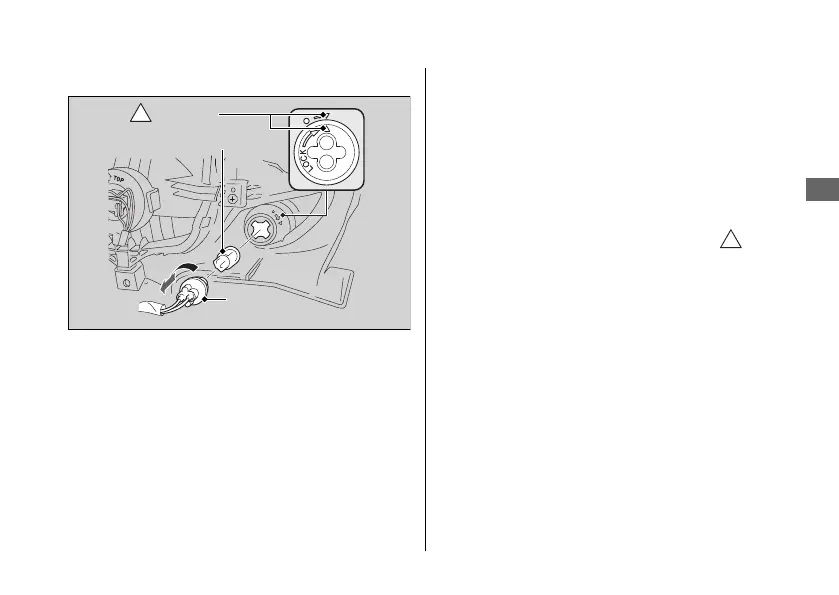
Front Turn Signal
1.
Remove the headlight case. 2 P. 51
2.
Turn the socket counterclockwise and pull
it out.
3.
Pull out the bulb without turning it.
4.
Install a new bulb and the parts in the
reverse order of removal.
u Install the socket by turning it
clockwise. Make sure that the “
”
marks on the socket and front turn
signal housing are aligned.
u Use only the amber bulb.
20181207113539_32KVMC000_eng_BOOK Page 88 Friday, December 07 2018 11:40:26 JST
Electrical Trouble u Burned-out Light Bulb
Troubleshooting
85
Continued
"
" marks
Bulb
Socket





 To Next Page