21 69-2715EF—07
Adjusting program schedules
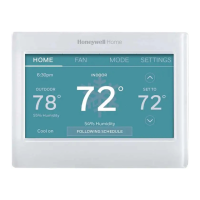
1 Touch SETTINGS.
2 Select Create/Edit Schedule.
• Touch View/Edit to view the full schedule and make a
quick adjustment.
• Touch Guide Me to create a schedule by answering
simple questions.
• Touch I’ll do it myself to manually create a program
schedule.
Note: To reduce costs, use the pre-set Energy Saver settings
described on page 20.
If you selected I’ll do it myself on the Create/Edit Schedule
screen follow these steps:
1 Select the days to schedule, touch Next.
2 Touch Wake to set your Wake time for selected days.
Next
6:00 am
Heat: 70°
Cool: 78°
Fan: Auto
WAKE
3 Touch p or q to set Heat and Cool temperatures for the
Wake period, then touch Done.
4 Touch other time periods (Leave, Return, Sleep) to set time
and temperatures for each.
5 Touch Done to save and exit.
Note: Touch Delete Period to eliminate any unwanted time
period.
Note: Touch Fan Settings to customize fan settings for any
time period.
Note: When configured for business, the thermostat uses
Occupied and Unoccupied instead of Wake, Leave, Return, and
Sleep.
Done
33-00593ES_A.indb 2133-00593ES_A.indb 21 9/20/2021 7:09:53 PM9/20/2021 7:09:53 PM


 To Next Page
 Loading...