23 69-2715EF—07
Viewing equipment status
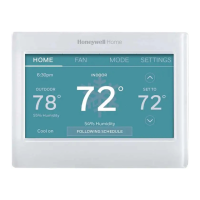
1 Touch SETTINGS.
2 Select Equipment Status.
3 Touch p or q to view the status of all the
equipment your thermostat is controlling.
Depending on how your thermostat was installed,
the Equipment Status screen can report data about
the following systems:
• Heating and cooling
• Fan
• Thermostat information
SETTINGS
Setting vacation hold: home use
This feature helps you save energy while you are away,
and restores comfortable settings just before you
return home.
1 Touch SETTINGS.
2 Select Vacation Mode.
3 Touch p or q to select the date you leave, then
touch Next for further scheduling details, including
times of day, temperature settings, return date, and
return settings.
4 Review your selections on the last display, and
touch Done to save your settings. Touch Back, then
Cancel to ignore the changes.
Done
33-00593ES_A.indb 2333-00593ES_A.indb 23 9/20/2021 7:09:54 PM9/20/2021 7:09:54 PM


 To Next Page
 Loading...