EasyManua.ls Logo

Honeywell Home T3 Pro - User Manual

Honeywell Home T3 Pro
24 pages
Print Icon
To Next Page IconTo Next Page
Loading...
Package Includes:
T3 Pro Thermostat
UWP™ Mounting System
Decorative Cover Plate –
Small; Size 4.72” H X 5.9” W
(120 mm H X 150 mm W)
Screws and Anchors
2 AA Batteries
Thermostat Literature
T3 Pro
Thermostat
User Guide
TH3110U2008,
TH3210U2004
Read before installing
Heat On
Menu
Fan Auto
Heat On
Menu
Fan Auto
Call Customer Care toll-free at 18004681502.
Customer assistance
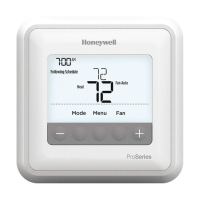
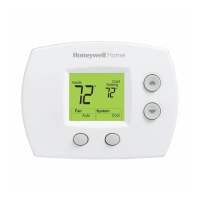
Thermostat controls
The screen will wake up by pressing any of the three buttons. If powered by the C wire, the screen stays lit for 45 seconds
after you complete changes. If powered by battery only, the screen stays lit for 8 seconds. Depending on how your
thermostat was installed, the screen light may always be on.
Read before installing
System status
information
Cool On/Heat On/Em
Heat On, Compressor
Protection
Indoor
temperature
setpoint
Press + or - to change
temperature setting
Actual indoor
temperature
Temperature/
Navigation
buttons
Press to increase or
decrease temperature
setpoint and to
navigate menus and
menu options
Menu
Press to display
options. Change mode
(Heat, Off, Cool) or Fan
settings options.

Other manuals for Honeywell Home T3 Pro

Questions and Answers

Honeywell Home T3 Pro Specifications

General IconGeneral
TypeProgrammable Thermostat
Wi-Fi ConnectivityYes
GeofencingYes
Warranty1-year limited warranty
CompatibilityHVAC systems including gas, electric, oil, and heat pumps
DisplayColor touchscreen
Battery BackupYes
Temperature Range40°F to 99°F
Schedule7-day scheduling
Power SourceHardwired
StagesUp to 2 heating and 2 cooling stages
ConnectivityWi-Fi
Remote ControlYes (via app)
InstallationDIY installation or professional installation

Summary

Read Before Installing

Thermostat Controls Overview

Details the physical buttons and display elements for thermostat operation.

Customer Assistance

System Operation Settings

Changing System Mode

Steps and options for selecting heating, cooling, auto, or off system modes.

Fan Operation Settings

Changing Fan Mode

Instructions for setting the fan to Auto or On operation.

Battery Replacement

Battery Replacement Procedure

Step-by-step guide for removing the thermostat and inserting new batteries.

Alerts Screen

Alert Codes and Definitions

Defines common alert numbers, their reminders, and meanings for troubleshooting.

Troubleshooting

Common Troubleshooting Steps

Solutions for common issues like blank display, unresponsive systems, and flashing indicators.

Electrical Ratings

Technical specifications for terminal voltage and running current.

5-Year Limited Warranty

Related product manuals