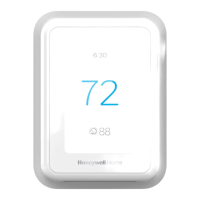
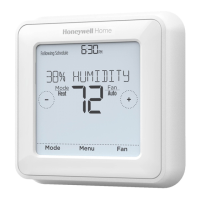
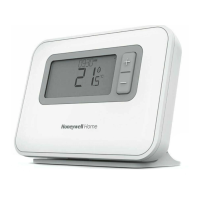
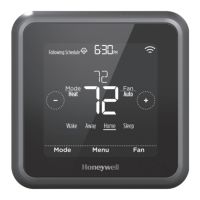
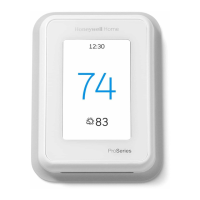
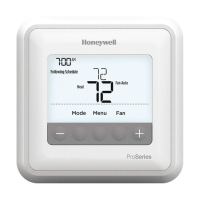
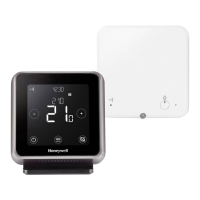
The Honeywell Home T6/T6R Smart Thermostat is a sophisticated device designed to provide comprehensive control over your home's heating and stored hot water system. It leverages internet connectivity, allowing users to manage their home environment from anywhere using the Honeywell Home App. This smart thermostat offers a range of features aimed at enhancing comfort, optimizing energy usage, and providing convenience through remote access and intelligent scheduling.
Function Description:
The primary function of the T6/T6R Smart Thermostat is to regulate your home's heating and hot water system. It acts as a central control point, enabling you to set desired temperatures, manage schedules, and monitor the system's status. The thermostat can switch heating equipment on or off to maintain a comfortable indoor condition based on your preferred temperature settings. It supports various operational modes, including "Heating On" to achieve a desired temperature and "Off" to deactivate the heating system. The device is designed to work seamlessly with the Honeywell Home App, which serves as the main interface for advanced configuration and remote management.
Usage Features:
The T6/T6R Smart Thermostat offers a rich set of usage features that cater to diverse lifestyles and preferences:
- Remote Control and Monitoring: Through the Honeywell Home App, users can remotely view and change heating and stored hot water system settings. This means you can adjust your home's temperature before you arrive, or check its status while you're away, providing convenience and peace of mind.
- Diverse Programming Options: The thermostat provides flexible scheduling options to fit any lifestyle:
- Time Scheduling: This traditional scheduling method allows you to program daily or 5-2 schedules with up to six time periods for each day. This is ideal for households with predictable routines.
- Geofencing: Utilizing your smartphone's location, geofencing automatically manages your comfort based on whether you are home or away. This feature helps save energy by adjusting temperatures when the house is empty and ensures comfort by pre-heating before you arrive. The geofence schedule can be enabled and configured exclusively through the Honeywell Home App.
- Smart Scheduling: This intelligent feature combines geofencing and time scheduling to adapt to busy and unpredictable lifestyles. It learns and adjusts to your routine, ensuring comfort when you're home and savings when you're away, without rigid programming.
- Group Scheduling: For users with multiple devices or locations, the Honeywell Home App allows for group scheduling, simplifying management across different thermostats or properties.
- Holiday Mode: This energy-saving feature allows you to set a holiday period, during which the thermostat maintains a lower temperature to save energy while you're away for extended periods. It automatically restores comfortable settings just before your return, ensuring your home is warm upon arrival. Holiday mode can be activated and cancelled via the Honeywell Home App or directly on the thermostat.
- Optimisation Functions: To further enhance energy efficiency and comfort, the thermostat includes several optimisation features:
- Optimum Start: The thermostat learns how long it takes your system to reach the desired temperature. It then turns on the heating or cooling system earlier to ensure your home is comfortable at the scheduled time, preventing delays.
- Optimum Stop: This feature saves energy and money by switching off the heating a little earlier than the programmed time. If your home is already at temperature, you won't notice a difference in comfort but will see savings on your fuel bill.
- Delayed Start: This function saves energy by slightly delaying the start of heating, depending on the difference between the programmed temperature and the actual room temperature.
- User Interface: The thermostat features an intuitive display with clear indications for current time, setpoint temperature, actual room temperature, Wi-Fi communication status, and schedule periods. Navigation is facilitated by touch-sensitive buttons for menu access, adjustments, confirmation, and cancellation. The screen dims after 45 seconds of inactivity to save power and lights up with any touch.
- System Mode Selection: Users can easily toggle between "Heating On" and "Off" modes directly from the thermostat's interface, providing quick control over the heating system.
- Schedule On/Off: The heating schedule can be activated or deactivated with a simple touch, offering flexibility to override programmed settings when needed.
- Locking Interface: The thermostat offers a lock function with two levels: "Partial" allows only setpoint temperature changes, while "Full" restricts all access. A PIN is provided upon activation to unlock the interface, preventing unauthorized changes.
Maintenance Features:
While the T6/T6R Smart Thermostat is designed for ease of use, it also incorporates features that aid in its maintenance and troubleshooting:
- Automatic Upgrades: The thermostat receives automatic software upgrades, ensuring it always has the latest features and security enhancements without requiring manual intervention from the user.
- Alerts and Notifications: The device provides alerts for various issues, such as boiler failure, which are displayed on the thermostat, sent to the Honeywell Home App, and via email. This proactive notification system helps users address potential problems quickly.
- Troubleshooting Guide: The manual includes a comprehensive troubleshooting section that helps users diagnose and resolve common issues, such as a blank screen, unresponsive heating system, or Wi-Fi connectivity problems. It also lists specific alerts like "WIFI RADIO ERROR," "INTERNAL MEMORY ERROR," "THERMOSTAT TEMPERATURE SENSOR ERROR," "INDOOR TEMPERATURE SENSOR ERROR," "OUTDOOR TEMPERATURE SENSOR ERROR" (for T6 only), "REGISTER ONLINE," "NO INTERNET," "NO WIFI SIGNAL," "WIFI NOT CONFIGURED," "NO RECEIVER BOX BINDING," "NO COMMUNICATION RECEIVER BOX," "RF SIGNAL OF RECEIVER BOX LOW," "BOILER FAULT XX," and "BOILER HAS LOW WATER PRESSURE," along with recommended actions.
- Clean Screen Function: A dedicated "Clean Screen" option disables the screen for 30 seconds, allowing users to clean the display without accidentally changing settings.
- Reset Options: The thermostat offers reset functions to restore the schedule, Wi-Fi settings, or HomeKit configurations to factory defaults, which can be useful for troubleshooting or reconfiguring the device.
- Device Information: The "DEVICE INFO" menu provides access to important information such as the model number and MAC code, which can be helpful for support or registration purposes.
The Honeywell Home T6/T6R Smart Thermostat is a comprehensive solution for modern home heating control, combining advanced technology with user-friendly features to deliver comfort, energy efficiency, and convenience.


 To Next Page

 General