EasyManua.ls Logo

Honeywell Home TH3110U2008 - User Manual

Honeywell Home TH3110U2008
24 pages
Print Icon
To Next Page IconTo Next Page
Loading...
Package Includes:
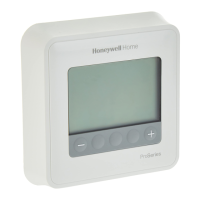
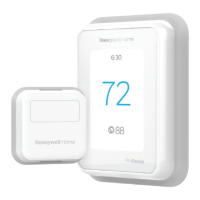
T3 Pro Thermostat
UWP™ Mounting System
Decorative Cover Plate –
Small; Size 4.72” H X 5.9” W
(120 mm H X 150 mm W)
Screws and Anchors
2 AA Batteries
Thermostat Literature
T3 Pro
Thermostat
User Guide
TH3110U2008,
TH3210U2004
Read before installing
Heat On
Menu
Fan Auto
Heat On
Menu
Fan Auto
Call Customer Care toll-free at 18004681502.
Customer assistance
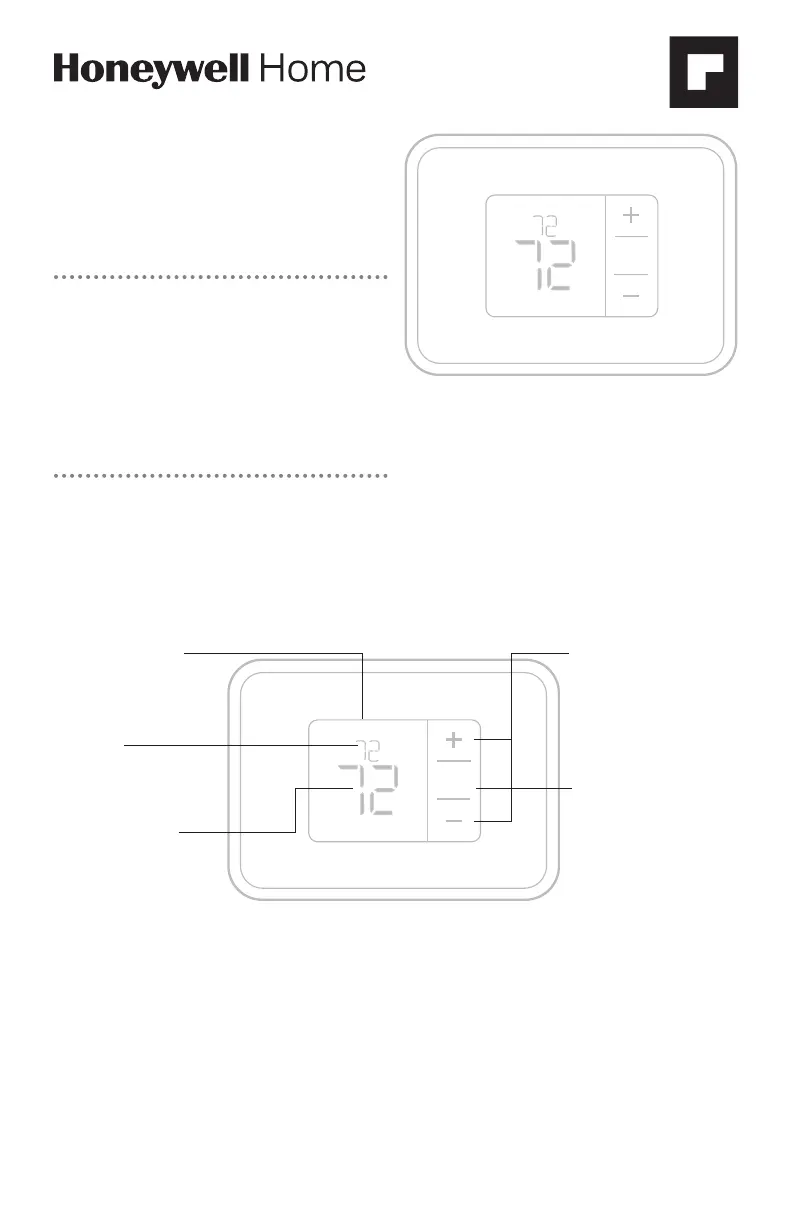
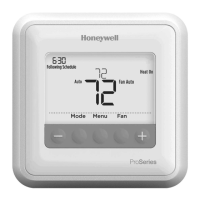
Thermostat controls
The screen will wake up by pressing any of the three buttons. If powered by the C wire, the screen stays lit for 45 seconds
after you complete changes. If powered by battery only, the screen stays lit for 8 seconds. Depending on how your
thermostat was installed, the screen light may always be on.
Read before installing
System status
information
Cool On/Heat On/Em
Heat On, Compressor
Protection
Indoor
temperature
setpoint
Press + or - to change
temperature setting
Actual indoor
temperature
Temperature/
Navigation
buttons
Press to increase or
decrease temperature
setpoint and to
navigate menus and
menu options
Menu
Press to display
options. Change mode
(Heat, Off, Cool) or Fan
settings options.

Questions and Answers

  • J
    Jason GillJul 26, 2025
    What to do if Honeywell Home Thermostat heating system does not respond?
    • W
      wernerjessicaJul 26, 2025
      If your Honeywell Home Thermostat isn't responding when you try to heat your home, first press the Menu button, then Mode, and set the system to Heat. Ensure that the set temperature is higher than the current inside temperature. Also, check that the circuit breaker hasn't tripped and reset it if needed. Finally, confirm that the power switch for your heating and cooling system is turned on and that the furnace door is securely closed. Allow 5 minutes for the system to respond.
  • D
    Dawn TuckerAug 4, 2025
    What to do if Honeywell Home TH3110U2008 Thermostat cooling system does not respond?
    • S
      Stephanie MayerAug 4, 2025
      If your Honeywell Home Thermostat isn't responding when you try to cool your home, first press the Menu button, then Mode, and set the system to Cool. Ensure that the set temperature is lower than the current inside temperature. Also, check that the circuit breaker hasn't tripped and reset it if needed. Finally, confirm that the power switch for your heating and cooling system is turned on and that the furnace door is securely closed. Allow 5 minutes for the system to respond.
  • P
    patricia59Aug 14, 2025
    How to fix a blank display on Honeywell Home TH3110U2008 Thermostat?
    • V
      Victor WellsAug 14, 2025
      If the display on your Honeywell Home Thermostat is blank, make sure that you have properly installed fresh AA alkaline batteries.

Summary

Thermostat Controls Overview

System Mode Settings

How to Change System Mode

Step-by-step guide to select heating, cooling, auto, or off modes.

Fan Mode Settings

How to Change Fan Mode

Steps to select fan operation between Auto and On.

Battery Replacement Guide

Battery Replacement Procedure

Instructions on when and how to replace batteries, with diagrams.

Alerts and Error Codes

Alert Code Definitions

Lists alert numbers, descriptions, and troubleshooting advice.

Troubleshooting Common Issues

System Response Troubleshooting

Steps to resolve issues with heating/cooling system response.

Important Safety Warnings

Electrical Hazard Precautions

Advises disconnecting power to prevent shock or equipment damage during installation.

Equipment Damage Precautions

Warns against rapid compressor cycling during testing to prevent damage.

Mercury Disposal Notice

Provides instructions for proper disposal of mercury-containing controls.

Honeywell Home TH3110U2008 Specifications

General IconGeneral
DisplayDigital
Wi-Fi CapabilityNo
Stages1 Heat/1 Cool
BacklightYes
Temperature Range40°F to 90°F
Power SourceBattery
Voltage24V
MountingWall Mount

Related product manuals