B ATCRBS TRANSPONDER KT 76C
Rev 3, May 2004 IM 006-10545-0003.dwd Page 3-6
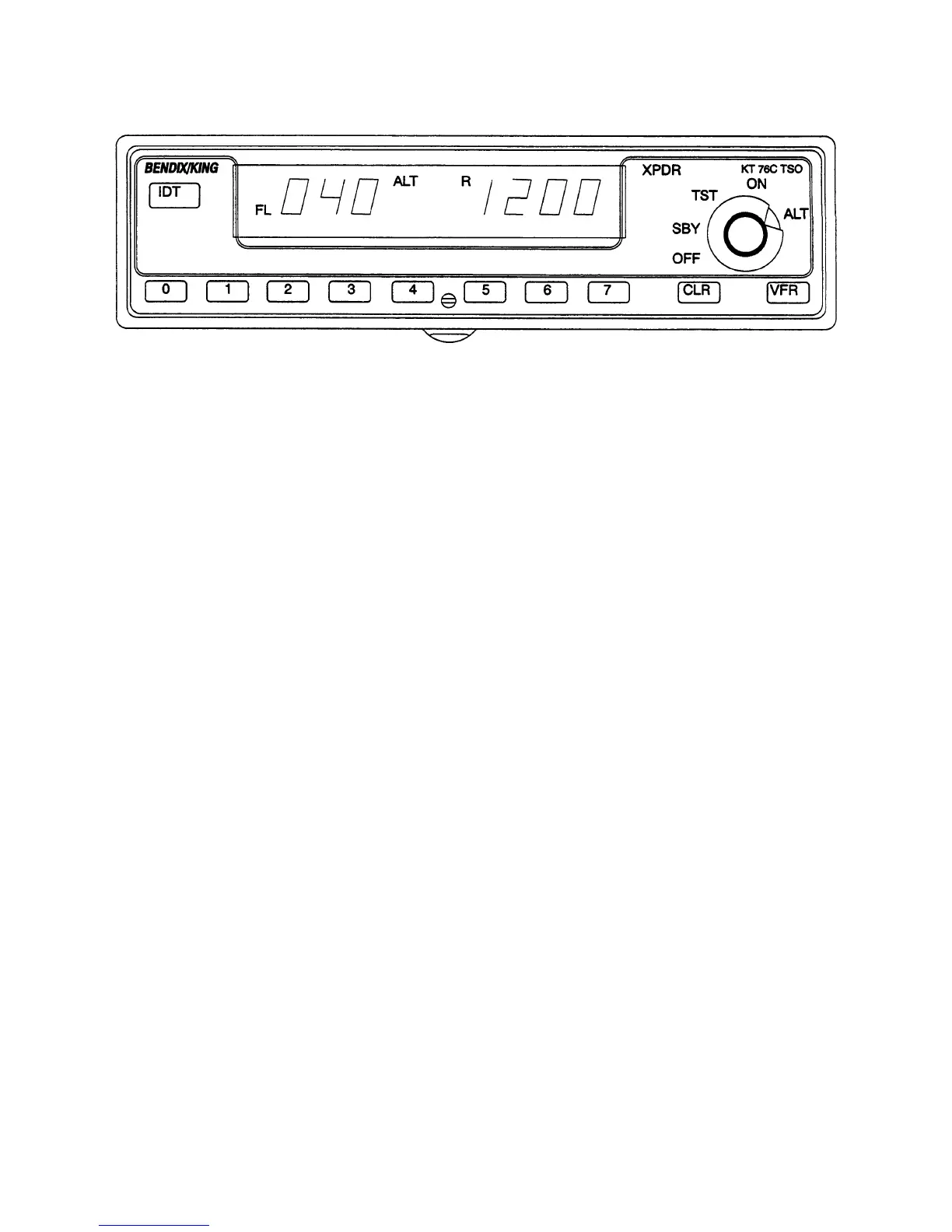
FIGURE 3-8 Altitude Display
F. DISPLAY BRIGHTNESS ADJUSTMENT
(1) Display Adjust
The display has an adjustment to compensate the brightness for differ-
ent vendors and/or aging of the display. The brightness is adjusted in
the test (TST) mode.
To adjust the display brightness, perform the following steps:
(a) Turn the mode select knob to “TST”.
(b) Press the “O” pushbutton to decrease brightness.
NOTE
Each activation of the O push-button shall decrease
the display brightness by ten percent (10%). When
no carets are lit beneath the 4096 code, the display
is at its dimmest adjust setting.
(c) Press the 4 push-button to return brightness to the default factory
value.
(d) Press the 7 push-button to increase brightness.
NOTE
Each activation of the 7 push-button shall increase
the display brightness by ten percent (10%). When
all four carets are lit beneath the 4096 code, the dis-
play is at its brightest adjust setting.
(e) Remove the mode select knob from the “TST” mode to set display
parameters.


 To Next Page