
 Need help?
Do you have a question about the Honeywell Chronotherm CM67 and is the answer not in the manual?
Explains Optimisation, time display, pump exercise, temperature limits, offset, and band width settings.
Details settings for various heating and air-conditioning applications.
Covers fitting and configuring external sensors and the ATS module.
Guide on how to access and move through Installer Set-Up parameters.
Steps for modifying settings and confirming them to exit the set-up mode.
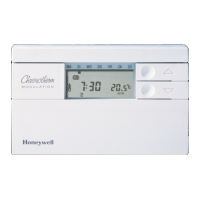
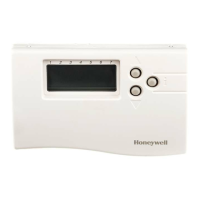
The Honeywell CM67 Chronotherm is a programmable thermostat designed for controlling heating and cooling systems, offering a range of features to optimize comfort and energy efficiency. Its primary function is to regulate room temperature based on user-defined schedules and settings, adapting to various system types and user preferences.
The CM67 Chronotherm operates by monitoring the ambient temperature and activating or deactivating the heating or cooling system to maintain the desired setpoint. It supports both heating-only and heating/cooling applications, making it versatile for different climates and system configurations. The device incorporates a "Cycle Rate" setting, which allows users to specify the number of cycles per hour (cph) for various heating systems like gas boilers, zone valves, and fan-coils, ensuring efficient operation tailored to the specific equipment.
A key feature is "Optimisation," which enables the Chronotherm to intelligently adjust the start time of a program period to ensure the desired temperature is reached precisely at the scheduled time. For instance, if a user sets the temperature to 21°C at 7:00 AM, the thermostat will learn the system's response time and activate heating earlier to achieve 21°C by 7:00 AM, rather than starting at 7:00 AM and taking time to reach the setpoint. This feature can be restricted to a maximum of 3 hours of early start.
The device also includes "Minimum ON Time" settings, which prevent short-cycling of the heating or cooling equipment, thereby extending its lifespan and improving efficiency. Users can set this minimum ON time from 1 to 5 minutes.
For enhanced control and information, the CM67 supports optional accessories. An "Outside Temperature Sensor" can be fitted, allowing the homeowner to view the external temperature on the Chronotherm's display using the INFO button. A "Remote Temperature Sensor" can also be connected, enabling the Chronotherm to control the temperature from a different room, which is particularly useful in commercial settings where the main unit might be in a public area. Furthermore, an "Automatic Time Setting (ATS) Module" can be integrated. This module picks up a time signal daily from a European transmitter, eliminating the need for manual time adjustments and ensuring the Chronotherm's clock is always accurate.
The Chronotherm provides flexible display options, including "AM-PM / 24hr Display," allowing users to choose their preferred time format. It also features "Pump Exercise," which, for hydronic systems, can activate the circulating pump once a day for one minute at mid-day. This helps prevent the pump from sticking, especially after periods of inactivity, such as during summer months.
Temperature limits can be customized with "Upper Temperature Limit" and "Lower Temperature Limit" settings. The upper limit, normally 30°C, can be reduced to save energy, while the lower limit, typically 5°C, can be increased to protect inhabitants from cold, especially useful for homes with elderly, children, or disabled occupants. If the thermostat's location is not ideal, a "Temperature Offset" feature allows for adjusting the measured/displayed temperature by +/- 3°C to match other temperature displays in the home.
For precise temperature control, the "Proportional Band Width" can be adjusted from 1.5°C to 3.0°C. This feature helps provide better temperature control with less overshoot, particularly beneficial for well-insulated homes with oversized heating systems or air systems with fast response.
The CM67 Chronotherm is designed for straightforward interaction, primarily through its slider, buttons, and display. The "Installer Set-Up Mode" is a critical interface for configuring the device to specific system requirements and user preferences. This mode is accessed by moving the slider to the OFF position, then pressing and holding the INFO button while simultaneously pressing PROG 3 and PROG 4.
Within the Installer Set-Up Mode, settings are categorized for ease of navigation. Category 1 features, such as Optimisation, Minimum ON Time, and display format, are immediately accessible. Category 2 features, which include more advanced settings like Heat/Cool Operation, Electric Heat, Pump Exercise, Cycle Rate, and sensor configurations, are accessed by pressing the PROG 2 key.
To change a setting, users navigate to the desired parameter using the + or - keys. The current factory setting or new choice is displayed, and the TEMP + or - buttons are used to modify the value. The display will flash to indicate that a change has been made. To confirm and store the new value, the INFO button must be pressed. The display will stop flashing, signifying that the new value has been saved. This confirmation step is crucial to ensure that changes are permanently stored.
The device also includes a "RESET Time / Temperature Program" feature, allowing users to restore time and temperature profiles to factory defaults or to their last programmed settings. This is useful if profiles have been inadvertently changed or if a fresh start is desired.
For specific applications like electric heating, the Chronotherm can be configured to handle different current loads (e.g., applications < 3A or 3-8A). For heating/cooling systems, the device can be set to operate in either heating or cooling mode, or to switch between them, accommodating seasonal changes.
While the CM67 Chronotherm is designed for reliable operation, certain aspects relate to its maintenance and longevity. The "Minimum ON Time" and "Pump Exercise" features, as described above, directly contribute to the health and lifespan of the connected heating/cooling equipment by preventing short-cycling and pump seizure, respectively.
The "Installer Set-Up Mode" itself serves as a maintenance tool, allowing installers or advanced users to reconfigure the thermostat if system components are changed or if performance issues arise. The ability to "Return all Set-Up Features to Factory Settings" (parameter 16:FS) provides a quick way to troubleshoot or reset the device to a known good state, which can be helpful if custom settings are causing unexpected behavior.
The manual also provides guidance on initial setup, including battery cartridge insertion. If the display does not show information or shows a specific symbol after battery insertion, users are directed to the "troubleshooting" section of the CM67 user guide, indicating a self-help approach to common issues.
Environmentally conscious design is highlighted, with a note encouraging users to dispose of packaging, used parts, and the product itself in an environmentally friendly manner. This reflects a commitment to sustainability beyond the device's operational life.
 General
| Type | Programmable Thermostat |
|---|---|
| Display | LCD |
| Backlight | Yes |
| Programming | 7-day programmable |
| Control Mode | Auto / Manual |
| Compatibility | Gas, Oil, Electric |
| Hold Feature | Yes |


 To Next Page