EasyManua.ls Logo

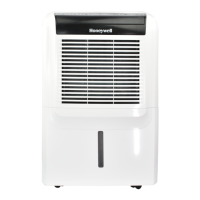
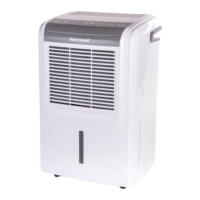
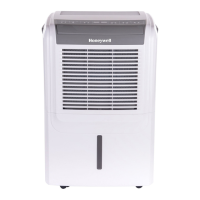
Honeywell DH70PWKN - User Manual

Honeywell DH70PWKN
19 pages
Print Icon
To Next Page IconTo Next Page
Loading...
Dehumidifier
User Manual
Read and save these instructions before use
Model:
DH45W/ DH45WGN/
DH45WKN/ DH45PWKN /
DH45PWGN/DH50W/
DH50PW / DH70W /
DH70PW/ DH70WKN/
DH70WGN/DH70PWKN/
DH70PWGN/
www.jmatek.com
Email: info@jmatek.com

Questions and Answers

  • J
    Joseph JohnsonAug 13, 2025
    What to do if the Honeywell Dehumidifier doesn't start?
    • L
      Logan WilliamsAug 14, 2025
      If your Honeywell Dehumidifier isn't starting, first ensure there is electricity. Check that the power cord is properly plugged in; if not, remove and reconnect it. Also, check the safety switch on the electrical plug and reset it. If the problem continues after waiting 3 minutes, contact customer service.
  • R
    Robert LiuAug 17, 2025
    How to fix Honeywell Dehumidifier not decreasing humidity?
    • R
      Ralph YoungAug 17, 2025
      If your Honeywell dehumidifier is running but the humidity level isn't decreasing, try these steps: * Decrease the humidity level setting on the dehumidifier. * Ensure all doors and windows are closed and sealed to prevent outside moisture from entering. * Eliminate other sources of humidity in the room, such as boiling water. * Make sure the room temperature is between 41°F (5°C) and 89°F (32°C) for optimal operation. * Clean the dust filter if it's dirty or blocked. * Remove any blockages from the air outlet or intake.
  • A
    Austin JohnsonAug 21, 2025
    Why does the Honeywell DH70PWKN Dehumidifier run constantly?
    • M
      Michael HallAug 21, 2025
      Your Honeywell dehumidifier might run constantly because the area you're trying to dehumidify is too large for its capacity. Consider adding another dehumidifier for larger spaces. Also, ensure that all windows and doors to the outside are closed and tightly sealed to prevent new moisture from entering the room.
  • T
    tylerthompsonAug 25, 2025
    Why is the 'Defrost' light on my Honeywell DH70PWKN Dehumidifier?
    • H
      Heather SmallAug 26, 2025
      The 'Defrost' light illuminates on your Honeywell dehumidifier when the room temperature is too low. The dehumidifier may not work effectively in low-temperature environments. Try increasing the room temperature or wait until it rises before using the dehumidifier.
  • K
    Kayla PierceAug 29, 2025
    Why is there frost on the coils of my Honeywell DH70PWKN Dehumidifier?
    • K
      Kelly SchaeferAug 29, 2025
      If you see frost on the coils of your Honeywell dehumidifier, especially after recently turning it on in low room temperatures (usually below 41°F (5°C)), this is normal. The frost should disappear within an hour or so after the dehumidifier is switched off.
  • J
    Jessica HarrisSep 1, 2025
    How to fix Honeywell Dehumidifier continuous drain not working?
    • S
      Stephanie HernandezSep 1, 2025
      If you've connected the continuous drain to your Honeywell Dehumidifier, but water isn't draining out, it might be due to an uneven floor surface. Try raising the front of the dehumidifier by ½ to 1 inch (1.27 cm to 2.54 cm) from the floor to allow the water to drain out the back hose.
  • J
    jbishopSep 5, 2025
    What to do if the 'Water Tank Full' light is on and the Honeywell DH70PWKN Dehumidifier is beeping?
    • S
      Shelly WhiteSep 5, 2025
      If the 'Water Tank Full' light is illuminated and your Honeywell Dehumidifier is beeping, the water tank is likely full; empty it. Also, ensure the water tank is correctly positioned in the unit, as the unit will not operate until the tank is securely in place.
  • C
    Christopher LarsonSep 9, 2025
    What to do if water is on the floor near my Honeywell DH70PWKN Dehumidifier?
    • M
      Mrs. Katelyn Hale MDSep 9, 2025
      If you find water on the floor near your Honeywell dehumidifier, check the connections between the garden hose/drain hose and the drain outlet on the unit to ensure they are secure. If you intend to use the water tank, disconnect the hose and replace the rubber stopper and drain cap.

Summary

SAFETY RULES

SELECTING A LOCATION

USE & OPERATION

Control Panel Overview and Functions

Explanation of the control panel layout, indicators, and core functions.

DRAINING THE WATER

Draining from Water Tank

Procedure for emptying the collected water from the tank.

Continuous Drainage via Garden Hose

Instructions for setting up continuous water drainage using a garden hose.

Continuous Drainage via Drain Pump

Setup for continuous drainage using the built-in drain pump.

CLEANING & MAINTENANCE

TROUBLESHOOTING GUIDE

Unit Not Starting or Humidity Not Decreasing

Solutions for common issues like failure to start or ineffective dehumidification.

ERROR CODE GUIDE

Honeywell DH70PWKN Specifications

General IconGeneral
TypeDehumidifier
Capacity70 pints
Energy Star RatedYes
Noise Level51 dB
Continuous Drain OptionYes
Auto RestartYes
Control TypeElectronic
Voltage115 V
ColorWhite
Warranty1 year limited
Filter TypeWashable
Coverage AreaUp to 4, 500 sq ft
Operating Temperature41°F - 89.6°F
Humidity Removal70 Pints/Day
Power Consumption745 watts
Amps6.5 A

Related product manuals