EasyManua.ls Logo

Honeywell DH70W - User Manual

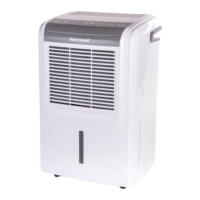
Honeywell DH70W
19 pages
Print Icon
To Next Page IconTo Next Page
Loading...
Dehumidifier
User Manual
Read and save these instructions before use
Model:
DH45W/ DH45WGN/
DH45WKN/ DH45PWKN /
DH45PWGN/DH50W/
DH50PW / DH70W /
DH70PW/ DH70WKN/
DH70WGN/DH70PWKN/
DH70PWGN/
www.jmatek.com
Email: info@jmatek.com

Other manuals for Honeywell DH70W

Questions and Answers

  • D
    Desiree MataAug 20, 2025
    How to fix a Honeywell Dehumidifier that will not start?
    • E
      Eric LyonsAug 20, 2025
      If your Honeywell Dehumidifier doesn't start, check for power and ensure the power cord is properly plugged in by removing and reconnecting it. Also, check if the safety switch has been activated and reset it, waiting for 3 minutes.
  • M
    michaeldaughertyAug 22, 2025
    What to do if the Honeywell DH70W Dehumidifier doesn't start?
    • M
      Martha CampbellAug 22, 2025
      If your Honeywell Dehumidifier isn't starting, first ensure there is electricity. Check that the power cord is properly plugged in; if not, remove and reconnect it. Also, check the safety switch on the electrical plug and reset it. If the problem continues after waiting 3 minutes, contact customer service.
  • J
    Joseph ReyesAug 25, 2025
    How to fix Honeywell DH70W Dehumidifier not decreasing humidity?
    • K
      Kathleen PachecoAug 25, 2025
      If your Honeywell dehumidifier is running but the humidity level isn't decreasing, try these steps: * Decrease the humidity level setting on the dehumidifier. * Ensure all doors and windows are closed and sealed to prevent outside moisture from entering. * Eliminate other sources of humidity in the room, such as boiling water. * Make sure the room temperature is between 41°F (5°C) and 89°F (32°C) for optimal operation. * Clean the dust filter if it's dirty or blocked. * Remove any blockages from the air outlet or intake.
  • J
    James JonesAug 26, 2025
    Why does my Honeywell DH70W Dehumidifier run constantly and not stop?
    • D
      David MurphyAug 26, 2025
      Your Honeywell Dehumidifier might be running constantly because the area you are trying to dehumidify is too large for its capacity. Consider adding another dehumidifier. Also, check that all windows and doors are closed and tightly sealed, as open windows or doors let in new moisture.
  • K
    Kenneth FullerAug 28, 2025
    What to do if Honeywell DH70W Dehumidifier runs but the humidity level does not decrease?
    • J
      Jane EdwardsAug 28, 2025
      If your Honeywell Dehumidifier is running but the humidity level isn't decreasing, first, ensure the humidity level setting isn't too high and decrease it if necessary. Also, close and tightly seal any open windows or doors to prevent new moisture from entering. Remove other humidity sources, such as boiling water. Check that the room temperature is between 41°F (5°C) and 89°F (32°C). Clean the air filter if it's dirty or blocked, and remove any blockages from the air outlet or intake.
  • S
    Sara GreerAug 29, 2025
    Why is the 'Defrost' light illuminated on my Honeywell Dehumidifier?
    • R
      Randy JonesAug 30, 2025
      The 'Defrost' light on your Honeywell Dehumidifier is illuminated because the room temperature is too low. The dehumidifier may not work effectively in low temperature environments. Increase the room temperature or wait until it increases before using the dehumidifier.
  • K
    Kyle FernandezSep 1, 2025
    What to do if there is water on the floor near my Honeywell Dehumidifier?
    • L
      Lorraine JordanSep 1, 2025
      If you find water on the floor near your Honeywell Dehumidifier, check the connections between the garden hose/drain hose and the drain outlet on the unit to make sure they are not loose. If you intend to use the water tank, disconnect the hose and replace the rubber stopper and drain cap.
  • E
    Ernest LunaSep 3, 2025
    Why does frost appear on the coils of my Honeywell DH70W Dehumidifier?
    • S
      Sharon CraigSep 3, 2025
      If frost appears on the coils of your Honeywell Dehumidifier, it's likely because it was recently turned on in low room temperatures, usually below 41°F (5°C). This is normal, and the frost will disappear within an hour or so after switching the dehumidifier off.
  • J
    jose86Sep 4, 2025
    Why does the Honeywell DH70W run constantly?
    • S
      Stephanie SimonSep 5, 2025
      Your Honeywell dehumidifier might run constantly because the area you're trying to dehumidify is too large for its capacity. Consider adding another dehumidifier for larger spaces. Also, ensure that all windows and doors to the outside are closed and tightly sealed to prevent new moisture from entering the room.
  • T
    Traci YangSep 7, 2025
    Why is the 'Defrost' light on my Honeywell DH70W Dehumidifier?
    • W
      William RileySep 7, 2025
      The 'Defrost' light illuminates on your Honeywell dehumidifier when the room temperature is too low. The dehumidifier may not work effectively in low-temperature environments. Try increasing the room temperature or wait until it rises before using the dehumidifier.

Summary

Safety Rules

General Safety Precautions

Essential safety rules for electrical appliances, including handling and electrical safety.

Specific Usage Restrictions

Rules for children, placement, tilting, and speed control devices.

How a Dehumidifier Works

Dehumidification Process Explained

How the unit pulls in air, condenses moisture, and exhausts dry air.

Selecting a Location

Stabilization and Placement Requirements

Unit must be upright for 1 hr; place 12 inches from objects.

Optimizing Room Efficiency

Keep doors and windows closed for optimal dehumidification.

Unpackaging the Dehumidifier

Tape Removal and Float Check

Remove packaging tape and verify the water tank float is in place.

Parts Description DH45 W

DH45 W Model Components

Identifies and lists numbered parts for the DH45W model.

Parts Description Other Models

Other Model Components and Drain Pump

Identifies parts for other models, including drain pump variants.

Use and Operation

Control Panel Layout and Indicators

Overview of the control panel buttons, displays, and indicator lights.

Timer Control Features

Setting auto-off and auto-on timers for dehumidifier operation.

Temperature and Humidity Settings

Adjusting humidity levels and display units (°C/°F).

Draining the Water

Manual Tank Draining Procedure

How to remove, empty, and replace the water tank.

Continuous Drainage with Garden Hose

Connecting a garden hose for continuous water removal.

Continuous Drainage with Drain Pump

Using the built-in pump and drain tube for continuous drainage.

Cleaning and Maintenance

Appliance and Dust Filter Care

Instructions for cleaning the unit and its dust filter.

End of Season Storage Guidelines

Steps for storing the dehumidifier when not in use.

Troubleshooting Guide

Dehumidifier Fails to Start

Solutions for when the dehumidifier does not power on.

Humidity Reduction Issues

Troubleshooting when the unit runs but humidity doesn't decrease.

Unit Runs Constantly or Stops Unexpectedly

Addressing issues of continuous operation or unit stopping.

Water Tank and Drainage Problems

Resolving issues related to the water tank and drainage systems.

Operational Irregularities and Noise

Troubleshooting common operational issues like cold air, frost, noise, and leaks.

Error Code Guide

Humidity Sensor Error Codes (30, 90)

Explains error codes related to humidity sensor readings.

Temperature Sensor Error Codes (Lo, Hi)

Explains error codes related to ambient temperature sensor readings.

Honeywell DH70W Specifications

General IconGeneral
TypeDehumidifier
Moisture Removal Capacity70 pints per day
Energy Star RatedYes
Weight47.4 lbs
Noise Level51 dB
Continuous Drain OptionYes
ColorWhite
Filter TypeWashable
Control TypeElectronic
Special FeaturesAuto restart
Operating Temperature41°F to 89°F
Humidity ControlAdjustable
Coverage Areaup to 4, 500 sq. ft.

Related product manuals