EasyManua.ls Logo

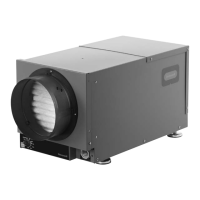
Honeywell DR120A3000 - User Manual

Honeywell DR120A3000
52 pages
Print Icon
To Next Page IconTo Next Page
Loading...
DR90A3000 (1) or
DR120A3000 (1)
10” duct collar (2)
6” duct collar (1)
MERV 11 Filter (1)
Filter Door (2)
Installation Guide
Prestige IAQ Kit
TruelAQ
H8908 Manual Dehumidistat
VisionPRO or Prestige Thermostat
H6062 HumidiPRO Digital Humidity Control
Tools required to install DR90/DR120A3000
Dehumidifier
3/8” hex drive
Drill or duct cutting tool
Wire stripper/cutter
Scissors or utility knife
Standard screwdriver
T25 Torx screwdriver
Duct tape
10” round duct and starter collar
3/4” male NPT to drain line adaptor (1/2” Dia.
recommended)
1/2” diameter drain line (8’)
1/2” drain clamps (2)
Options
1/2” drain p-trap (may be required by local code)
Drain pan
Float switch or water sensor
A1
D
C
A2
B
F
G1
G2
G3
G4
G5
E
(or)
PROFESSIONAL INSTALLATION GUIDE
GUIDE D’INSTALLATION PROFESSIONNELLE
GUÍA DE INSTALACIÓN PROFESIONAL
DR90/DR120A3000
INCLUDED IN THIS BOX
F
E
A1 A2
C
D
B
33-00298EFS-01
OPTIONAL CONTROLS SOLD SEPARATELY
G
TrueDRY™ DR90 (1) or
TrueDRY™ DR120 (1)
10-in. duct collar (2)
6-in. duct collar (1)
MERV 11 Filter (1)
Filter Door (2)
Installation Guide
Prestige Comfort System (RedLINK
TruelAQ
H8908 Manual Dehumidistat
VisionPRO IAQ control
3/8-in. hex drive
Drill or duct cutting tool
Wire stripper/cutter
Scissors or utility knife
Standard screwdriver
T25 Torx screwdriver
Duct tape
10-in. round duct and starter collar
3/4-in. male NPT to drain line adaptor (1/2-in. Dia.
recommended)
1/2-in. diameter drain line (8 ft.)
1/2-in. drain clamps (2)
1/2-in. drain p-trap (may be required by local code)
Drain pan
Float switch or water sensor
69-2690EFS-02
DR90/DR120A3000
D
C
A
1
A
2
B
F
G
1
G
2
G
3
G
4
E
™ Wireless)
Tools required to install TrueDRY DR90/DR120
Options
PROFESSIONAL INSTALLATION GUIDE
GUIDE D’INSTALLATION PROFESSIONNELLE
GUÍA DE INSTALACIÓN PROFESIONAL
OPTIONAL CONTROLS SOLD SEPARATELY
INCLUDED IN THIS BOX
G
F
E
A
1
A
2
B C
D
G
4
G
3
G
2
G
1
G3G2 G4G1
G5


Questions and Answers

  • A
    Austin WellsAug 5, 2025
    What to do if my Honeywell DR120A3000 Dehumidifier is removing less water than expected?
    • D
      Debra LambertAug 5, 2025
      If your Honeywell Dehumidifier isn't removing as much water as you expect, several factors could be at play. The air temperature or humidity might have dropped, or the humidity meter or thermometer you're using might be out of calibration. The unit may have entered a defrost cycle, or the air filter could be dirty. Other potential causes include a defective defrost thermostat, low refrigerant charge, air leaks, a defective compressor, restrictive ducting, or an open optional Condensate Pump Safety Switch.
  • R
    Robert SmithAug 8, 2025
    What to do if my Honeywell Dehumidifier is not dehumidifying?
    • K
      kristinlozanoAug 8, 2025
      If your Honeywell Dehumidifier isn't dehumidifying, and neither the fan nor the compressor are running while the ventilation timer is off, first ensure the unit is plugged in and the outlet has power. The humidity control might be set too high or be defective. There could also be a loose connection in the internal or control wiring, a defective compressor relay, a defective control transformer, or an open optional Condensate Pump Safety Switch.
  • C
    Charles BrooksAug 13, 2025
    Why is my Honeywell DR120A3000 evaporator coil frosted?
    • J
      jasmine87Aug 14, 2025
      If the evaporator coil of your Honeywell Dehumidifier is continuously frosted and the dehumidifying capacity is low, the defrost thermostat may be loose or defective. Alternatively, there could be a low refrigerant charge, or the air filter(s) might be dirty, restricting airflow.
  • J
    Jessica MeyerAug 17, 2025
    Why does my Honeywell DR120A3000 Dehumidifier compressor cycle on and off too frequently?
    • C
      Carolyn BrewerAug 17, 2025
      If the fan runs when dehumidification is needed and the ventilation control is off, but the compressor cycles on and off too frequently on your Honeywell Dehumidifier, it could be due to a low ambient temperature or humidity causing the unit to cycle through defrost mode. A defective compressor overload, a defective compressor, or a defective defrost thermostat could also be responsible. Additionally, check for dirty air filters or restricted airflow, a low refrigerant charge causing the defrost control to cycle, or a bad connection in the compressor circuit.
  • J
    James BenjaminAug 21, 2025
    Why is my Honeywell Dehumidifier fan running but the compressor is not?
    • I
      Isabel TerryAug 21, 2025
      If the fan of your Honeywell Dehumidifier runs when dehumidification is needed, but the compressor doesn't, and the ventilation control is off, the issue could stem from a defective compressor run capacitor, a bad connection in the compressor circuit, a defective compressor overload, or a defective compressor itself. Other possibilities include an open defrost thermostat or an open optional Condensate Pump Safety Switch.
  • E
    Erica ShepherdAug 27, 2025
    Why is my Honeywell DR120A3000 Dehumidifier not providing ventilation?
    • J
      Joel JohnsonAug 27, 2025
      If your Honeywell Dehumidifier isn't providing ventilation, check the control wire connections, including those at the fresh air damper. A defective fresh air damper could also be the cause. Additionally, ensure the air intake is clean and free from obstructions by cleaning the outside intake hood.
  • K
    kristinlawsonAug 30, 2025
    What to do if the fan on my Honeywell DR120A3000 Dehumidifier does not run with ventilation?
    • C
      cherylpattersonAug 30, 2025
      If the fan on your Honeywell Dehumidifier doesn't run when ventilation is activated, but the compressor runs briefly and cycles on and off with the humidity control turned on, check for a loose connection in the fan circuit. Make sure no obstruction prevents the fan from rotating. The fan itself, the fan relay, or the fan capacitor could also be defective.

Summary

Control Options

DR90 Specifications

DR120 Specifications

Install to Fit Your Application

Dedicated Return to Main Supply

Describes installation configuration for dedicated return air to the main supply.

Main Return to Main Supply

Outlines installation setup for main return air to the main supply.

Plumbing

Drain Line Setup

Details connecting the drain line, ensuring downhill flow and a water trap for proper drainage.

Terminal Description

Wiring

Prestige Thermostat Wiring

Provides wiring diagram for connecting the dehumidifier with a Prestige thermostat.

Checkout

System Startup Verification

Steps to verify the dehumidifier operates correctly after installation, checking compressor and fan.

Cleaning

Troubleshooting

Common Problems and Solutions

Lists common issues like no dehumidification or fan/compressor cycling and their recommended fixes.

Honeywell DR120A3000 Specifications

General IconGeneral
ModelDR120A3000
TypeDehumidifier
Moisture Removal Capacity120 pints per day
Smart FunctionsNo
Voltage115V
Drainage OptionAuto Restart
FeaturesAuto Restart
Humidity ControlAdjustable humidistat

Related product manuals