Configuring Network Settings
51
• The network video devices used in the network must be QoS-enabled.
CoS
CoS refers to Class of Service. It indicates the frame priority level from 0 (lowest) to 7
(highest). The priority is set up on the network switches, which then use different queuing
disciplines to forward the packets.
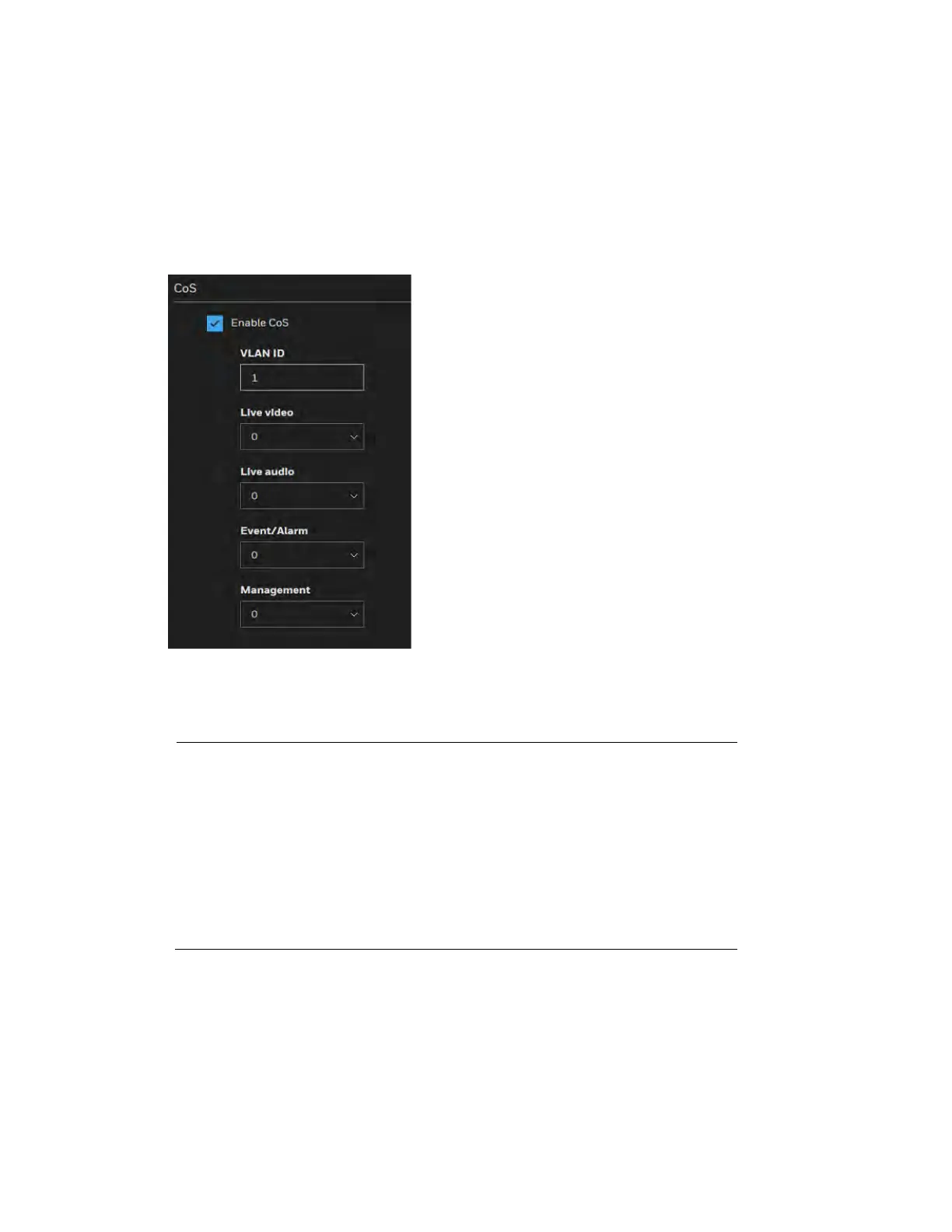
Figure 6-9 Cos
Enter the VLAN ID of your switch (0~4095) and choose the priority for each application (0~7).
If you assign Video the highest level, the switch will handle video packets first.
Note
• A VLAN Switch (802.1p) is required. Web browsing may fail if
the CoS setting is incorrect.
• The Class of Service technologies do not guarantee a level of
service in terms of bandwidth and delivery time; they offer a
"best-effort." Users can think of CoS as "coarsely-grained"
traffic control and QoS as "finely-grained" traffic control.
• Although CoS is simple to manage, it lacks scalability and
does not offer end-to-end guarantees since it is based on L2
protocol.
QoS/DSCP
Routers at each network node classify packets according to their DSCP ((Differentiated
Services Codepoint) value and give them a particular forwarding treatment; for example, how
much bandwidth to reserve for it.



 To Next Page
 Loading...