Operation SDC / DHC
14 EN2H-0220GE51 R1111
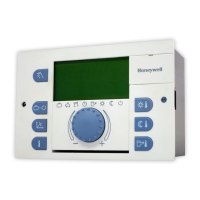
4.1.2 Operating elements
Pos: 7 /156 -Hone ywell/Bed ienung /Eingabe knopf @ 1 \mod_ 12076437 68135_6 .doc @ 9240
4.1.2.1 Input button (press / turn)
By pressing once, you can:
• Confirm input / values
By pressing and holding (approx. 3 s), you can:
• Switch to the menu-selection level
• Move up one menu level
By turning the input button î, you can:
• Change values (clockwise increases called-up values,
anticlockwise decreases them)
• Navigate through menus
Pos: 8 /156-Honeywell/Bedienung/Taste_Tages-Raumtemperatur @ 1\mod_1207643818525_6.doc @ 9255
4.1.2.2 "Daytime room temperature" button
Sets the desired room temperature (room setpoint) in automatic
mode during the heating cycles and in the PARTY and HEATING
operating modes. In operating mode 1, the set value for all
heating circuits is the same. In operating mode 2, the set value
applies for the respective heating circuit. To set the operating
mode, see 4.2.3.3 Operating mode, pg. 52.
► Press ¥ button.
► Set flashing room temperature specification to the desired
value by turning the input button
î.
► Confirm set value by pressing the
¥ button or the input
button
î.
Alternative: Automatic acceptance of the value after the set
information time (see 4.1.2.7 "System information" button, pg. 26).
20 °C
5 ... 30 °C
Pos: 9 /156 -Hone ywell/Bed ienung /Taste _Nacht-Raum temper atur @ 1 \mod_1207 6439188 22_6.do c @ 9270
ð
¥
Setting
C
Factory setting
Setting range








 To Next Page