SDC / DHC Operation
EN2H-0220GE51 R1111 53
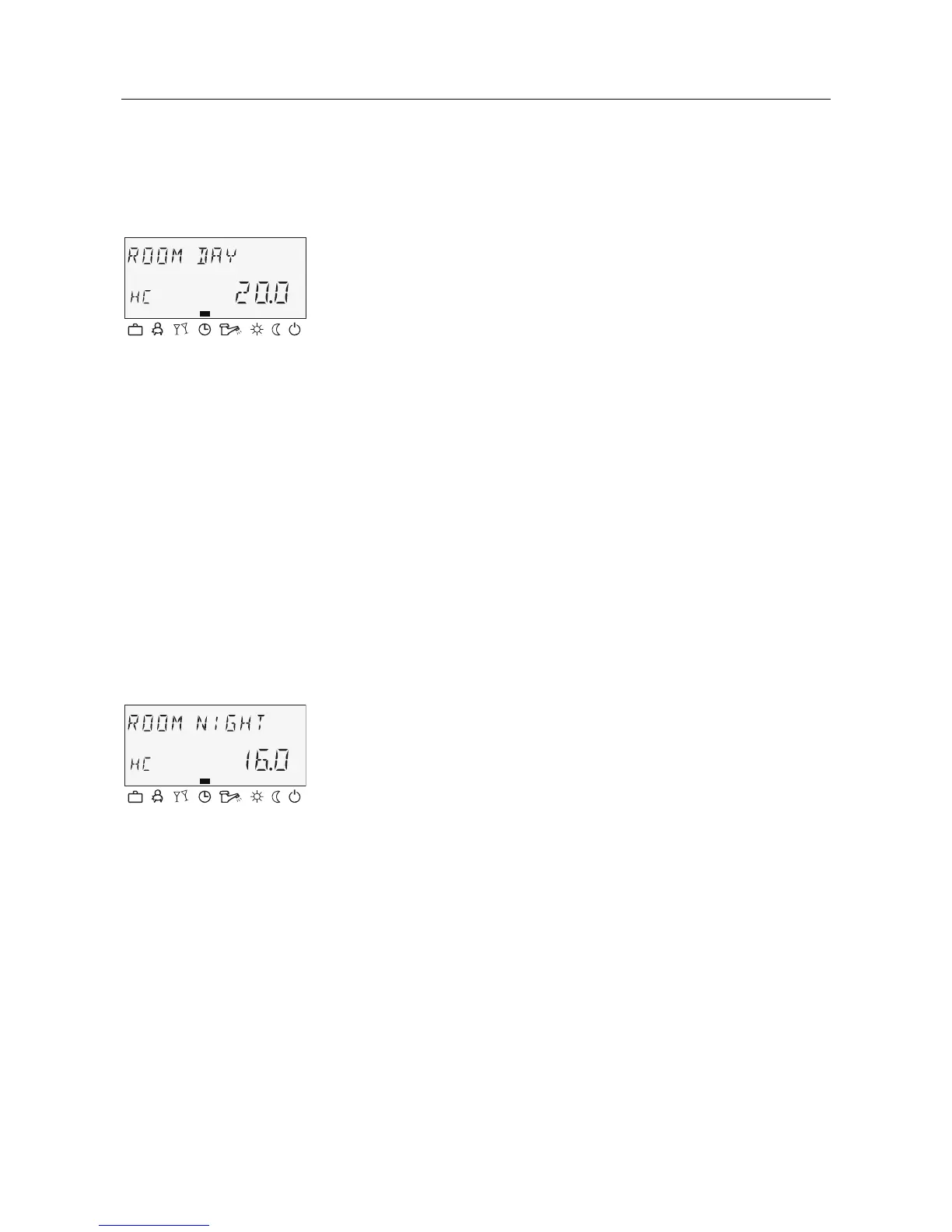
4.2.3.3.1 Individualised daytime room temperature for each heating
circuit
► Press
¥ button.
► Select desired heating circuit (HC, MC-1 or MC-2) by turning
the input button
î.
► Confirm selected circuit by pressing the input button
î.
► Set flashing room temperature specification to the desired
value by turning the input button
î.
► Confirm set value by pressing the
¥ button.
Alternative: Automatic acceptance of the value after the set
information time (see 4.1.2.7 "System information" button, pg. 26).
5 ... 30 °C
20 °C
Pos: 48 /156-Honeywell/Bedienung/Individuelle_Nacht-Raumtemperatur @ 1\mod_1207646643760_6.doc @ 9870
4.2.3.3.2 Individualised night-time room temperature for each heating
circuit
► Press
¦ button.
► Select desired heating circuit (HC, MC-1 or MC-2) by turning
the input button
î.
► Confirm selected circuit by pressing the input button
î.
► Set flashing room temperature specification to the desired
value by turning the input button
î.
► Confirm set value by pressing the
¦ button.
Alternative: Automatic acceptance of the value after the set
information time (see 4.1.2.7 "System information" button, pg. 26).
5 ... 30 °C
16 °C
Pos: 49 /156-Hon eywell/ Bedienung /Indi viduelle_ Betrie bsart @ 1\m od_12 07646682 213_6 .doc @ 9885
Setting
C
Setting range
Factory setting
Setting
C
Setting range
Factory setting










 To Next Page