
 Need help?
Do you have a question about the Honeywell HEW4PR2 and is the answer not in the manual?
Instructions for installing the Honeywell ConfigTool IP utility on your PC for camera setup.
Guide on how to update the firmware for single or multiple IP cameras.
Steps to access the camera's web interface and log in.
Overview of the live video display interface and its controls.
Procedure for accessing and viewing recorded video files.
Main section for adjusting camera properties like image and profile settings.
View and set camera properties like brightness, contrast, and exposure.
Settings for video bit stream, including compression, frame rate, and bit rate.
Setup for network parameters like TCP/IP, PPPoE, DDNS, and IP filtering.
Manage recording schedules, snapshot settings, and storage paths.
General setup, account management, and default settings for the camera.
Manage user accounts, groups, and their permissions.
Enable anonymous login, add, remove, and modify user accounts.
Instructions for upgrading the camera's firmware.
Setup for motion detection, including working period and area configuration.
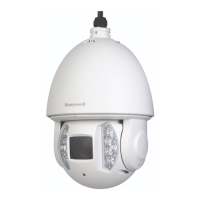
Detailed specifications for HEW2PR1, HEW2PRW1, HEW4PR3, HEW4PRW3 Ball Cameras.
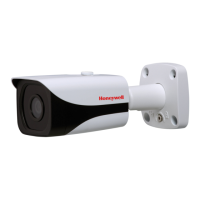
Detailed specifications for HBW2PR1 and HBW4PR1 Bullet Cameras.
Detailed specifications for H2W2PRV3 and H2W4PRV3 Micro Dome Cameras.
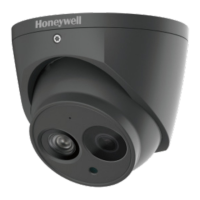
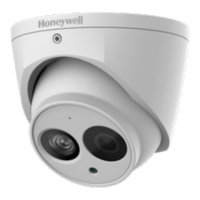
Detailed specifications for the H4W4PRV3 Mini Dome Camera.
Detailed specifications for H4W2PRV2 and H4W4PRV2 Mini Dome Cameras.
Detailed specifications for HBW2PR2 and HBW4PR2 Bullet Cameras.
 General
| Resolution | 4MP (2560 x 1440) |
|---|---|
| Lens | 2.8 mm fixed lens |
| Night Vision | Yes |
| IR Distance | Up to 30m (98ft) |
| Protection | IK10 |
| Housing | Metal |
| Operating Temperature | -30 °C to 60 °C (-22 °F to 140 °F) |
| Storage | MicroSD card slot, up to 256GB |
| Video Compression | H.265, H.264 |
| Audio | Built-in microphone |
| Power Supply | PoE (802.3af) or 12V DC |
| Network Connectivity | 10/100 Mbps Ethernet |
| Dimensions | Ø110 x 93.2 mm |




 To Next Page