
 To Next Page

S
smithjosephAug 12, 2025
How to guarantee setup update on Honeywell IP Camera?
- MMr. Donald MckinneyAug 12, 2025
To ensure that setup updates are applied, reboot the camera through the software after modifying the setup.

How to guarantee setup update on Honeywell IP Camera?
To ensure that setup updates are applied, reboot the camera through the software after modifying the setup.
Why can't I log in to my Honeywell HBD2PR1 client-end or WEB?
There could be several reasons why you can't log in. First, make sure that the ActiveX controls are not blocking the client-end. Also, ensure you have a stable network connection and a valid network setup. Finally, verify that you are using the correct username and password.
What to do if my Honeywell HBD2PR1 IR video is poor?
Several factors can contribute to poor IR video quality. First, check the power supply to ensure it adequately supports the IR lights. Also, the object you're trying to illuminate might be out of the IR illumination range. Another potential cause is a malfunctioning photosensitive chip, indicated by the IR-CUT not switching to Night mode.
What to do if I can not boot up the Honeywell IP Camera or operate it properly?
If you are unable to boot up the camera or operate it correctly, restore the camera’s factory default settings by clicking and holding the RESET button for at least five seconds.
What to do if water leakage occurred in my Honeywell HBD2PR1 IP Camera?
Water leakage may occur if the front glass cap or rear waterproof cap is loose or has been removed. Check these caps to ensure they are properly sealed.
What to do if I can not play the downloaded file from Honeywell IP Camera?
First, ensure that you have a compatible player, which can typically be found on the CD that came with your camera. Also, confirm that your video card is dx8.1 or higher. For .AVI files, ensure that you have installed the Div X503Bundle.exe plugin, and the ffdsho-2004 1012.exe plugin.
Why Honeywell IP Camera power adapter is unstable?
An unstable power supply may occur when the temperature exceeds the working temperature. If you are using the camera in cold-weather environments, replace the existing adapter with an industry-level power adapter. It is also recommended to use a UPS power adapter.
What to do if I can not upgrade the Honeywell IP Camera through the network?
If a network upgrade fails, try using port 3800 to continue the upgrade.
Important safety warnings and electrical compliance information.
Compliance statements including FCC, Canadian, and WEEE regulations.
Essential safety guidelines for installation and operation of the device.
Provides a general overview of the NVR IP cameras and their capabilities.
Details the key features and functionalities of the NVR IP camera system.
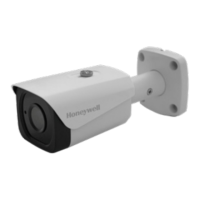
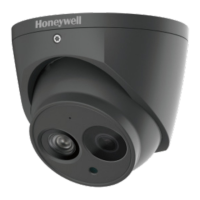
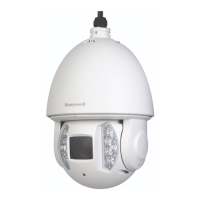
Illustrates the physical dimensions and identifies the components of the camera models.
Step-by-step guide for installing the necessary software for device configuration.
Procedures for upgrading firmware on single or multiple IP cameras.
Instructions on how to change the network IP address of the camera.
Connect to the camera over the network, configure the user interface, and initial setup.
Set up live view, video streams, image adjustments, and camera settings.
Configure IP, DDNS, PPPoE, SMTP, UPnP, SNMP, Bonjour, Multicast, IEEE802.1X, QoS.
Configure events, storage, system settings, accounts, and user management.
Manage firmware upgrades, system information, logs, alarms, and user sessions.
Solutions for problems related to camera booting, operation, and water leakage.
Troubleshooting steps for poor video quality or failed camera upgrades.
Guidance for resolving issues with client-end login, web access, and file playback.
Information on power adapter limitations and environmental considerations for camera operation.

 General