www.honeywell.com/security
52 | Embedded NVR Bundle IP Cameras User Guide
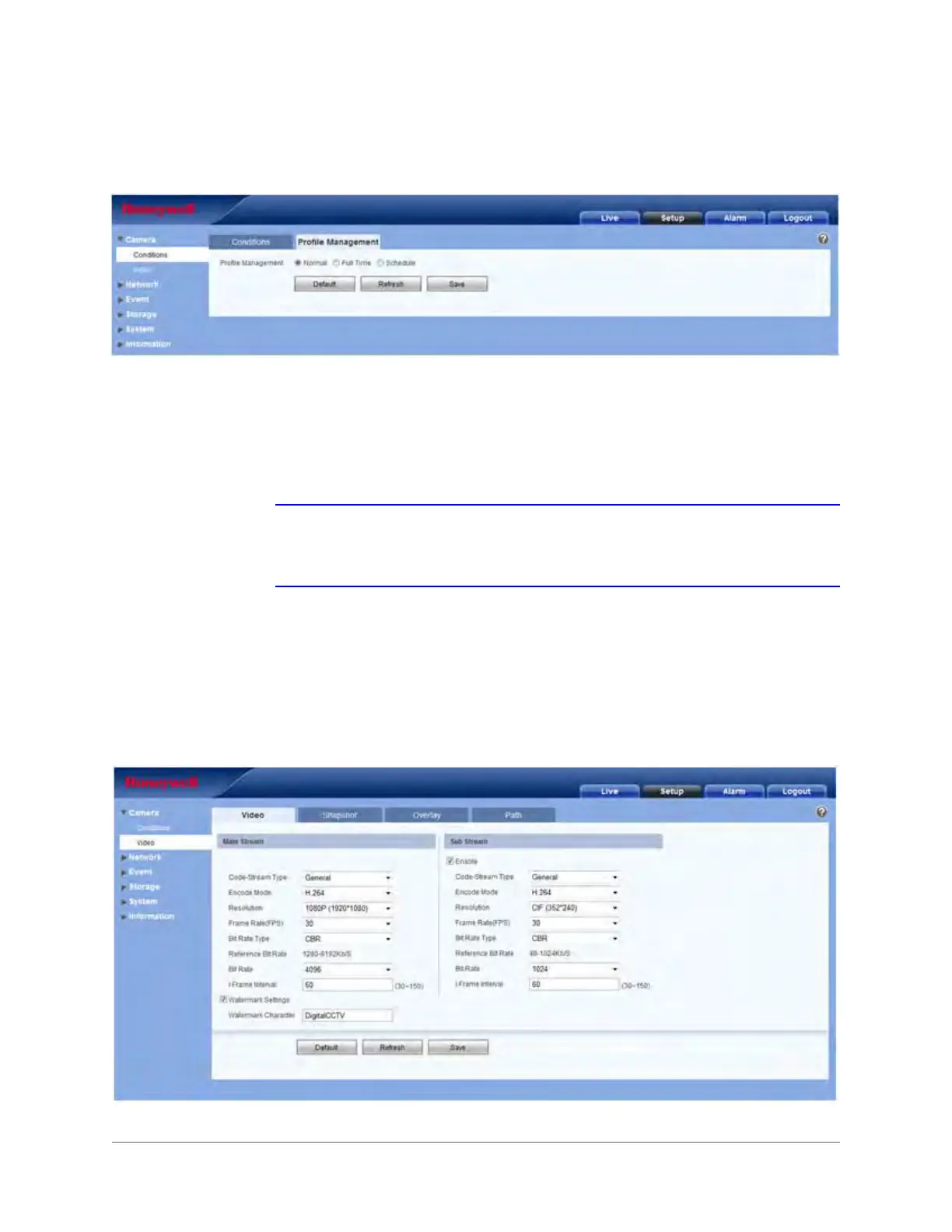
Profile Management
Figure 3-15 Profile Management Tab
Profile management has three modes: Normal, Full Time, and Schedule.
• Select Normal to configure the video as normal.
• Select Full Time, and you must select either Day or Night for the video.
• Select Schedule, and you can configure a detained time interval.
Note When you make changes to the video configuration, you will immediately see the
effects of those changes in the video. However, you must click Save to save and
apply these settings.
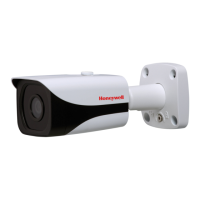
Video Configuration
Video Bit Stream
Figure 3-16 Video Bit Stream Configuration Window



 To Next Page