11
Loading bottles without spill proof cap
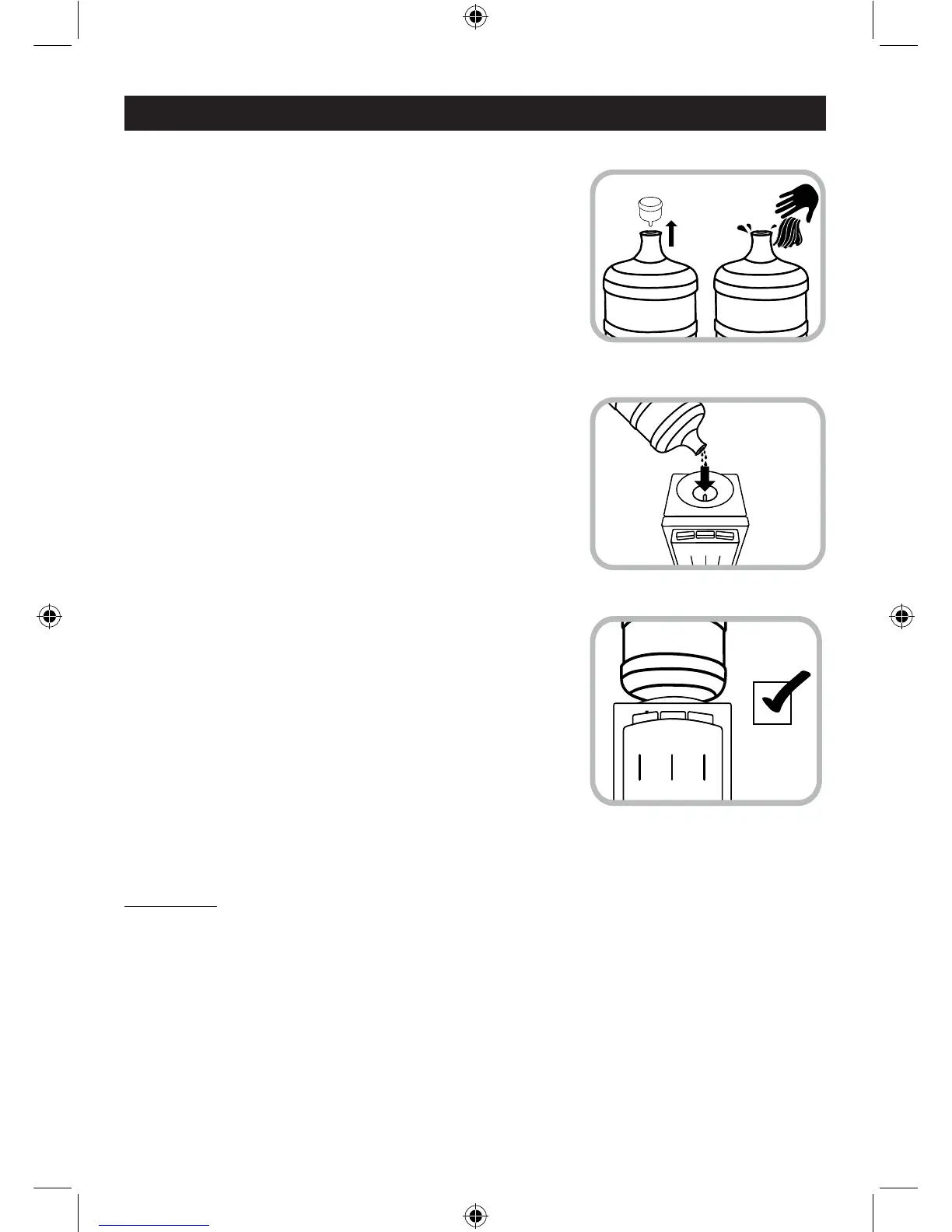
• Removethecapfromthe3or5gallonwaterbottle
and use a clean cloth to wipe off the neck of the
bottle.
• Carefullyliftthebottle(approx.40lbs.forthe5gallon
bottle). Bend your knees to lift the bottle, not your
back. Do not place hands over the opening of the
bottle while placing it on the unit. Please seek help if
you are unable to lift the water bottle.
• Invertthe3or5gallonwaterbottleovertheunitand
gently let the neck of the bottle slide into the funnel,
making sure the prong goes into the neck of the
bottle.
• Allow the water to ll all tanks inside the unit for
approximately one minute.
• Pushinonallwaterleverstomakesurewaterows
from all faucets.
• Plugtheunitbackintotheelectricaloutlet.
• TurnONthehotwaterswitch,waitacoupleofminutes
and turn ON the cold water switch. Allow the unit to
reach the minimum cold and hot water temperatures.
This will take approximately 45 minutes and the
indicator lights will turn OFF.
• Testthewatertemperaturesbypushingonceagain
on the water levers.
8. INSTRUCTIONS FOR LOADING THE WATER BOTTLE
• Yourwatercoolerisnowreadyforuse.
Steps To Replace Water Bottles
WARNING: Please make sure to turn OFF the unit when the hot and cold water tanks are
empty. Always have water inside the tanks before turning ON any switch.
• TurnOFFthehotandcoldwaterswitches.
• Unloadtheemptybottlefromthewatercooler.
• ProceedtoloadthenewbottlefollowingtheINSTRUCTIONS FOR LOADING THE WATER
BOTTLE.


 To Next Page
 Loading...