48 CV41 Vehicle Mount Computer (Windows CE) User Guide
4. Perform one of these items based on the type of scanner you are connecting:
• For an SR30 or SR61T scanner, tap Scanner Settings, select SR Intermec
Scanner, and then tap OK.
• For an ASCII scanner, tap Scanner Settings, select ASCII, and then tap OK. Set up
the appropriate COM port settings by selecting Scanner Port Settings.
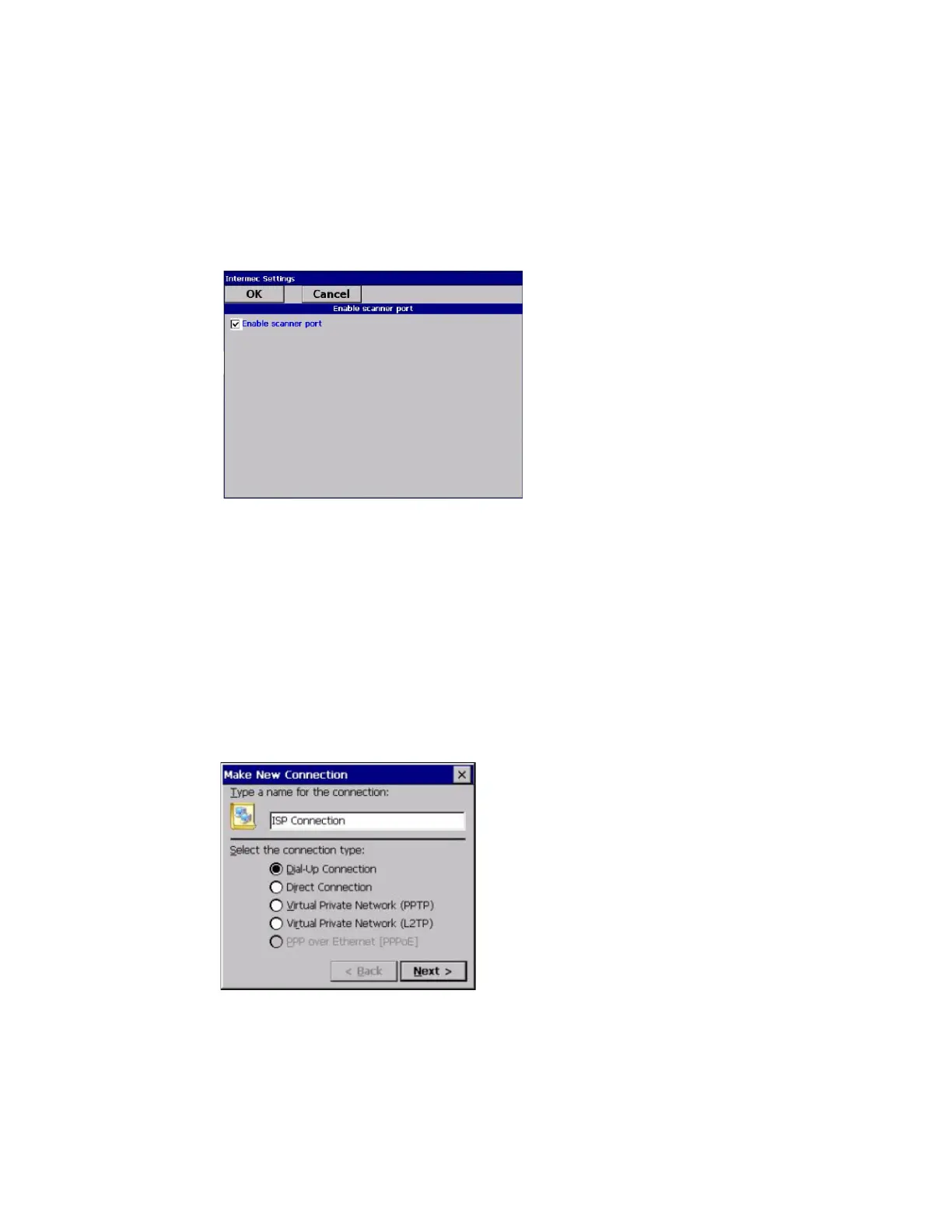
5. Tap Enable scanner port.
6. Check the Enable scanner port check box and tap OK.
Create an ISP Connection
You can create an Internet Service Provider (ISP) connection to send and receive email
messages using Messaging (Outlook Email) and view web pages using Internet
Explorer Mobile. You need to get your ISP dial-up access telephone number, a user
name, and a password from your ISP.
1. Tap Start > Settings > Control Panel.
2. Double-tap Network and Dial-up Connections.
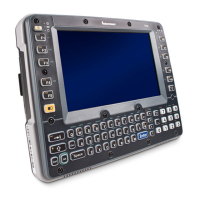
3. Double-tap Make New Connection.
4. Enter a name for the connection, such as “ISP Connection.”
5. Select the Dial-up Connection radio button.
6. Tap Next.


 To Next Page