CV41 Vehicle Mount Computer (Windows CE) User Guide 57
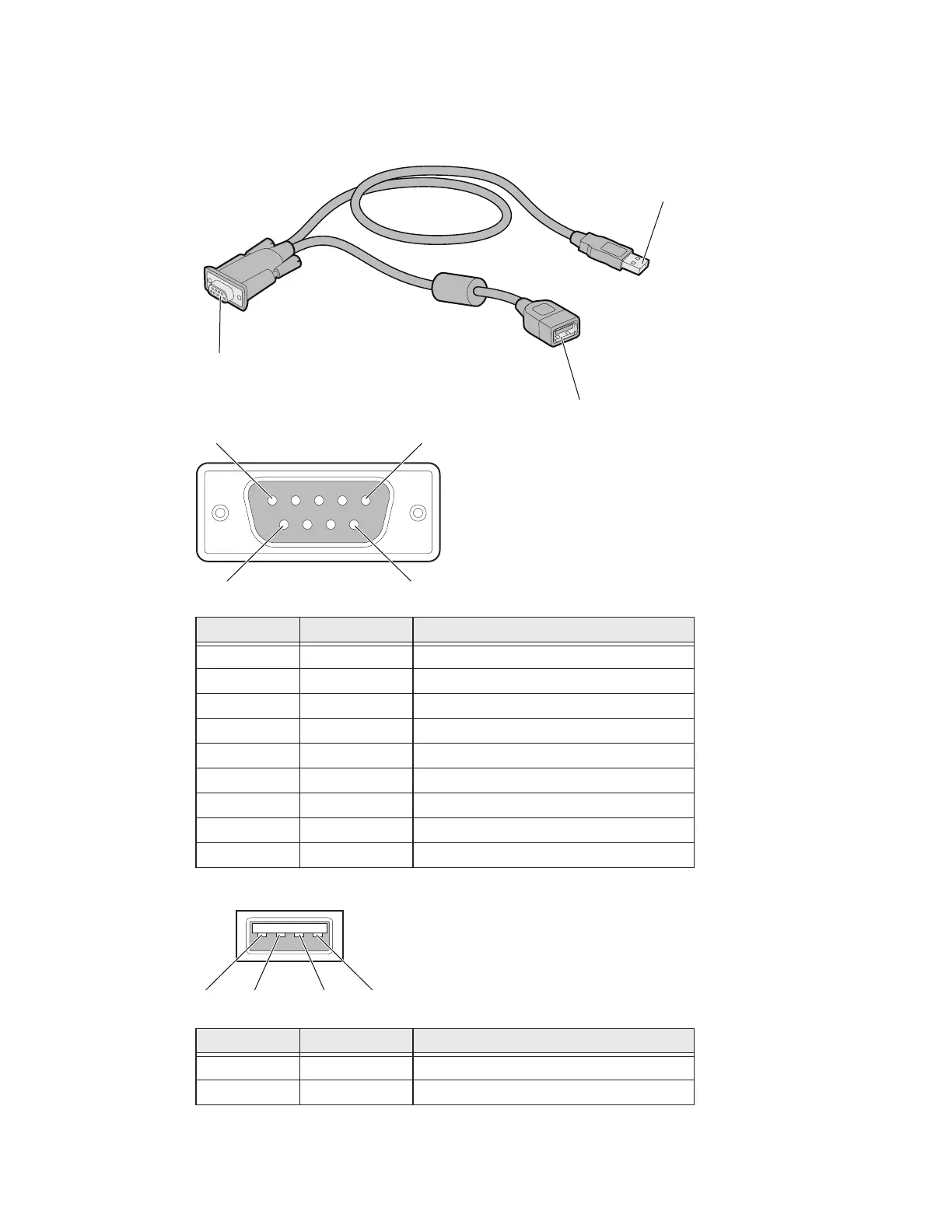
USB Dongle Cable
Use the USB dongle cable to connect USB devices, such as a USB flash drive to the
smart dock and CV41.
Pin Signal Description
1 GND Common ground
2 USBC_D+ USB client data signal
3 USBC_D_ USN client data signal
4 USB_H1_PWR USB host 5 V output power
5 GND Common ground
6 GND Common ground
7 USB_H1_D+ USB host 1 data signal
8 USB_H1_D- USB host 1 data signal
9 USBC_VBUS USB client 5 V detect from attached host
Pin Signal Description
1 5V_USB USB power, current limited
2 USB2N_A USB D-
D9 male
connector
USB client
connector
USB hos
connect
9
5
6
1
234


 To Next Page