EasyManua.ls Logo

Honeywell MN10CESWW - User Manual

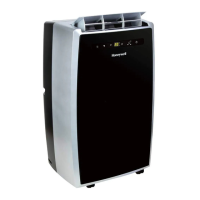
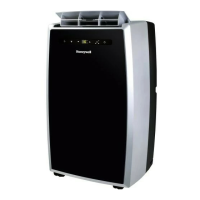
Honeywell MN10CESWW
20 pages
Print Icon
To Next Page IconTo Next Page
Loading...
8
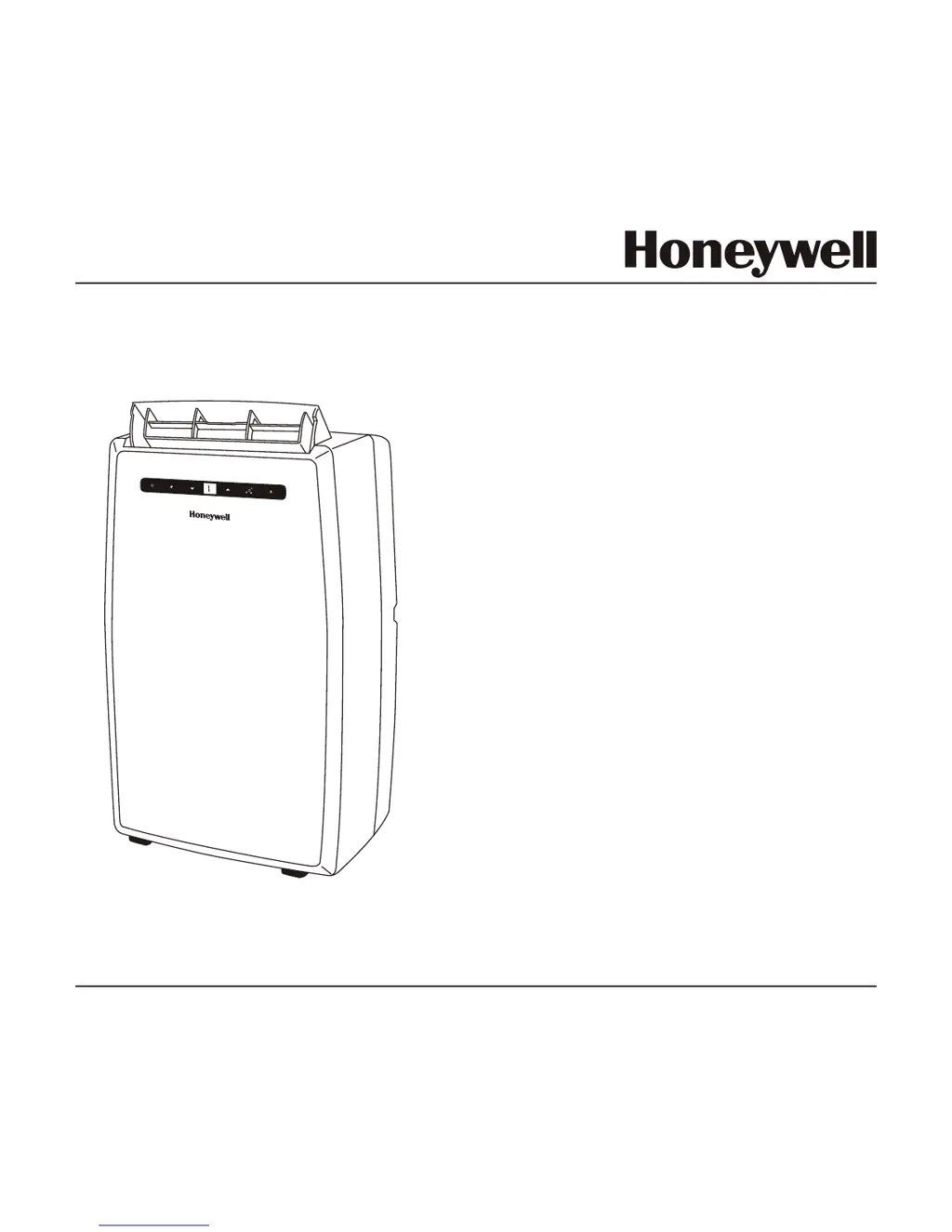
OWNER’S MANUAL
Read these instructions before use
Voltage rating: 120V~60Hz
Power rating : 1100W (MN12CES)
Power rating : 900W (MN10CESWW)
Portable Air Conditioner
Model: MN12CES / MN10CESWW
Customer Support : 1-800-474-2147
For product inquiries or support : www.honeywellportableac.com
Made in China

Other manuals for Honeywell MN10CESWW

Questions and Answers

  • E
    Erica ChaseAug 20, 2025
    What to do if Honeywell Portable air conditioner runs but not cooling?
    • C
      cookdeborahAug 20, 2025
      If your Honeywell Portable air conditioner runs but isn't cooling, consider these possibilities: Check if a door or window is open, and make sure the window or door is closed. A dirty air filter can also cause this, so clean the air filter. Ensure the exhaust hose is properly reinstalled. If the temperature setting is too high, reduce temperature setting. Also, make sure that air outlet or intake is not blocked by removing blockage. If the room exceeds recommended size, move unit to smaller room. Finally, if there are a large size or number of windows, cover windows with curtains or blinds.
  • J
    Jennifer CollinsAug 22, 2025
    How to fix a Honeywell MN10CESWW that won't start?
    • J
      Jeremy WilliamsAug 22, 2025
      If your Honeywell Air Conditioner isn't starting, first ensure it's receiving power by checking the power cord and outlet. Replace the remote control batteries. If you are in USA / Canada / Mexico, and the safety LCDI plug has tripped, reset it. If the problem continues, contact customer support.
  • M
    Michelle SmithAug 25, 2025
    What to do if Honeywell MN10CESWW Air Conditioner runs but is not cooling?
    • E
      Eduardo PatrickAug 25, 2025
      If your Honeywell Air Conditioner runs but isn't cooling, ensure that all doors and windows are closed. Clean the air filter. Check that the exhaust hose is properly reinstalled. Reduce the temperature setting. Remove any blockages from the air outlet or intake. If the room is too large, move the unit to a smaller room. Cover windows with curtains or blinds to improve cooling effectiveness.
  • R
    Rhonda EdwardsAug 26, 2025
    Why does my Honeywell MN10CESWW Air Conditioner run for only a short while?
    • D
      Dominique GonzalesAug 26, 2025
      If your Honeywell Air Conditioner runs only for a short while, try lowering the thermostat temperature setting. Also, ensure that the air outlet is not blocked and that the exhaust hose is properly connected, following the instructions.
  • E
    Earl YatesAug 28, 2025
    What to do if my Honeywell Air Conditioner does not start?
    • D
      David CookAug 28, 2025
      If your Honeywell Air Conditioner isn't starting, there could be a few reasons. First, check if there's a power outage or if the unit is properly plugged in. Remove and reconnect the power cord. Also, check the batteries in the remote control and replace them if needed. Finally, the safety GFI plug might have tripped; try resetting it.
  • A
    alexanderrogersAug 29, 2025
    Why is my Honeywell Air Conditioner running but not cooling?
    • S
      Samantha McknightAug 29, 2025
      Several factors can cause your Honeywell Air Conditioner to run without cooling. Ensure all doors and windows are closed. A dirty air filter can also be the culprit, so clean it. Check that the exhaust hose is correctly reinstalled. Also, make sure that the temperature setting isn't too high and that neither the air outlet nor the intake is blocked.
  • O
    Olivia SmithAug 31, 2025
    What to do if Honeywell Air Conditioner does not start?
    • S
      stephen46Aug 31, 2025
      If your Honeywell Air Conditioner isn't starting, there are several things to check: * Ensure the unit has electricity. * Replace the remote control batteries. * Remove and reconnect the power cord to ensure it's properly plugged in. * If you are in the USA or Canada, reset the safety LCDI plug. If the problem continues, contact customer support.
  • C
    Christopher GraySep 2, 2025
    Why does my Honeywell MN10CESWW Air Conditioner run for only a short time?
    • H
      harrisglennSep 2, 2025
      Your Honeywell Air Conditioner might be running for only a short time due to a few reasons: * The thermostat temperature setting may be too close to the room temperature; try lowering the set temperature. * The air outlet could be blocked; ensure the exhaust hose is properly connected. * There might be tight bends in the air exhaust hose. In that case, connect the exhaust hose as per instructions.
  • J
    Jared RoseSep 4, 2025
    Why Honeywell Portable air conditioner runs only a short while?
    • M
      Michael HoodSep 4, 2025
      If your Honeywell Portable air conditioner runs only a short while, it might be due to a few reasons. Check that the thermostat temperature setting isn't too close to the room temperature and lower the set temperature. Also, make sure the exhaust hose is properly connected and that there are no tight bends in the air exhaust hose.
  • J
    Jennifer JohnsonSep 6, 2025
    What to do if Honeywell Portable air conditioner will not run and power button is blinking?
    • M
      Margaret WheelerSep 6, 2025
      If your Honeywell Portable air conditioner will not run and the power button is blinking, this indicates that there is excess water condensation inside the tank. You should drain the water.

Summary

Thank You

Product Introduction

Highlights the unit's features like spot cooling, filtration, dehumidification, and portability.

Auto Evaporation System Explained

Explains the system that evaporates condensate via the air outlet hose.

User Tips

Optimizing Air Conditioner Efficiency

Advises closing doors/windows for AC/dehumidifier modes, open window for fan mode.

Pre-Use Installation Tip

States the unit must be placed upright for 20 minutes before use to stabilize refrigerant.

Safety Precautions

Electrical and General Safety Warnings

Covers operating with damaged cords, covering intake/exhaust, and child supervision.

Usage Environment and Cord Safety

Advises against running cord under rugs, tripping hazards, and use near flammable goods.

Parts Description

Main Unit Components

Identifies numbered parts of the main unit, e.g., Control Panel, Air Outlet, Handle, Casters.

Installation Kit Components

Lists items included in the installation kit, e.g., Window Bracket Kit, Hose Connector.

Installation Guide

Hose and Window Bracket Assembly

Details connecting the plastic hose with adapter and connector, and adjusting the window bracket.

Connecting Exhaust Hose to Unit

Instructs to connect the plastic hose to the unit's hose connector by push-in and rotate.

Securing Window Bracket to Window

Guides on connecting the window bracket to the window and confirming readiness.

Exhaust Hose Installation Notes

Notes on hose length, avoiding bends, and recommended clearance from walls.

Use and Operation

Touch Screen Control Panel Overview

Explains functions of Power, Mode, Fan Speed, Timer, and Temperature controls.

Operating Modes Explained

Details Cooling, Dehumidifying, and Fan modes with their specific usage conditions.

Temperature and Timer Settings

Describes how to adjust temperature and set timer for auto turn-off/on.

Warning Light Indicator Function

Explains the function of the warning light and its relation to water condensation.

Remote Control Operation

Explains how remote control buttons mirror touch panel functions for power, speed, timer, and mode.

Remote Control Battery Installation

Instructions for inserting AAA batteries into the remote control and caution notes.

Cleaning and Maintenance

Appliance Exterior Cleaning

Instructions for turning off the unit and cleaning the appliance with a dry cloth.

Air Filter Maintenance Procedure

Steps for cleaning the air filter every two weeks, including rinsing and drying.

Maintenance for Long-Term Storage

Procedures for long-term storage, including draining water and storing parts.

Water Condensation Drainage

Manual Draining Method

Steps for draining water manually using a shallow pan and the lower drain plug.

Continuous Draining Method

Instructions for continuous drainage using a hose connected to the upper drain plug.

Troubleshooting Guide

Troubleshooting: Unit Does Not Start

Lists possible causes like no power or battery issues and their solutions.

Troubleshooting: Short Operation

Addresses problems like running briefly then stopping, with causes like temperature settings or blocked hoses.

Troubleshooting: No Cooling

Explains reasons for no cooling, such as open windows, dirty filters, or detached hoses.

Troubleshooting: Water Full Indicator

Explains that the water full indicator means excess condensation needs draining.

Technical Specifications

Product Specifications Table

Lists model, voltage, power, capacity, dimensions, and weight for both models.

Product Disposal and Recycling

Advises proper disposal of electrical products and recycling.

Service and Warranty

5-Year Limited Warranty Terms

Outlines warranty coverage, exclusions, and limitations for parts and labor.

Warranty Exclusions and Limitations

Details what the warranty does not cover, such as misuse or unauthorized repairs.

Customer Support and Warranty Claims

Provides contact details and required information for warranty claims or inquiries.

Honeywell MN10CESWW Specifications

General IconGeneral
Typeportable
Colorwhite
Operating Area Size450 square feet
Cooling Settings1
Seasonally Adjusted Cooling Capacity5500 british thermal units
Heaterno
Fan Airflow Rate212 cubic feet per minute
Filterwashable
Hosesingle
Remote Controlyes
Wireless Connectivitynone
Timeryes
Sleeping Modeyes
Current9.2 amperes
Depth15.2 inches
Height29.3 inches
Width18.1 inches
Net Weight61.7 pounds

Related product manuals