EasyManua.ls Logo

Honeywell MN14 Series - User Manual

Honeywell MN14 Series
14 pages
Print Icon
To Next Page IconTo Next Page
Loading...
Model / Modèle / Modelo:
MN14 Series / Série / Serie:
MN14CCS, MN14CCSBB, MN14CCSWW, MN14CHCS, MN14CHCSBB, MN14CHCSWW
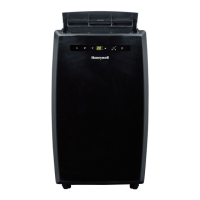
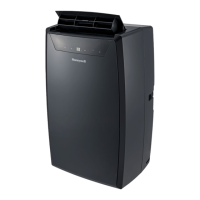
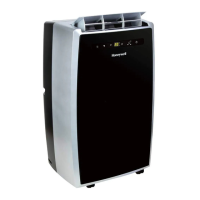
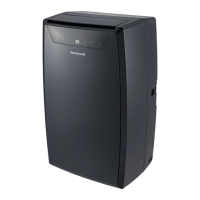
Portable Air Conditioner
User Manual
Email: usinfo@jmatek.com
Web: www.jmatek.com

Questions and Answers

  • M
    Monique WilsonJul 29, 2025
    What to do if my Honeywell MN14 runs but is not cooling?
    • I
      isaac72Jul 29, 2025
      If your Honeywell Air Conditioner is running but not cooling, there might be several reasons. First, ensure that all doors and windows are closed. A dirty air filter can also cause this issue, so clean it. Check that the exhaust hose is properly reinstalled. The temperature setting may be too high, so reduce it. Make sure that neither the air outlet nor the intake is blocked. If the room is too large, move the unit to a smaller room. Finally, covering windows with curtains or blinds can help if large windows are decreasing cooling effectiveness.
  • A
    Anna KingAug 4, 2025
    How to troubleshoot if my Honeywell Air Conditioner does not start?
    • M
      morrisvictoriaAug 4, 2025
      If your Honeywell Air Conditioner isn't starting, begin by checking if there is electricity. Replace the remote control batteries. Ensure the power cord is properly plugged in by removing and reconnecting it. Also, for USA/Canada/Mexico, reset the safety LCDI plug. If the problem continues, contact customer support.
  • T
    Taylor WoodAug 10, 2025
    How to turn on heater on Honeywell MN14 Air Conditioner?
    • C
      Courtney ReynoldsAug 10, 2025
      To turn on the heater on your Honeywell Air Conditioner (for models with a built-in heating function), first check that the heating function has been activated. The heater indicator will be illuminated when the heater is switched on. Ensure the ambient temperature is below 25°C (77°F) before activating the heating function.
  • M
    Michael VaughanAug 16, 2025
    What to do if my Honeywell Air Conditioner will not run and the power button is blinking?
    • I
      Isaac HughesAug 16, 2025
      If your Honeywell Air Conditioner won't run and the power button is blinking, it indicates excess water condensation inside the tank. You need to drain the water.
  • C
    Chad MorenoAug 22, 2025
    Why does my Honeywell Air Conditioner run only a short while?
    • K
      Kendra WatkinsAug 22, 2025
      If your Honeywell Air Conditioner runs only for a short time, the thermostat temperature setting might be too close to the room temperature; try lowering the set temperature. Also, ensure that the air outlet is not blocked and that the exhaust hose is properly connected. Check for tight bends in the air exhaust hose.

Summary

Safety Precautions

Thank You and User Tips

Important Operation Guidelines

Crucial pre-operation steps and setup advice for optimal performance.

Parts Description

Installation Guide

Exhaust Hose Installation Precautions

Guidelines on correct exhaust hose setup and placement to prevent malfunction.

Using and Operating the Unit

Touch Screen Control Panel Overview

Explanation of the buttons and indicators on the unit's control panel.

Power Control Functionality

How to turn the unit on/off and its standby mode indication.

Mode Control Options

Details on Cool, Heater, Dehumidify, and Fan modes.

Fan Speed Settings

Information on the available fan speed settings (High, Medium, Low).

Timer and Auto Control Features

How to set auto turn-off and auto turn-on timers for the unit.

Temperature and Timer Adjustment

Guide to adjusting temperature settings and toggling between Celsius/Fahrenheit.

Condensation Warning Light

Explanation of the warning light indicating water condensation buildup.

Remote Control Operation

Description of remote control functions and battery installation.

Cleaning and Maintenance

Water Condensation Drainage

Troubleshooting Guide

Honeywell MN14 Series Specifications

General IconGeneral
TypePortable Air Conditioner
Cooling Capacity14, 000 BTU
DehumidificationYes
Fan Speeds3
RefrigerantR410A
Control TypeElectronic
DisplayDigital
Timer24-hour
Operating Voltage115 V
Operating Frequency60 Hz
Power Consumption (Cooling)1300 W
Features3-in-1 Functionality, Remote Control
AreaUp to 700 sq. ft.
Window Venting KitIncluded

Related product manuals