9
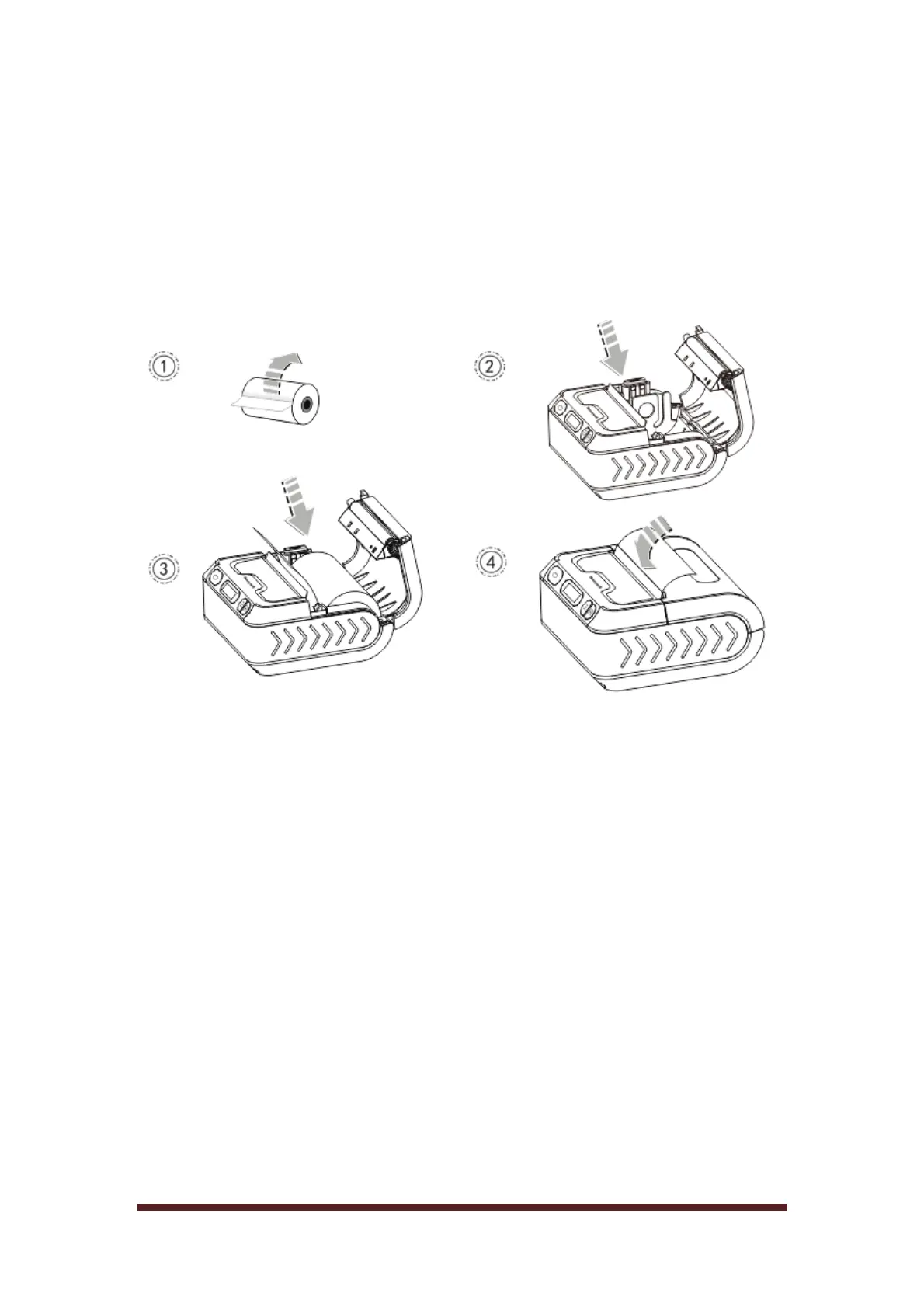
3.2 Printing paper roll installation
1. Take down the sealing tape on printing paper roll;
2. Press cover-open button and open paper tank;
3. Put paper roll into paper tank;
4. Pull out a length of paper along with paper-out opening.
Remark:
1. Paper specification used by printer is: paper width 80mm
2. Pay attention to direction of paper roll. If it's revered, it may
cause empty printing or non-process paper-feeding.


 To Next Page