10
3.3 Battery charge
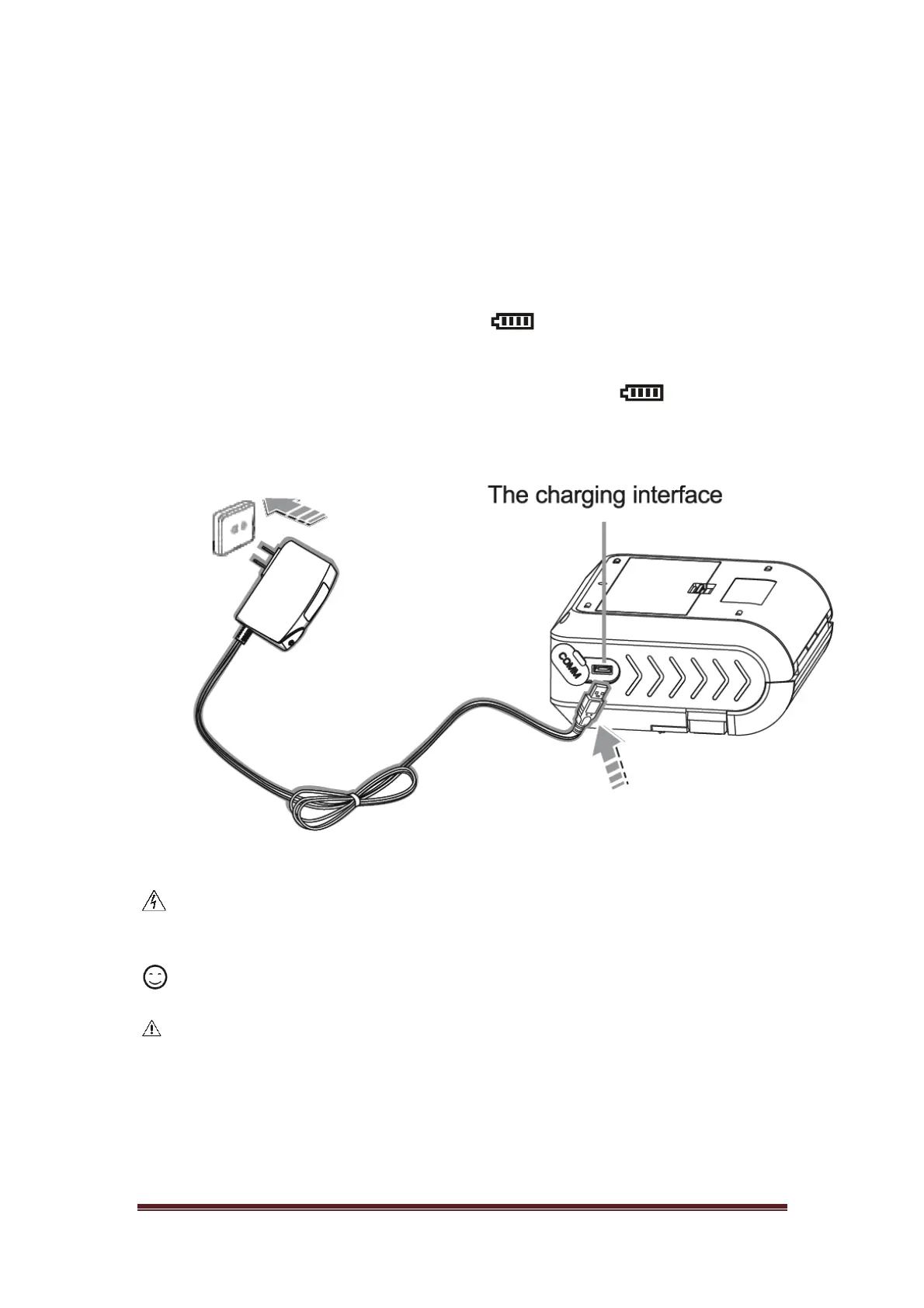
Standby charge
Plug power adapter into power outlet and plug USB interface into the
printer
Charging Port:AC:110V~240V(50/60Hz)
Charging: Battery indication symbol battery status bar scrolling
displays.
Charging complete: The icon indicate the battery is fully
charged, the buzzer will the sound alarm.
Warning
If use power adapter that is not provided or accepted by our company, it
may damage printer.
Remark
It can print during changing.
Attention
Please don't fetch out battery during charging.


 To Next Page