11
4. Use function
4.1 Basic features
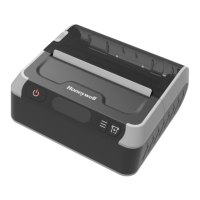
Power on: Keep pressing power button for 3 seconds.
Power off: Keep pressing printer power button during starting up, then
printer closes.
Paper feeding: Press the feed button(Under the continuation paper model
then paper feed for 5mm. press paper feed button in label / black label
model, paper feeding to label gap or black label).
Sleep wake: When printer start up if there is no pressing operation or data
transmission within 5 seconds, printer will enter into dormant status
automatically.
if press power button will wake the printer
(The printer will wake up automatically when it receives data).
4.2 Setting
Enter setting interface: Long press set button to enter selection interface
under on status (non-dormant status).
Press set button: Enter to set next selection.
Press paper- feeding button: Change option parameter.
Press power button: Confirm set.


 To Next Page