12
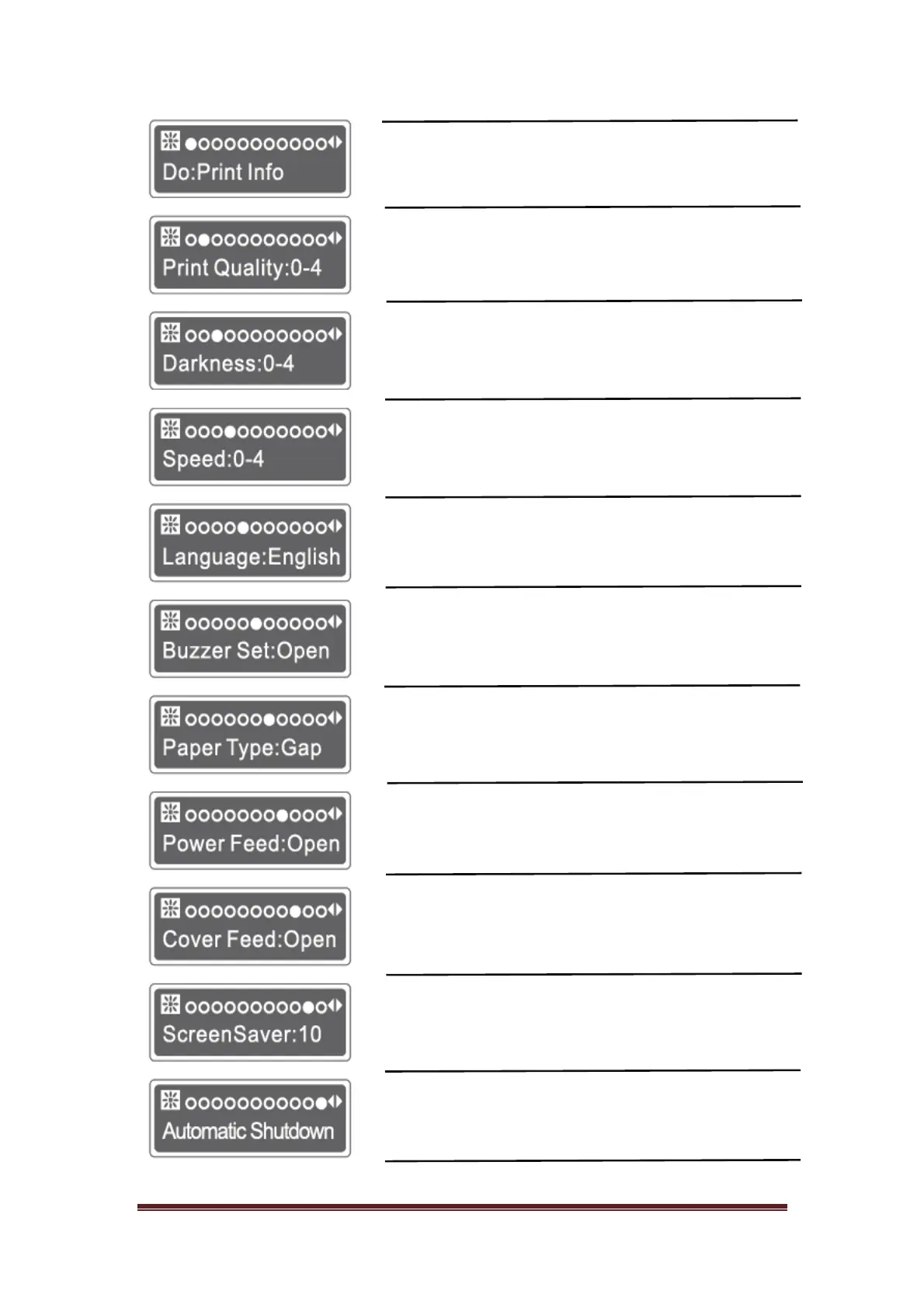
Print Info Press power key to print self testing page
Set wide range resolution
(Coarse adjustment)
0-4
0-4
Setting small range resolution
(fine adjustment)
0-4
print speed Setting
Chinese/English Language Setting
Open/Close Beeping on/off
Gap/Mark/None Paper Types Setting
Open/Close Set whether to turn on the paper
Open/Close Set whether to turn on the paper
10/30/60/99 Set the screen saver display
1-5 Set automatic shutdown


 To Next Page