Configuring Camera Settings | 75
800-21358 - A - 10/2015
Configuring System Settings
General System Setup
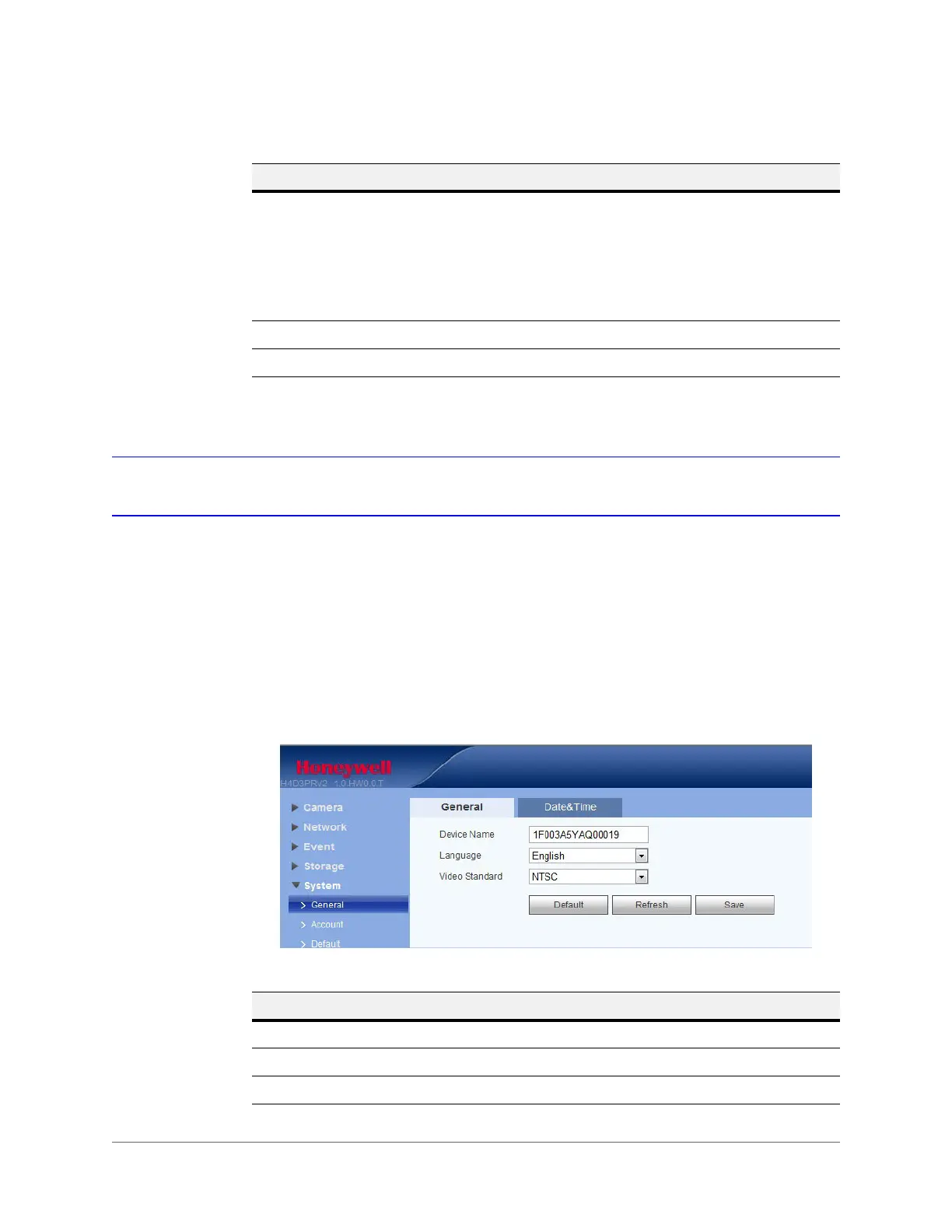
The general interface includes the local host setup (including the camera name and GUI
language), and the date/time setup.
General
Figure 5-28 General System Configuration Interface
Disk Full Select Stop Recording or Overwrite the previous files when the HDD
is full.
Overwrite: If the current working HDD is full, then the system will
overwrite the previous file.
Stop: If the current working HDD is full or is overwriting, the system will
stop recording.
Record Mode Select Auto, Manual, or Off.
Record Stream Select Main Stream or Sub Stream.
Table 5-18 Record Control Configurations (cont’d)
Parameter Function
Table 5-19 General System Configurations
Parameter Function
Device Name Enter the camera’s name.
Language Select a language from the drop-down list.
Video Standard Select the video standard: NTSC or PAL.










 To Next Page