
 Need help?
Do you have a question about the Honeywell Stanley ST9400C and is the answer not in the manual?
Explains the purpose of programmers for householders as recommended by the Energy Savings Trust.
Highlights easy-to-use controls, LoT™ technology, and informative display.
Covers 7-day programming, auto time change, and energy saving advice.
Provides an overview of the ST9400C's function in controlling heating and hot water.
Guides users on how to set programmes based on lifestyle and heating requirements.
Details the procedure for setting the current date and time on the programmer.
Explains how to use the pre-programmed settings after date and time are set.
Introduces pre-set programmes (Profiles A, B, C) as starting points for users.
Provides a template for users to record their custom heating and hot water schedules.
Instructs on how to view existing programmed times for heating and hot water.
Guides users on how to adjust the hot water (cooker) ON/OFF times.
Explains how to duplicate a day's programme to other days for efficiency.
Details how to manually set programmes for individual days.
Guides users on how to adjust the central heating ON/OFF times.
Explains how to disable or re-enable programmed ON/OFF time slots.
Explains how to select modes like OFF, AUTO, ONCE, CONT for heating/hot water.
Details how to temporarily switch heating/hot water ON or OFF without altering the schedule.
Describes how to temporarily extend heating/hot water ON times by one hour increments.
Allows users to set the system to be off for a specified number of days while away.
Explains how to switch between 12-hour AM/PM and 24-hour clock formats.
Lists adjustable installer parameters and their options for system configuration.
Details how to enter, navigate, and exit the installer configuration mode.
Provides steps to adjust the clock time if it becomes incorrect.
Addresses the automatic time change feature for daylight saving.
Offers advice on how to navigate out of difficult programming situations.
Explains system behaviour and data retention during a mains power outage.
A table listing common symptoms, their possible causes, and recommended remedies.
Explains the concept and conditions for a Mini-Programmer configuration.
Details programming times for systems configured as Mini-Programmers.
How to disable or re-enable time periods in Mini-Programmer mode.
Explains restricted operating modes for Mini-Programmers.
Describes how override/extra hour functions behave in Mini-Programmer mode.
A table for the installer to record system configuration settings.
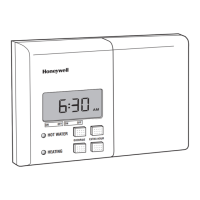
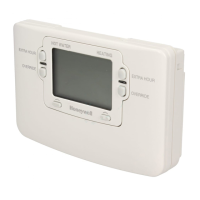
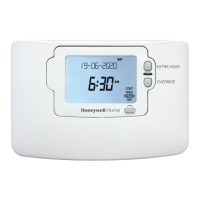
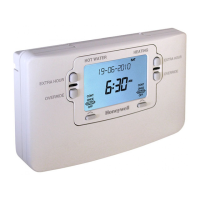
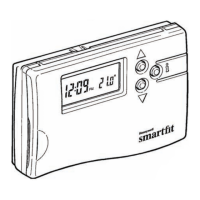
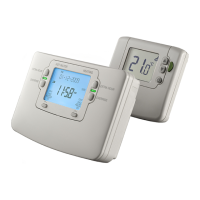
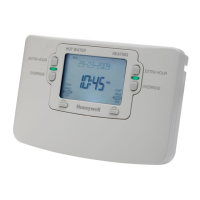
The Honeywell ST9400C is a 7-day programmer designed to control both central heating and hot water systems, allowing users to set specific ON and OFF periods to match their lifestyle. This device does not directly control temperature but works in conjunction with other temperature controls, such as room and cylinder thermostats, to manage the heating and hot water in a home.
The ST9400C offers independent 7-day programming for both heating and hot water, with up to three ON/OFF periods per day. This allows for flexible scheduling, where each day of the week can be set differently, and heating and hot water can be programmed at different times from each other. The device comes with built-in programmes (Profiles A, B, and C) that provide a starting point for typical daily heating and hot water needs, which can then be personalised.
A key feature is the Automatic Summer/Winter Time Change, which automatically adjusts the clock forward and backward during daylight saving transitions, eliminating the need for manual adjustments. The programmer also includes a Built-in Memory that retains the programmed settings indefinitely, even in the event of a mains power failure.
The ST9400C is designed for ease of use, combining a slider and buttons with LoT™ Technology and an OK button for confirming changes. The Extra Large LCD (Liquid Crystal Display) with Backlight enhances user-friendliness and provides clearer viewing, even in low light conditions.
LoT™ Technology provides informative 'on-screen' feedback and operational assistance as needed, guiding the user through programming and daily operations.
Operating Modes: The programmer offers four operating modes for heating (and hot water, if independently controlled):
Slider Positions: The slider has positions for DAY/TIME, COOKER (hot water), HEATING, and RUN.
Override Function: This feature allows temporary changes to the current operating mode without altering the programmed schedule. If the system is OFF and you return home unexpectedly, pressing the OVERRIDE button will switch it ON until the next programmed time. If the system is ON, pressing OVERRIDE will switch it OFF until the next programmed time. The LoT™ Display provides information about the override status.
Extra Hour Function: This allows users to add 1, 2, or 3 extra hours of heating or hot water. If the system is OFF, pressing the EXTRA HOUR button will switch it ON for one hour. If the system is already ON, it extends the current ON period by one hour. Multiple presses can add up to a maximum of 3 extra hours. This function can be cancelled by repeatedly pressing the EXTRA HOUR button until the 'CANCELLED' message appears.
Holiday Function: This feature allows users to switch off heating and hot water for a specified number of days (1-99 days) when away from home, saving energy and costs. The system automatically resumes normal operation on the day of return. To set, press the HOLIDAY button, use the +/- buttons to set the number of days, and confirm with OK. The display will show 'ON HOLIDAY' and count down the days until return. To cancel, press the HOLIDAY button again.
Installer Parameters: The ST9400C has an Installer Mode (accessed by holding OK and +/- buttons together in RUN position for 8 seconds) where specific features can be adjusted to suit user preferences or system requirements. These include:
Mini-Programmer Operating Instructions: If configured as a Mini-Programmer, the device simplifies programming as heating and hot water cannot be controlled independently. In this mode, some operating modes are not possible (e.g., HEATING in AUTO and HOT WATER in OFF). The OVERRIDE and EXTRA HOUR functions for heating will also bring on hot water.
The ST9400C is designed for reliability with a built-in battery backup that maintains the real time during mains power failures, ensuring the clock remains correct. All programmed settings are stored in non-volatile (NV) memory, requiring no power to retain information, thus preserving programmes indefinitely.
Troubleshooting Guide: The manual provides a guide for common issues:
The device is designed to be left with the user and forms part of a Home Information Pack, providing essential information for homeowners.
 General
| Model | ST9400C |
|---|---|
| Brand | Honeywell Stanley |
| Category | Thermostat |
| Type | Programmer |
| Number of Channels | 2 |
| Program Periods Per Day | 3 |
| Display | LCD |
| Power Supply | Mains |
| Mounting | Wall Mounted |
| Override Function | Yes |
| Battery Backup | Yes |
| Voltage | 230V |
| Frequency | 50Hz |
| Programmable | Yes |
| Backup Battery | Yes |
| Operating Mode | Heating |


 To Next Page