EasyManua.ls Logo

Honeywell T7200D - User Manual

Honeywell T7200D
40 pages
Print Icon
To Next Page IconTo Next Page
Loading...
PRODUCT DATA
LonWorks® is a registered trademark of Echelon Corporation.
® U.S. Registered Trademark
Copyright © 1999 Honeywell Inc. • • All Rights Reserved
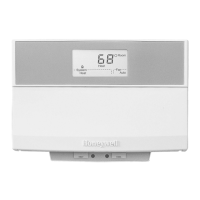
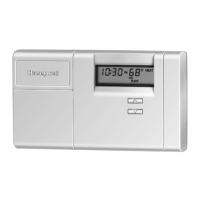
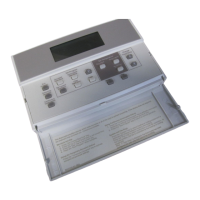
T7200D,E, T7300D,E,F and Q7300
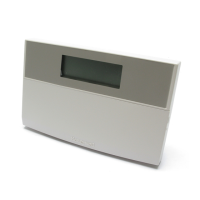
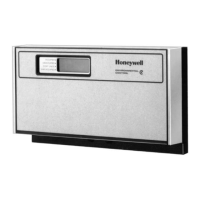
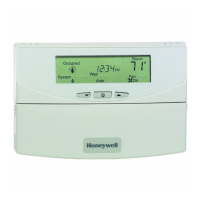
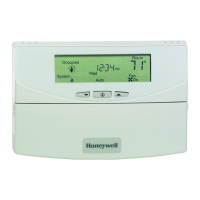
Series 2000 Programmable Commercial
Thermostats and Subbases
APPLICATION
The T7200, T7300 Thermostats and Q7300 Subbases control
24 Vac commercial single zone heating, ventilating and air
conditioning (HVAC) equipment. In addition, the Q7300H
Communicating Subbase can communicate schedule
information and system instructions to other devices in a
LonWorks® network.
FEATURES
All Models:
7-day programming.
Two Occupied and two Unoccupied periods per day.
Individual heat and cool setpoints available for
Occupied and Unoccupied periods.
Proportional plus Integral (P+I) control eliminates
temperature fluctuations.
Intelligent Recovery® control automatically optimizes
equipment start times based on building load.
Intelligent Fan™ feature energizes fan continuously in
the Occupied periods. Fan can also be configured for
conventional heat or electric heat fan operation.
Automatic or manual changeover models available.
Universal Versaguard™ Thermostat guards available.
Convenient overrides allow temporary setpoint changes.
Keypad lockout available.
T7200D,E Thermostats
Use on single-stage conventional (T7200D) or heat
pump (T7200E) applications.
T7300D,E Thermostats:
Use on multistage conventional (T7300D) or heat
pump (T7300E) applications.
Models available with remote sensor capability.
T7300F Thermostats:
Use on single-stage or multistage system in
conventional or heat pump applications.
Auxiliary contacts on Q7300 can be used to interface
with C7400/W7459 Economizer System for total
integration of rooftop control.
Remote temperature sensors available for use with
all models.
Different levels of keypad lockout available.
Q7300 Subbase:
Use with T7300D,E,F Thermostats.
Auxiliary contacts can be used to interface with
C7400/W7459 Economizer System for total
integration of rooftop control.
When used with the T7300F (revision 3 or later), the
Q7300H communicates with other network devices.
Contents
Application........................................................................... 1
Features .............................................................................. 1
Specifications ...................................................................... 2
Ordering Information ........................................................... 2
Installation ........................................................................... 5
Wiring Subbase or Wallplate ............................................... 7
Settings ............................................................................... 9
Installer Setup ..................................................................... 10
Installer System Test ........................................................... 14
Programming....................................................................... 16
Operation ............................................................................ 20
General Operation Information............................................ 22
Troubleshooting Guide ........................................................ 23
Cross Reference ................................................................. 25
Wiring Diagrams.................................................................. 33

63-4355-2

Questions and Answers

  • R
    Robert HenryAug 23, 2025
    How to fix Honeywell Thermostat temperature settings that won't change?
    • T
      turnermelissaAug 23, 2025
      If you're unable to change the temperature settings on your Honeywell Thermostat, here’s what to investigate: * **Temperature Limits Reached:** Check if you've reached the upper or lower temperature limits. Heating limits are between 40 to 90°F (7 to 31°C), and cooling limits are between 45 to 99°F (9 to 37°C). * **Setpoint Temperature Range Stops Configured:** Verify Installer Setup numbers 34 and 35 to check and reconfigure the setpoint stops if needed. * **Keypad Locked:** Check the DIP switch 1 on the back of the thermostat to enable the keypad or enter Installer Setup number 25 or 40 to reconfigure the keypad lockout level.
  • B
    browncarlAug 26, 2025
    Why Honeywell T7200D display will not come on?
    • M
      michael05Aug 26, 2025
      If the Honeywell Thermostat display doesn't turn on, the thermostat might not be getting power. Check if the X terminal is connected to the system transformer and verify there's 24 Vac between the X and R or RH terminals. If 24 Vac is missing: see if the circuit breaker tripped and reset it if necessary; check if the system fuse is blown and replace it; make sure the power switch on the HVAC equipment is in the On position; check the wiring between the thermostat and HVAC equipment, replacing broken wires and tightening loose connections. If 24 Vac is present, continue troubleshooting.
  • C
    Craig LivingstonAug 27, 2025
    How to fix Honeywell T7200D Thermostat display not turning on?
    • A
      Allen ParsonsAug 27, 2025
      If your Honeywell Thermostat display isn't turning on, it could be due to a power issue. Here's what to check: * Ensure the X terminal is connected to the system transformer. * Verify 24 Vac between the X and R or RH terminals. If 24 Vac is missing: * Check and reset the circuit breaker if tripped. * Replace the system fuse if blown. * Ensure the HVAC equipment's power switch is in the On position. * Inspect and repair or tighten any broken wires or loose connections between the thermostat and HVAC equipment. If 24 Vac is present, continue troubleshooting.
  • A
    aaguilarAug 30, 2025
    What to do if my Honeywell T7200D Thermostat temperature settings will not change?
    • S
      Stephanie MillerAug 30, 2025
      If the temperature settings on your Honeywell Thermostat won't change (for example, you cannot set heating higher or cooling lower), it could be due to several reasons. The upper or lower temperature limits might have been reached; check the heating limits (40 to 90°F or 7 to 31°C) and cooling limits (45 to 99°F or 9 to 37°C). Also, the setpoint temperature range stops could be configured; check Installer Setup numbers 34 and 35 and reconfigure the setpoint stops as needed. Finally, the keypad might be locked; if a locked key is pressed, LOC will flash on the LCD, in this case, reset DIP switch 1 on the back of the thermostat to enable the keypad, or enter Installer Setup number 25 or 40 and reconfigure the keypad lockout level.
  • S
    Sarah BakerAug 31, 2025
    How to fix Honeywell T7200D temperature display if it's incorrect?
    • N
      nmooreSep 1, 2025
      If your Honeywell Thermostat's temperature display is incorrect, it could be due to a few reasons. The room temperature display may have been reconfigured; you can enter Installer Setup number 37 and reconfigure the display. Alternatively, the thermostat might be configured for the wrong temperature scale (°F or °C); in that case, enter Installer Setup number 14 and reconfigure the display. Also, a bad thermostat location can cause incorrect readings, so try relocating the thermostat.
  • C
    Candice BrooksSep 3, 2025
    Why does my Honeywell T7200D temperature settings change from the original setting?
    • D
      Denise MercadoSep 3, 2025
      Your Honeywell Thermostat temperature settings might change from the original setting if you are trying to set the heating and cooling setpoints too close together. Check that the heating setpoint is lower than the cooling setpoint. Also, check Installer Setup number 30 to identify the deadband between heating and cooling setpoints, and reconfigure it if needed.
  • J
    Jessica GonzalesSep 5, 2025
    What to do if I am unable to configure Installer Setup on my Honeywell Thermostat?
    • J
      Jeff WilliamsSep 5, 2025
      If you are unable to configure the Installer Setup on your Honeywell Thermostat, it's possible that the Installer Setup is locked out. To resolve this, reset the DIP switch 1 on the back of the thermostat to enable the keypad.
  • W
    wrightheatherSep 7, 2025
    Why does my Honeywell Thermostat temperature change by itself?
    • M
      mmorrisSep 7, 2025
      If the temperature settings on your Honeywell Thermostat change from the original setting, it might be because you're trying to set the heating and cooling setpoints too close together. Ensure the heating setpoint is lower than the cooling setpoint. You can also check Installer Setup number 30 to identify the deadband between heating and cooling setpoints and reconfigure if desired.
  • E
    emmacollinsSep 9, 2025
    Honeywell Thermostat shows heat/cool but no air, what to do?
    • D
      Destiny RoySep 9, 2025
      If your Honeywell Thermostat displays the system on indicator (flame for heat, snowflake for cool) but no warm or cool air is coming from the registers, it could be due to: * **Delay with Conventional Heating Equipment:** Conventional heating equipment turns on the fan when the furnace has warmed up to a setpoint. Wait one minute after seeing the on indicator and then check the registers. * **Heating or Cooling Equipment Malfunction:** The heating or cooling equipment might not be operating. Verify the operation of the heating or cooling equipment in self-test.
  • T
    Todd YoungSep 12, 2025
    What to do if my Honeywell Thermostat heating will not come on (Continued)?
    • E
      Elizabeth McdonaldSep 12, 2025
      If your Honeywell Thermostat heating still won't turn on, even after initial troubleshooting, it could be due to the thermostat's minimum off time being activated, which will display a wait indicator. In this case, wait up to five minutes for the system to respond. You can also enter Installer Setup number 38 to reconfigure the minimum off time if required. Another reason could be that the system selection is not set to Heat, so ensure that the system selection is set to Heat.

Honeywell T7200D Specifications

General IconGeneral
CompatibilityHeating and cooling systems
Temperature Range40°F to 90°F
ProgrammableYes
Wi-Fi CapabilityNo
Stages2 heat / 2 cool
Voltage24 VAC
TypeDigital
DisplayBacklit LCD
Power SourceBattery
Power MethodBattery or Hardwired
Programs7-Day Programmable

Related product manuals