EasyManua.ls Logo

Honeywell t7100f - User Manual

Honeywell t7100f
8 pages
Print Icon
To Next Page IconTo Next Page
Loading...
APPLICATION
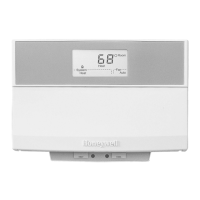
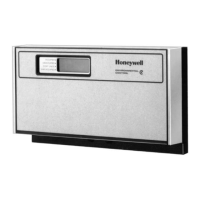
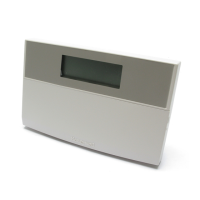
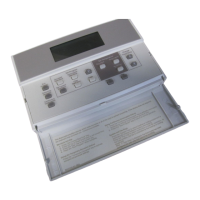
The T7100F Microelectronic Thermostat provides
electronic control of 24 Vac commercial single
zone heating, ventilating and air conditioning
(HVAC) equipment. It is designed for use with the
Q7100A Subbases for conventional heat/cool
applications and the Q7100C Subbases for heat
pump applications. The T7100F is field
configurable for automatic or manual changeover
between heating and cooling. All T7100F
Thermostats require a common wire to supply
power.
NOTE: When Q7100C Subbases are used, Installer
Setup Option must be set to 01 (heat pump).
RECYCLING NOTICE
If this control is replacing a control that contains
mercury in a sealed tube, do
not
place your old
control in the trash.
Contact your local waste management authority for
instructions on recycling and the proper disposal of
the old thermostat.
INSTALLATION
When Installing this Product...
1. Read these instructions carefully. Failure to follow
the instructions can damage the product or cause a
hazardous condition.
2. Check ratings given in instructions and on product to
make sure product is suitable for your application.
3. Installer must be a trained, experienced service
technician.
4. After completing installation, use these instructions
to check out the product operation.
CAUTION
Electrical Hazard.
Can cause electrical shock or equipment damage.
Disconnect power supply before installation.
X-XX UL
INSTALLATION INSTRUCTIONS
T7100F Microelectronic Conventional
or Heat Pump Thermostat
Mounting and Wiring Q7100 Subbase
Refer to the subbase installation instructions for mounting
and wiring information.
Setting Keypad Lockout Switch
The T7100F can be configured for keypad lockout to
prevent changes to the temperature or system settings.
DIP switch number 1, on the back of the thermostat,
activates the lockout feature. See Fig. 1. The DIP switch
must be set to the ON position (up) to activate the lockout
feature. The factory setting is off (down). Be sure to set the
switch before mounting the thermostat on the subbase.
When the DIP switch is set to the ON position it disables
all of the keys on the thermostat.
ON
1
2
M10108
BACK OF THERMOSTAT
1
1
DIP 1 IS ON
Fig. 1. Setting keypad lockout DIP switch
(back of thermostat).
Mounting Thermostat
Mount the thermostat on the Q7100 Subbase after the
Q7100 is installed:
1. Engage tabs at the top of the thermostat and
subbase. Fig. 2.
2. Press lower edge of the case to close and latch.

69-0964-2

Questions and Answers

  • G
    gordonelizabethAug 7, 2025
    How to fix Honeywell t7100f display not working?
    • A
      Anna KingAug 7, 2025
      If the Honeywell Thermostat display doesn't come on, it could be due to a lack of power or a locked-up microprocessor. First, check that the X terminal is connected to the system transformer and verify 24 Vac between the X and R or RH terminals. If 24 Vac is missing: * Check if the circuit breaker is tripped and reset it. * Check if the system fuse is blown and replace it. * Ensure the power switch on the HVAC equipment is in the On position. * Inspect the wiring between the thermostat and the HVAC equipment, replacing any broken wires and tightening loose connections. If 24 Vac is present, continue troubleshooting. Alternatively, remove the thermostat from the subbase for 2 minutes, then replace it to reset the microprocessor.
  • K
    Kristin JohnsonAug 20, 2025
    How to correct Honeywell Thermostat temperature display?
    • V
      Veronica EricksonAug 20, 2025
      An incorrect temperature display could be due to a few reasons. The room temperature display may have been reconfigured, so enter Installer Setup 37 and reconfigure the display. The thermostat might also be configured for °F or °C display; in this case, enter Installer Setup 14 and reconfigure the display. A bad thermostat location can also cause this issue, so relocate the thermostat. If the display shows two dashes and a degree sign, there is no provided solution.
  • R
    richardsonjuliaAug 25, 2025
    What to do if Honeywell Thermostat temperature settings will not change?
    • L
      lisa83Aug 25, 2025
      If the temperature settings won't change, you may have reached the upper or lower temperature limits. Check the temperature setpoints. Heating limits are 40 to 90°F (7 to 31°C), and cooling limits are 45 to 99°F (9 to 37°C).
  • S
    Susan KingAug 29, 2025
    Why is my Honeywell t7100f 'System On' but no heat?
    • L
      Lisa MorseAug 29, 2025
      If the System On indicator is lit but no heat is being delivered, it could be that the fan operation is set to 00 (conventional heat) when it should be set to 01 (electric heat). Enter Installer Setup mode number 02 and reconfigure the fan operation. It's also possible that the conventional heating equipment turns on the fan when the furnace has warmed up to a setpoint, so wait a minute after seeing the On indicator and then check the registers. Finally, the heating equipment may not be operating, so verify its operation in Self-Test.
  • A
    Andrew MuellerSep 1, 2025
    Why is there 24V present on all Honeywell t7100f terminals?
    • C
      Caroline RomeroSep 2, 2025
      When a thermostat is powered but not connected to heating/cooling equipment, arc suppression will be present, resulting in a 24V ghost voltage. To resolve this, connect the heating/cooling equipment to the thermostat, which should cause the voltage to drop to zero.
  • D
    darin85Nov 10, 2025
    What to do if Honeywell t7100f Thermostat heating does not come on?
    • K
      Kyle GarciaNov 10, 2025
      If the heating doesn't come on, it could be due to a few reasons. First, check that the X terminal is connected to the system transformer and verify 24 Vac between the X and R or RH terminals. If 24 Vac is missing: * Check if the circuit breaker is tripped and reset it. * Check if the system fuse is blown and replace it. * Ensure the system switch at the equipment is in the On position. * Inspect the wiring between the thermostat and the HVAC equipment, replacing any broken wires and tightening loose connections. If 24 Vac is present, continue troubleshooting. Another possibility is that the thermostat minimum Off time is activated, in which case you should wait up to five minutes for the system to respond. You can also reconfigure minimum On time in Installer Setup 38, if requir...
  • C
    Cheryl CobbNov 14, 2025
    Why Honeywell t7100f cooling is not working?
    • C
      Carol AyersNov 15, 2025
      If the cooling doesn't come on, there are a few potential causes. First, check that the X terminal is connected to the system transformer and verify 24 Vac between the X and R or RC and Y terminals. If 24 Vac is missing: * Check if the circuit breaker is tripped and reset it. * Check if the system fuse is blown and replace it. * Ensure the system switch at the equipment is in the On position. * Inspect the wiring between the thermostat and the HVAC equipment, replacing any broken wires and tightening loose connections. If 24 Vac is present, continue troubleshooting. Another possibility is that the thermostat minimum Off time is activated, so wait up to five minutes for the system to respond or reconfigure minimum Off time in Installer Setup 33, if needed. Also, ensure the system ...

Honeywell t7100f Specifications

General IconGeneral
BrandHoneywell
Modelt7100f
CategoryThermostat
LanguageEnglish

Related product manuals