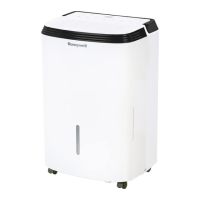
EasyManua.ls Logo

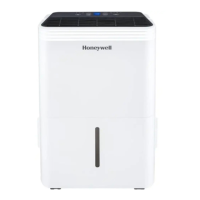
Honeywell TP70WKNR - User Manual

Honeywell TP70WKNR
127 pages
Print Icon
To Next Page IconTo Next Page
Loading...
Portable Dehumidifier and Smart Portable Dehumidifier
User Manual
Read and save these instructions before use
EN
Déshumidificateur Portatif et Déshumidificateur Portatif Intelligent
Mode d’emploi
Lire ces consignes avant l’utilisation de l’appareil et les conserver
FR
Deshumidificador Portátil y Deshumidificador Portátil Inteligente
Manual del Usuario
Lea y guarde estas instrucciones antes de usar la unidad
ES
Model / Modèle / Modelo:
TP30WK / TP30WKN / TP30AWKN /
TP30WKNR / TP30AWKNR /
TP50WK / TP50WKN / TP50AWKN /
TP50WKNR / TP50AWKNR /
TP70WK / TP70WKN / TP70AWKN/
TP70WKNR / TP70AWKNR /
TP70PWK / TP70PWKN /
TP70PWKNR
Customer Support:
Assistance Au Client:
Servicio de atencion a clientes:
Web: www.HoneywellAirComfort.com
USA: 1-800-474-2147 | usinfo@jmatek.com
CANADA^: canadainfo@jmatek.com
^ Canada Customer Support service available for models sold in Canada only.
^ Le Service Client Canadien est disponible uniquement pour les modèles vendus sur le territoire Canadien.
^ Servicio de Atención A Clientes en Canadá disponible solo para modelos vendidos en Canadá.
Check the website for FAQ's, usage guides and more!
Consultez le site Web pour les FAQ, les guides
d'utilisation et plus encore !
Consulte el sitio web para ver las preguntas
frecuentes, las guías de uso y mucho más.
www.HoneywellAirComfort.com
Contact UsProduct Registration


Questions and Answers

  • S
    sherylgarrettAug 18, 2025
    How to fix a Honeywell Dehumidifier when the continuous drain is not working?
    • K
      Kenneth DayAug 18, 2025
      If you've connected the continuous drain but water isn't draining from your Honeywell Dehumidifier, try raising the front of the unit by ½ to 1 inch (1.27 cm to 2.54 cm). This helps ensure proper drainage through the back hose.
  • S
    Sarah MendezAug 20, 2025
    How to troubleshoot a Honeywell TP70WKNR Dehumidifier that does not start?
    • C
      carriegreenAug 21, 2025
      If your Honeywell Dehumidifier isn't starting, first ensure it has electricity. Then, check that the power cord is correctly plugged in. Finally, make sure the water tank is properly positioned, as the unit won't operate if it's not securely in place.
  • T
    Tyler JamesAug 23, 2025
    What to do if the Honeywell TP70WKNR Dehumidifier says 'Water Tank Full' and is beeping?
    • E
      edwardsjacquelineAug 23, 2025
      If the 'Water Tank Full' indicator is on and your Honeywell Dehumidifier is beeping, the water tank is likely full; empty it. Also, ensure the water tank is correctly positioned in the unit and that the floater inside the tank is properly aligned.
  • S
    Stacy MilesAug 26, 2025
    What to do if there is water on the floor near my Honeywell TP70WKNR?
    • M
      Melissa ShermanAug 26, 2025
      If you find water on the floor near your Honeywell Dehumidifier, first check the connections of the garden or drain hose to ensure they are tight. If you're using the water tank, disconnect the continuous drain hose and replace the rubber stopper and drain cap.
  • D
    Doris ZimmermanAug 28, 2025
    What does error code E5 mean on my Honeywell Dehumidifier?
    • T
      Thomas SawyerAug 28, 2025
      If 'E5' appears on your Honeywell Dehumidifier, ensure the Auto Drain Pump Tube and Cap are correctly installed onto the Drain Outlet, with the seal washer properly in place. Verify the Direct Drain Outlet is clean. Confirm you're using the correct Auto Drain Tube (16ft/5m). Ensure the Auto Drain Pump Cap is secure. If the error persists, unplug the unit, drain the water manually, and restart. If 'E5' reappears, contact the consumer service center.
  • E
    ericrussellAug 30, 2025
    Why does frost appear on the coils of my Honeywell Dehumidifier?
    • Z
      zrodriguezAug 30, 2025
      If frost appears on the coils of your Honeywell Dehumidifier, especially after turning it on in low room temperatures (below 41°F (5°C)), this is normal. The frost should disappear within an hour or so after switching the dehumidifier OFF.
  • D
    Dorothy HoganSep 2, 2025
    What does P1 error mean on a Honeywell Dehumidifier?
    • R
      Rhonda RussellSep 2, 2025
      If 'P1' appears on your Honeywell Dehumidifier (TP70PWK / TP70PWKN / TP70PWKNR models), ensure the water tank is correctly positioned. The unit will not operate until the tank is secure.
  • P
    patriciavillegasSep 4, 2025
    Why is my Honeywell Dehumidifier running but not decreasing humidity?
    • A
      Ashley GibsonSep 5, 2025
      If your Honeywell Dehumidifier is running but the humidity level isn't decreasing, try these steps: * Lower the humidity level setting. * Ensure all doors and windows are closed and sealed. * Eliminate other humidity sources in the room. * Ensure the room temperature is between 41°F (5°C) and 89°F (32°C). * Clean the dust filter. * Remove any blockages from the air outlet or intake.
  • M
    Michael HuntSep 7, 2025
    Why does my Honeywell TP70WKNR run constantly and not stop?
    • C
      Crystal StewartSep 7, 2025
      If your Honeywell Dehumidifier runs constantly, it might be due to the area being too large for the unit's capacity. Consider adding another dehumidifier for larger spaces. Also, ensure all windows and doors are tightly sealed to prevent new moisture from entering.
  • P
    Paul AndersonSep 9, 2025
    Why is my Honeywell TP70WKNR Dehumidifier blowing cold air?
    • R
      Raymond OliverSep 9, 2025
      The air temperature from the top vent of your Honeywell Dehumidifier depends on the room environment and other factors, it can fluctuate and this is normal. No action required.

Summary

Honeywell Air Comfort App User Manual

Downloading the App

Instructions for downloading and setting up the Honeywell Air Comfort App.

Registering a User Account

Account Registration Process

Step-by-step guide for creating a new user account for the app.

Wi-Fi Setup Connection Methods

Connecting via CF Mode

Guide for connecting the dehumidifier using the CF (Quick Connection) mode.

AP Mode Wi-Fi Setup

Connecting via AP Mode

Guide for connecting the dehumidifier using the AP (Access Point) mode.

Using the Honeywell App

Voice Activated Control

Troubleshooting

Account and Wi-Fi Pairing Issues

Solutions for problems with account registration and device pairing.

Safety Rules

General Safety Precautions

Essential safety guidelines for operating the dehumidifier.

R32 Refrigerant Safety

Additional Warnings for R32 Refrigerant

Specific warnings and precautions for appliances with R32 refrigerant gas.

Selecting a Location

Unpacking the Dehumidifier

Use and Operation

Use and Operation

Troubleshooting Guide

Dehumidifier Start and Humidity Issues

Solutions for common issues like the unit not starting or humidity not decreasing.

Constant Operation and Water Tank Issues

Troubleshooting for continuous operation, full tank, and frost issues.

Troubleshooting Guide

Error Code Guide

Common Error Codes and Solutions

Lists error codes and their possible causes and solutions.

Honeywell TP70WKNR Specifications

General IconGeneral
ModelTP70WKNR
TypeDehumidifier
Energy Star RatedYes
Noise Level51 dB
Continuous Drain OptionYes
Operating Temperature41°F to 95°F
Humidity RemovalUp to 70 pints per day
ColorWhite
Capacity70 pints
Coverage Area4500 sq. ft.
Filter TypeWashable

Related product manuals