EasyManua.ls Logo

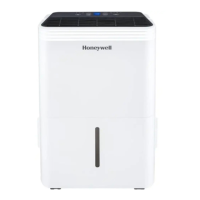
Honeywell TP30 - User Manual

Honeywell TP30
23 pages
Print Icon
To Next Page IconTo Next Page
Loading...
Model:
TP30 / TP50 / TP50H /
TP70 / TP70P
Dehumidifier
User Manual
Read and save these instructions before use
www.jmatek.com
E-mail: info@jmatek.com

Questions and Answers

  • A
    Anita JohnstonAug 17, 2025
    Why does my Honeywell TP30 Dehumidifier run constantly and not stop?
    • L
      Linda HodgesAug 17, 2025
      Your dehumidifier might be running constantly because the area you're trying to dehumidify is too large for its capacity. Consider adding another dehumidifier for larger spaces. Also, check if any doors or windows are open, letting in new moisture. Make sure to keep them closed and tightly sealed.
  • M
    miguel57Aug 20, 2025
    Why is there frost on the coils of my Honeywell Dehumidifier?
    • D
      Darlene SmithAug 20, 2025
      If you recently turned on your dehumidifier in a room with low temperatures (usually below 41°F or 5°C), frost may appear on the coils. This is normal and should disappear within an hour or so after switching the dehumidifier off.
  • J
    James BarnettAug 23, 2025
    How to fix a Honeywell TP30 Dehumidifier that does not start?
    • D
      Diana RichardsAug 23, 2025
      First, check if there is electricity and that the power cord is properly plugged in; remove and reconnect it. Also, check the safety switch on the electrical plug and reset it, waiting three minutes. If it still doesn't start, ensure the water tank is correctly positioned, as the unit won't operate without it being secure.
  • K
    Kevin WigginsAug 26, 2025
    What to do if my Honeywell Dehumidifier is running but the humidity level isn't decreasing?
    • G
      Gregory WestAug 26, 2025
      Several factors could be at play. Ensure the humidity level setting isn't too high. Close any open doors or windows to prevent new moisture from entering. Eliminate other humidity sources in the room. Make sure the room temperature is between 41°F (5°C) and 89°F (32°C). Clean the dust filter if it's dirty or blocked, and remove any blockages from the air outlet or intake.
  • J
    James BentonAug 28, 2025
    How to fix Honeywell TP30 when water is on the floor?
    • M
      Mr. Walter NguyenAug 28, 2025
      If you find water on the floor, check the connections between the garden hose/drain hose and the drain outlet on the unit to make sure they are not loose. If you're using the water tank, disconnect the hose and replace the rubber stopper and drain cap. Refer to the Continuous Water Drainage section for more details.
  • R
    Rhonda Hampton DDSAug 31, 2025
    How to fix Honeywell TP30 Dehumidifier if it is not draining with continuous drain?
    • C
      Cindy GilmoreAug 31, 2025
      If the water isn't draining out of the tube when using continuous drain, try raising the front of the dehumidifier by ½ to 1 inch (1.27 cm to 2.54 cm) from the floor. This helps the water drain out the back hose instead of collecting in the bucket.
  • J
    Jerry DiazSep 2, 2025
    What to do if the 'Water Tank Full' light is on and my Honeywell TP30 Dehumidifier is beeping?
    • L
      Lee HartSep 2, 2025
      This usually means the water tank is full or not correctly positioned. First, empty the water tank. If that doesn't solve it, make sure the water tank is correctly positioned in the unit. The unit won't work if the tank isn't secure.
  • S
    sarahvillaSep 5, 2025
    Why is my Honeywell TP30 blowing cold air?
    • L
      Leslie MirandaSep 5, 2025
      The top air vent distributes air into the room. The air temperature from the vent can change based on the room and other conditions, which is normal, so no action is required.
  • C
    Courtney MooreSep 8, 2025
    Why is my Honeywell Dehumidifier making noise?
    • R
      Rebecca BaileySep 8, 2025
      The fan creates sounds during operation, which is a normal part of how the dehumidifier works.
  • M
    Morgan CraneSep 12, 2025
    What does P1 mean on my Honeywell TP30 Dehumidifier?
    • A
      Andrew HarperSep 12, 2025
      The P1 error code indicates that the water tank has been pulled out. To fix this, correctly position the water tank back into the unit. The unit will not operate until the water tank is secure.

Summary

Safety Rules

How a Dehumidifier Works

Selecting a Location

Guides on choosing the best place for the dehumidifier's operation for optimal efficiency.

Unpackaging the Dehumidifier

Parts Description

Install the Cord Winder

Use & Operation

Control Panel

Overview of the dehumidifier's control panel and its indicators.

Function Buttons

Details on various function buttons and their operations.

Humidity Control Setting

Instructions for adjusting the desired humidity level.

Continuous Mode

How to activate and use the continuous operation mode.

Water Tank Full Alert

Explains the indicator and sound for a full water tank.

Timer Control

How to set the automatic on/off timer for the unit.

Fan Speed Control

Information on selecting between high and low fan speeds.

Filter Alert

Guidance on when and how to clean the air filter.

Sleep Mode

How to activate sleep mode and its effects on display brightness.

PTC Heater Mode*

Details on the PTC heater mode for cold environments.

Auto Drain Pump Mode*

How to use the auto drain pump for continuous drainage.

Auto Restart Function

Explains the unit's ability to resume settings after power loss.

Automatic Defrost

How the unit handles and removes frost buildup.

Draining the Water

Procedures for draining collected water from the unit.

Continuous Water Drainage - Using a Continuous Water Drain Tube

Instructions for continuous drainage using a hose.

Continuous Water Drainage - Using the Auto Drain Pump option

Setup for continuous drainage with the auto drain pump.

Cleaning & Maintenance

Appliance Maintenance

General guidelines for cleaning and maintaining the appliance.

Dust Filter Maintenance

How to clean and maintain the dust filter for optimal performance.

End of Season Storage & Maintenance

Steps for storing the dehumidifier properly during off-seasons.

Troubleshooting Guide

Dehumidifier does not start

Solutions for issues when the dehumidifier fails to power on.

Unit runs but the humidity level does not decrease

Troubleshooting steps for ineffective dehumidification.

Dehumidifier runs constantly; does not stop

Causes and solutions for the dehumidifier running non-stop.

Water Tank Full is illuminated and the unit is beeping

What to do when the water tank full alert is active.

The unit is blowing cold air out of the top vent

Explanation of cold air output from the vent.

Frost appears on the coils

Information about frost formation on internal coils.

Water on the floor

Solutions for water leakage or spillage problems.

Noise

Explains normal operating sounds and potential noise issues.

Error Code Guide

P1

Error code P1 explanation and resolution.

EH

Error code EH explanation and resolution.

E1; E2

Error codes E1/E2 explanation and resolution.

E3

Error code E3 explanation and resolution.

Honeywell TP30 Specifications

General IconGeneral
ModelTP30
Dehumidification Capacity30 pints per day
Energy Star RatedYes
Continuous Drain OptionYes
Auto-RestartYes
Noise Level51 dBA

Related product manuals