EasyManua.ls Logo

Honeywell VisionPRO 8000 - User Manual

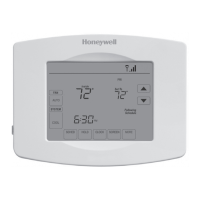
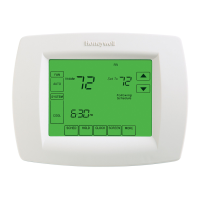
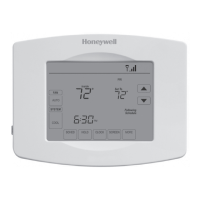
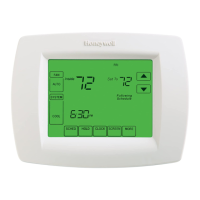
Honeywell VisionPRO 8000
156 pages
Print Icon
To Next Page IconTo Next Page
Loading...
Wi-Fi VisionPRO
®
8000
User Guide

Table of Contents

Other manuals for Honeywell VisionPRO 8000

Questions and Answers

  • R
    Robin BrownSep 23, 2025
    Why can't I set my Honeywell VisionPRO 8000 to Cool?
    • C
      catherineschaeferSep 23, 2025
      If you cannot set the system setting to Cool on your Honeywell Thermostat, it might be because the System Type (Installer Setup Number 0170) is set to Heat Only or Heat Only with Fan. Set the System Type to match the installed heating and/or cooling equipment.
  • W
    Wendy LaneAug 23, 2025
    How to fix a blank screen on a Honeywell VisionPRO 8000 Thermostat?
    • D
      davismarissaAug 23, 2025
      If your Honeywell Thermostat screen is blank, start by checking the circuit breaker and reset it if necessary. Then, ensure the power switch at your heating and cooling system is turned on. Finally, verify that the furnace door is closed securely.
  • A
    Ashley FosterAug 25, 2025
    How to fix a Honeywell VisionPRO 8000 when the display does not come on?
    • E
      Elizabeth MillerAug 26, 2025
      If the display on your Honeywell Thermostat doesn't turn on, it could be due to a power issue. First, verify that there is 24 Vac between the C and Rc terminals. Also, ensure that the AAA batteries are correctly installed and are not depleted.
  • G
    Gregory WilliamsAug 26, 2025
    What to do if heating or cooling does not come on with Honeywell VisionPRO 8000 Thermostat?
    • O
      ohartAug 26, 2025
      If your Honeywell Thermostat isn't activating the heating or cooling, there are a few potential reasons. First, the thermostat's minimum off-time might be active; wait up to five minutes for the system to respond. Second, ensure that the system selection is correctly set to either Heat or Cool. Finally, the system type selection could be incorrect; check Installer Setup Number 0170 to confirm the correct system type is chosen.
  • A
    Adrienne MarshallAug 27, 2025
    Why temperature settings do not change on my Honeywell VisionPRO 8000 Thermostat?
    • N
      nicole37Aug 27, 2025
      If you're unable to change the temperature settings on your Honeywell Thermostat, it could be because the upper or lower temperature limits have been reached. Check the temperature setpoints and modify Installer Setup Numbers 0600 and 0610 as needed. Alternatively, the keypad might be fully locked. In that case, check Installer Setup Number 0670 to change the keypad locked options.
  • V
    Valerie WatsonSep 18, 2025
    Why doesn't the fan turn on when heat is on with my Honeywell VisionPRO 8000 Thermostat?
    • Z
      znunezSep 18, 2025
      If the fan isn't activating during a call for heat with an electric furnace controlled by your Honeywell Thermostat, it's possible that the Fan Control in Heating is set to Gas or Oil Furnace (Setting 0180). Change the Fan Control in Heating setting to Electric Furnace (Setting 0180).
  • J
    Jacqueline HayesSep 15, 2025
    Why is my heating equipment running in cool mode with my Honeywell VisionPRO 8000 Thermostat?
    • S
      Shelby KingSep 15, 2025
      If your heating equipment is running while the Honeywell Thermostat is in cool mode, it's likely that the System Type (Installer Setup Number 0170) is incorrectly set to Heat Pump when it is not a heat pump system. Set the System Type to match the installed heating and/or cooling equipment.
  • J
    Jessica NguyenSep 16, 2025
    Why is my Honeywell Thermostat heat pump blowing cool air in heat mode?
    • J
      Jason WagnerSep 16, 2025
      If your heat pump is emitting cool air in heat mode and warm air in cool mode with your Honeywell Thermostat, the Changeover Valve (Installer Setup Number 0190) is likely misconfigured. Set the Changeover Valve to match the changeover requirements of your installed heat pump.
  • M
    Matthew EvansSep 6, 2025
    Why won't my heating equipment turn off on my Honeywell Thermostat?
    • M
      mitchell51Sep 6, 2025
      If your heating equipment continues to run even when the heat temperature setting on your Honeywell Thermostat is set below room temperature (and 'Heat On' is not displayed), it's likely that the System Type (Installer Setup Number 0170) is incorrectly set to Heat Pump when it's not a heat pump system. Set the System Type to match the installed heating and/or cooling equipment.
  • M
    Michael MyersSep 3, 2025
    Why 'Heat On' is not in the display of my Honeywell Thermostat?
    • J
      Jennifer NicholsSep 4, 2025
      If the 'Heat On' indicator is not displayed on your Honeywell Thermostat, it could be because the system setting is not set to Heat, or the temperature setting is not set above the current room temperature. Ensure that the system setting is set to Heat and that the temperature setting is higher than the room temperature.

Summary

Thermostat Quick Reference Guides

Residential and Commercial Use

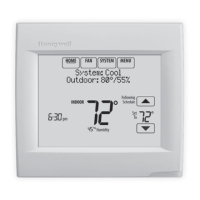
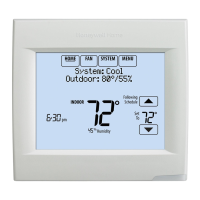
Explains thermostat display elements and controls for residential and commercial users.

Wi-Fi Connectivity and Online Registration

Connecting to Your Wi-Fi Network

Steps to connect the thermostat to a Wi-Fi network, including setup and password entry.

Registering for Remote Access

Process for creating an account and registering the thermostat for remote control.

Core Settings and Schedules

Setting Time, Fan, and System Modes

Instructions for configuring the thermostat's time, fan, and operating system modes.

Managing Schedules and Overrides

Adjusting program schedules and overriding current settings for different scenarios.

Advanced Features and Modes

Vacation, Holiday, and Event Settings

Configuring vacation holds and holiday/event schedules for energy savings.

Humidity, Ventilation, and Preferences

Adjusting humidity, ventilation, and user preference settings for comfort.

Maintenance, Security, and Troubleshooting

Screen Maintenance and Security Settings

Instructions for cleaning the screen and adjusting security lock modes.

Wi-Fi and General Troubleshooting

Resolving Wi-Fi connection issues and general thermostat operational problems.

Honeywell VisionPRO 8000 Specifications

General IconGeneral
DisplayTouchscreen
Programmability7-day programmable
Operating ModesHeat, Cool, Auto, Off
Fan ModesAuto, On, Circulate
Energy Star CertifiedYes
Backup BatteryYes
Filter Change AlertYes
InstallationWall-mounted
ConnectivityWi-Fi
Power SourceBattery or Hardwired
System CompatibilityHeat pump, Gas, Oil, Electric
Stages2 heat/2 cool
Display TypeTouchscreen
Temperature Range40°F to 90°F
Humidity ControlYes
CompatibilityCompatible with most heating, cooling, and heat pump systems

Related product manuals