
 Need help?
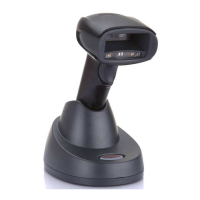
Do you have a question about the Honeywell Xenon 1952-BF and is the answer not in the manual?
Initial setup steps, including connecting and powering the scanner and base.
Instructions for connecting the scanner to the base using a USB cable.
Procedure to pair the scanner with its base for automatic connection.
Process to disconnect a scanner from its paired base.
Configuring the scanner to act as a serial COM port over USB.
Programming the scanner to function as a standard USB keyboard.
Configuring the scanner to communicate with Electronic Medical Record applications.
Setting up the scanner for seamless integration with Meditech software.
 General
| Brand | Honeywell |
|---|---|
| Model | Xenon 1952-BF |
| Category | Barcode Reader |
| Language | English |



 To Next Page